Desertcart purchases this item on your behalf and handles shipping, customs, and support to UAE.
🎥 Elevate your virtual presence with pro-grade clarity and privacy!
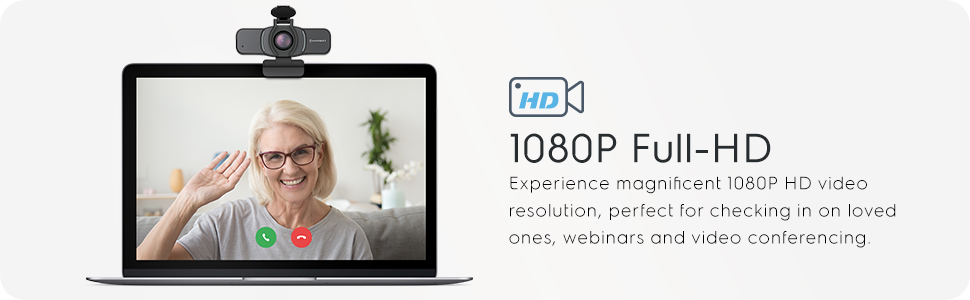
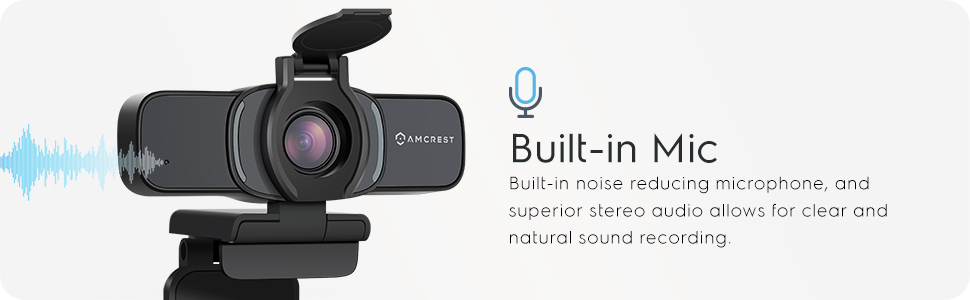
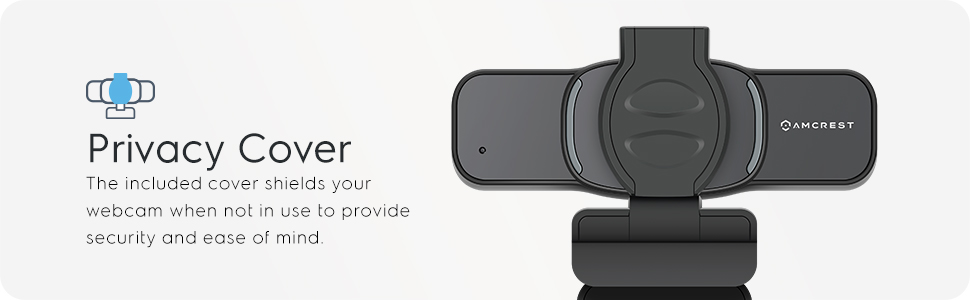
The Amcrest 1080P Webcam (AWC201-B) combines a 2MP CMOS sensor with a 70° wide-angle lens to deliver crisp, distortion-free Full HD video. Featuring dual noise-reducing microphones and a built-in privacy cover, it ensures clear communication and security. Compatible with major platforms and operating systems, it offers plug-and-play USB 2.0 connectivity and versatile mounting options, making it an ideal choice for professionals seeking reliable, high-quality video conferencing.


| ASIN | B085STB7FR |
| Best Sellers Rank | #504 in Webcams |
| Brand | Amcrest |
| Built-In Media | Privacy Cover |
| Camera Flash | No Flash |
| Color | AWC201-B |
| Compatible Devices | Devices and systems that support Windows, Mac OS, Android, Skype, Youtube, Yahoo!atMessenger, MSN, Zoom, Windows LiveatMessager, Gmail, WeChat etc instant messaging applications |
| Connectivity Technology | USB |
| Customer Reviews | 4.1 out of 5 stars 8,036 Reviews |
| Digital Zoom | 4 x |
| Effective Still Resolution | 2 mp |
| Exposure Control Type | Automatic |
| File Format | JPEG |
| Focus Type | Autofocus |
| Global Trade Identification Number | 00850011990322 |
| Image stabilization | Optical |
| Item Weight | 0.15 kg |
| Manufacturer | Amcrest |
| Maximum Focal Length | 4 millimeters |
| Mfr Part Number | AWC201-B |
| Model Name | AWC201-B |
| Model Number | AWC201-B |
| Photo Sensor Resolution | 2 mp |
| Photo Sensor Technology | CMOS |
| Screen Size | 5 inches |
| Sensor Type | CMOS |
| Shooting Modes | Low Light |
| UPC | 850011990322 |
| Unit Count | 1 Count |
| Video Capture Format | MP4 |
| Video Capture Resolution | 1080p |
| Warranty Description | 1 Year Warranty |
| Water Resistance Level | Not Water Resistant |
| Zoom Type | smooth zoom |
D**T
Looking for a camera for general web conference calls or web monitoring this is a great camera.
After using the AQC201-B for a week I have found the following feedback for the device. 1) Clarity: Clarity is on par with what is generally expected at the entry price point. For a 25-40 USB camera, the clarity holds true and is good quality for either business or personal use conference calls. For higher tier such as web streaming personalities, the camera is on the low end of expectations. That being said, it meets expectations of the price point and should not be degraded for inability to overperform. 2) Light quality: The camera was not able to level lighting and provide a clear, lit view of the subject using minimal lighting. Once direct, studio lighting was added to the subject it provided a washed out view and there was no automated correction. Overall, the lighting / darkness correction of this camera is below other market options. 3) Ease-of-use: This is truly a plug n play camera. It is also a 'what you see is what you get' (WYSIWYG) camera. Overall: This camera is usable for general use or monitoring. It has a good usability for general users. For someone that is looking for a simple camera to portray images/video feed for general web conference calls or web monitoring this is a great camera. If the desire is to have a clearer balanced brightness camera you may want to steer to an alternate product. I give this 3.5 of 5 stars.
C**E
Great Value Cam for the Money
I've been using this camera off and on for several months now. To provide a little background, I work remotely and attend roughly 4 hours of virtual meetings per day via Zoom, Google Meet, Microsoft Teams, etc. For points of comparison, I work off of a Dell Precision 3551 with a built-in webcam and, when docked, I generally use a Logitech 1080p Pro Stream. Field-of-View: The Amcrest has a very wide viewing angle compared to all my other cameras. I would say that is both it's best and it's worst feature depending on what you're looking for. For my job, I need the camera to sit atop my monitor and look at my face\upper torso. The Amcrest's wide angle is a little wide for this use-case, which ends up giving a very slight fish-eye effect at the outer edges that could be avoided with a narrower angle. It also shows more of my home office's room than I'd like colleagues to see. That being said, there are other use cases where the very wide angle lens has been extremely handy. During the lockdown we hosted a couple family events via Zoom and pointed the camera at the entire room of people, which was extremely nice compared to the narrower field-of-view of my Logitech which could not see the whole room. Image Quality: Compared to other 1080p Amcrest products that I own, I feel the resolution is a bit softer. It's also softer than the Logitech, but still quite a bit sharper than the laptop's built-in webcam. The white balance is a bit cooler and the tint tends to lean enough towards green that I immediately noticed it, but only I think because I was specifically watching for it. The dynamic range is a bit lower than my Logitech and the detail in my dark hair tends to get crushed in shadow while my light skin softens and washes out. Microphone: The microphone is usable. I would say that it may actually be better than the Logitech's built-in mic (which is also usable). That being said, I would only recommend it for general business\personal type use and certainly not for hosting a webinar, or recording any music. Software: The Amcrest (as far as I can tell) does not offer any software for image adjustments while the Logitech does. Some apps, like Zoom, have image adjustment features baked directly into the app that allow you to correct things like the tint, contrast and exposure, which is great since those were things I didn't love about this cam. However, many other apps (at least at time of writing this review) do not offer these adjustments. In these cases, the Logitech has a companion software that allows you to tweak aspects of the image while the Amcrest does not. I feel that my review has pointed out a lot of little details that aren't quite perfect, and while I stand by that, there are very few webcams that I would consider to have very high image\audio quality at the sub fifty dollar price point. In fact, the Logitech I daily drive and my main point of comparison costs between double and triple what this one costs and is certainly not double or triple the quality. I consider this a great value camera for the money and would still recommend it. Especially if you use a software like Zoom that allows you to tweak a couple aspects of the image or if you like the very wide angle lens.
A**R
Great Web Cam for the Price
With everything going on now I've been in the market for a web camera. As a lot of us are working from home or school from home, I was looking for a web cam just to be able to have enough for all the needed Zoom, Google Meets and other work / school needs. The technology gods must have heard my concerns and saw an ad for this camera. Thought I'd give it a run. To be honest, I am familiar with Logitech or Microsoft when it comes to web cams...not familiar with Amcrest. But from what I've read, and researched, they are very familiar with camera technology. The camera came in a soft envelope packaging from Amazon - VERY QUICKLY. 3 to 5 days at most. Inside the envelope a small box - 4" x 2.5" x 3" (approximate). But packaged securely and very well. Setup was a breeze. Literally plug it in and Windows 10 recognizes it. Used it on two different computers. Both setup super easy. Now, as far as quality goes, let me put things into perspective. I've dealt with two main web cams. 1. A 14 year old Microsoft web cam that no longer even worked with a PC. 2. A Macbook Pro for work. The Microsoft and Macbook cameras are polar opposite. The old one was grainy, and low definition where the Macbook is extremely clear, bright, and colors seem vibrant. My first impression of the Amcrest camera was that a bit dull. Not that it is bad - just that it wasn't seemingly as brilliant compared to the Apple camera. But others have said it compared to or was better than their Mac. I do believe that my lighting played a large roll in how the camera looked. This camera has what I think an amazing wide view. Three to four people could be around a computer and could see them all fine. An no distortion or fish eye. Video is clear! Certainly a high quality camera. In fact we actually lowered the "quality" and wide angle range so that it wasn't so wide for classroom settings and Google Meets. The audio seems to be more than sufficient, although for one of my kids classes, they had to step a few feet back so that their full body could be seen for a "speech" type assignment. It was a little quiet in that situation. But for a Zoom / Google meets situation - GREAT! Overall, I'll give this 5 stars. I really do believe that the quality of this camera for the price makes this an incredible value. I did see a difference between my Macbook Pro's built in camera and this one as mentioned above - however I would not lower any of the ratings or value to this webcam. Amcrest did a great job on this camera. Overall VERY impressed.
J**.
Great Picture, Works just as it should
The camera works just as you would expect it to. I would recommend this camera. The picture is good, not great, since we are talking about 1080p which has become less than great. I currently have 6 other Amcrest cameras I use in BlueIris, and this webcam has the same quality I have come to expect. Overall, I do prefer this to our Logitech C920 Pro HD Webcam that we had been using for a while. The viewing angle on the Amcrest is better, and the picture quality was slightly noticeably better. We do prefer the wider angle for our work and casual use. The wider viewing angle may not be ideal if you have more serious work type video conferences where you don't want additional background distractions, although the zoom level was different in different applications. I'm not sure if it's the application that dictates the picture, but there was a noticable differnce in the zoom level when using the camera in the Zoom Application versus using it for a Facebook Live, and also in Jitsi Meet. The Logitech didn't seem to have this change. My wife has been using it much more than I have, and the first thing she said when I plugged it in was "oh wow, that looks great". She noticed the better quality right away. She uses it just about daily for one of our businesses, and has nothing but good things to say about it. I believe a few of her team members have also ordered them after watching her on a live or conference call. The microphone is not the best and sounds pretty "tinny", but we have a desktop microphone we have been using instead, same goes for the Logitech. Our biggest complaint would be the mount. It is not nearly as solid and firm as the Logitech mount. It just doesn't quite grab the monitor very strong. This is one thing the Logitech does better. Right now the camera is $64.99 here, but I feel like ~$55 is a better price point for this camera. I still recommend this camera, but if can wait it might drop or go on sale.
T**R
About what you'd expect from a budget webcam
Before I share my thoughts, let me state upfront that I received this free of charge from the manufacturer to test. My review is completely unbiased. Let me also state that I do some video work professionally and have experience with a mix of cameras. I recommend equipment to "normal folks" so am often on the lookout for the best value-oriented gear. How you view this camera will likely depend on what your current/past experience is. I sometimes use my DSLR as my webcam. It is still 1080p resolution (Full HD or FHD, which is 1920 x 1080 pixels -- the same as this Armcrest webcam), but there is a MASSIVE difference in image quality. Better hardware (and, increasingly, better software) makes for better image quality. I also often use my laptop's built-in webcam, which, like virtually every laptop camera on the market, is a 720p (HD or 1280 x 720 resolution). Just recently, I also tested the AverMedia 1080p webcam that is being carried right now by Costco. It costs around $20 more than this Armcrest. So what are my thoughts on the Armcrest 1080p HD Webcam? Pros: * Overall I think it has a slightly better image than my laptop's built-in 720p camera, though I was expecting to see a more significant difference. As with just about any webcam, your experience will vary greatly depending on the lighting. BEFORE you replace an existing webcam with a new one, see if your current webcam can look a lot better with better lighting. * Privacy cover - the camera comes with what looks like a miniature toilet seat. Flip the lid to cover/open the camera. For some reason this privacy cover does not come attached to the camera. You must use the included adhesive to attach it. * Flexible mounting options make this very easy to position. A tripod mount with metal threads is included for mounting on a desktop tripod. Cons: * The built-in mic is downright awful - at least out of the box. I contacted Armcrest about this and was sent some rather detailed instructions that they said might improve quality. I didn't have time to work through all that, and I don't imagine the average customer will attempt it either (if they even discover that it is an option). Out of the box, your audio with the Armcrest's mic sounds like you are underwater. * No bundled or downloadable software for adjusting camera settings or capturing video. * Extremely wide field of view Final Thoughts: Webcams are in short supply right now. I've tried a handful in the $25 - $60 range. This Armcrest camera is priced towards the middle of this range, which is about where I'd put the image quality. The audio, while quite disappointing, is not a deal breaker for me as adding a decent external mic is simple and affordable and will give better audio than any webcam can offer. The wide field of view is an issue if you are planning to use this on Zoom or with other video conferencing platforms. If budget is your driving factor, then this is not a terrible option, but for $20, the AverMedia being sold right now by Costco is a way better value with better image quality, available software (must download from their site), decent audio, and better build quality.
D**Y
Worth it
Review for the Amcrest AWC201-B When the whole world went into a work from home (thanks to COVID-19), demand for webcams rose, which meant that the price for them went up too. I found myself amongst a million other people, who went on amazon and kept searching for good deals on good quality webcams. Prominent brands jacked up their prices and the demand were so high that even at ridiculous prices, you were never able to get your hands on one. Things seemed bleak and I desperately needed a webcam. I went so far as to flash a firmware on the Wyze cam (a home security monitoring device) so that I could use that as a webcam. Enter Amcrest AWC201-B. They reached out to me asking if I was interested in testing their new line of webcams they released, and I agreed almost immediately. I looked up for the product on amazon and it was on my front door by the end of the day!! I was super excited to unbox this and I have made a video of the same (apologies for the quality cause I obviously did not have a webcam at that time) and I plugged it into my PC. The sleek design of the Amcrest webcam helps mount this on my monitor without any issues. I primarily use my webcam to attend meetings (zoom, skype and WebEx) and as a streamer on discord and twitch (sometimes). Just plugging the webcam into my PC, installed all the drivers needed for the same and started working immediately. The usb cable for the webcam is of more than sufficient length for all kinds of setups. The camera also has 2 semicircle ring lights (miniature) to indicate that the camera is working and seeing your beautiful face. The included privacy cover comes extremely handy when you aren't ready for a meeting, or if you want to sleep peacefully. The box comes with a FAQ sheet that I feel is extremely informative for a non-computer person. The crisp image quality and a good video quality are the crux of this product. Coupled that with the price point of 40$ sweetens the deal. I would definitely recommend this product for anyone looking to work seamlessly with a webcam with just a plug and play solution. Good job Amcrest!
S**R
Affordable, high quality camera. Great for work calls. Odd color balance - uses image softening
This is a review of the 1080p Amcrest webcam. Lots of people are working from home due to the COVID pandemic, so I thought a webcam review would be review. I currently use a 2017 MacBook Pro with TouchBar and the Amcrest camera will be compared against the MacBook Pro’s 720p FaceTime HD Camera. Step Up: Opening: This was deliver well packaged with not damage to the item, and unboxing it was easy. I appreciate that Amcrest includes a camera cover. The cover is attached with adhesive to the front face of the camera, and clicks open and close. Since I use a dock (CalDigit TS3 Plus, and it’s on a laptop, I found it easier just to unplug the webcam at night or when I’m not using for that extra peace of mind. Mounting: Mounting it was very easy and if you’ve ever used a Logitech Webcam, it will be the same. If you havent, the quick set up instructions are informative and it takes 30 seconds total to finish attaching it to your monitor. Plug and Play: I plugged in the Amcrest webcam to my dock’s USB A port. You should note, that this is a USB A product so if you have an Apple laptop after 2016 you will need a USB C to A adapter for this or to use a dock with your laptop. Nothing popped up on the screen after plugging in the webcam so I wasn’t sure if the driver installed correctly or not. Usually, Window’s computers have a notification pop up, letting you know the device was recognized. I opened the Apple FaceTime app and was still puzzled why it used my laptop’s built in webcam instead of the Amcrest webcam. I finally figured out that you have to go to the menu bar up top, click “video” and then go down the list and select the Amcrest HD webcam. Similarly, when using Google Meet or another online conferencing service, I had to click into the settings, and change the camera being used. Every time I joined a new conference, it would default to the built in webcam. I’m not sure if there’s a way on the OS X to change that, but it isn’t a big issue. Quality: The 1080p image quality is a noticeable improvement from the now-outdated 720p camera that Apple supplies on all its iMacs and laptops. However, on the Amcrest, the colors seemed washed out. It appears that the camera does some sort of image softening. I would hazard a guess it’s to make wrinkles and other things less subtle on faces, but I was not a huge fan of it. Also, the image color scheme was odd… my skin color ended up being a few shades lighter and the room had a blue-ash tint to it. Parts of my face were literally glowing, which, may be nice for YouTube production videos, but I think I would find it a bit unusual on work conference calls. Overall: I would say this is a good quality webcam. My receding hairline is much more obvious on this camera than on my laptop’s built in webcam, ha! When the image popped up my first reaction was “oh god.” I like that with a dedicated webcam, the image is higher up than a laptop’s built in webcam, so the video angle looks more natural as if you were talking to a colleague in person. The quality of the camera itself is good — I can see the seams on my shirt or details on the wall more clearly than with the laptop’s built in 720p webcam. Unfortunately, I found the image softening and the washed out color a bit unusual. I do look “better” with fewer wrinkles, but I also would rather look natural on video conference calls. You may have a difference preference and enjoy this feature. It does not seem like there’s an option to turn it on or off. All in all, it’s a very affordable webcam, but I had to remove 1 star because of the image softening and the odd color scheme which makes me a few shades lighter and isn’t realistic.
E**O
Hardware/Design are GREAT for the price point!
Functionality/Ease of Use: I can say that getting this webcam up and running was pretty seamless. I happen to use a Macbook Pro and after plugging in the webcam it was immediately found and able to be used. The quality of the video is pretty much on par with other top consumer brand webcams. In comparison, the Logitech 920 is of equal quality in video. The angle of the lens is large enough while only being about 2 ft from the camera itself. Can't ask for anything better there. The sound quality of the microphone is what I would consider expected. Not the quality of a dedicated microphone with noise cancellation or filters but definitely good enough to get the job done. The light indicator that shows the camera is active is REALLY a nice touch because it is obvious enough to get your attention and inform you that the camera is active. I really can't complain in any way. For the price, this is a great value buy with top of the line video quality. Design/Hardware/Practicality: I really love the design. Simple and sleek enough that the webcam doesn't overwhelm you when looking at your screen. Some webcams on the market are just too bulky and can be a distraction. The nice addon of the protection lid is a nice to have and having it be a part of the packaging and giving the user the option of installing with the provided sticker is a nice touch. I've seen other consumer brand webcams have a giant price inflation just to have the lid. That is absurd and I am glad Amcrest makes this feature/addon a simple part of the product with no price increase. Privacy should be a top concern, not a money maker. So kudos to Amcrest on that. Installation from a hardware standpoint is pretty easy. The design allows for either the install mount on top of a monitor or by use of the included tripod which was a pleasant surprise! I happen to like the use of the tripod on my desk as it gives me a better angle that I like for the video that I am in. The tripod works well although it would have been key to use a gorilla type of tripod mount instead of the wire bend type. I can't complain honestly as it works well. Just maybe a per user preference to use a more adjustable set tripod legs. But for the price, you absolutely cannot be this tripod inclusion. Overall: I love this webcam and honestly during this hard time during the pandemic when a majority of all webcams are out of stock, this particular webcam not only cam in handy but I am SO glad I was able to test this webcam out and put it to good use. I have used this webcam with Zoom, Microsoft Teams, Cisco Webex, Slack, and more. I have already begun promoting this webcam to my colleagues as well as friends and family members. For the price, quality, ease of use, this is by far the best webcam I have used. Note: One really nice touch that maybe could be added in a future revision would be the inclusion of adding RTSP as an option. I could use this for when I am away and want to monitor the office by using this webcam. There is software to do this via the computer you are using but would be really nice to have this a part of the webcam natively. This may be a hardware limitation and would require an upgrade and price increase but if there was a version that supported this feature, I would upgrade.
A**N
Webcam
The quality is pretty good for the price it wouldn’t work at first but after a minute or two it worked, I couldn’t seem to figure out the mic but that’s not to impotent to me. (Update) stoped working after a bit the cable is broken and you can’t replace I have to wiggle and move it for it to connect
C**N
la qualité
qualité du son medium
W**O
Product meets expectations at a very reasonable price
Product delivery was relatively quick at around a week and works well
Trustpilot
5 days ago
3 weeks ago