Desertcart purchases this item on your behalf and handles shipping, customs, and support to UAE.
🚗 Your ultimate road trip wingman — never miss a turn or a moment!
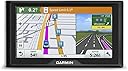
The Garmin Drive 60LMT is a 6-inch GPS navigator designed for professional drivers and daily commuters, featuring lifetime maps and traffic updates across the lower 49 U.S. states. It enhances safety with driver alerts for speed changes, fatigue, and traffic cameras, while Garmin Real Directions guide you using familiar landmarks. Preloaded Foursquare data enriches your journey with millions of popular destinations. With Bluetooth, voice guidance, and a user-friendly touchscreen, it’s a reliable, smart navigation tool built to keep you informed and on track.


| ASIN | B01A1HL7AI |
| Additional Features | Bluetooth |
| Audio Output Mode | Voice-guided |
| Battery Average Life | 1 hours |
| Best Sellers Rank | #417,271 in Electronics ( See Top 100 in Electronics ) #439 in Handheld GPS Units |
| Brand | Garmin |
| Built-In Media | Garmin Drive^Vehicle suction cup mount^Lifetime traffic antenna/vehicle power cable^USB cable^Quick start manual |
| Compatible Devices | Smartphone, Tablet |
| Compatible with Vehicle Type | Car, RV, Truck |
| Connectivity Protocol | Bluetooth |
| Connectivity Technology | USB |
| Control Method | Voice |
| Customer Reviews | 4.2 out of 5 stars 503 Reviews |
| Display Type | resistive touch |
| Global Trade Identification Number | 00753759155285 |
| Human-Interface Input | Touchscreen |
| Item Weight | 8.48 ounces |
| Manufacturer | Garmin |
| Map Types | City Tour, North America, Street |
| Mfr Part Number | 010-01533-0B |
| Model Name | Garmin Drive 60 USA LMT |
| Model Number | 010-01533-0B |
| Model Year | 2016 |
| Mounting Type | Dashboard Mount, found in image |
| Operating System | Proprietary (Garmin) |
| Resolution | 480 x 272 |
| Screen Size | 6 inches |
| Special Feature | Bluetooth |
| Supported Satellite Navigation System | GPS |
| Touch Screen Type | Resistive |
| UPC | 753759155285 |
| Unit Count | 6 Count |
| Vehicle Service Type | Car, RV, Truck |
C**L
FABULOUS GPS UNIT. COULD NOT BE HAPPIER.
I LOVE this Garmin. I waited to write this review, until I used it for several trips. I've previously owned a Garmin (long time ago), and more recently, a Magellan, that basically died on me. After doing a good deal of research and reading TONS of reviews on Amazon - I opted for this unit. Set-up is effortless. It loads quickly. Downloaded the necessary Garmin info to my computer, so updating it is a breeze. The visual is great. It gives clear, concise directions, with added info like, "Turn right at the Shell station on your right...". Input is VERY easy. I cannot recommend it enough. I purchased the Garmin Portable Friction mount as well - and that has proven to be a DREAM COME TRUE. There is NO slipping, and I don't have to be bothered with the suction cup window mounts, which always drive me crazy. I am thrilled with this purchase, and highly recommend it. One of the best purchases I've ever made, actually. EDIT: October 9, 2017. I am continuing to love this GPS unit -- this is still the best one I've ever used. As the attached photo shows (from a drive yesterday in an unfamiliar area of San Francisco), the top left of the screen will let you know how far you are from the next turn. So, for example, earlier in my drive, the voice prompt said, "In one and three quarter miles turn left on Vista ACC". At the point I took the attached photo, I was .06 miles from Vista. I could track how close I was getting, by just looking at the upper left corner of the screen. When I approached Vista it said, "Turn left at stop sign". It figures you already know you're at the correct street, because you can see it on the screen. I've been using this for multiple trips in many unfamiliar areas. It boots up quickly, and gathers satellite info quickly. It also alerts you to sudden changes in the speed limit, and if you are approaching a stop light with traffic cameras attached. I am a happy traveler. with this Garmin.
T**R
It does GPS things well.
I don't always travel; but when I do, my phone loses signal. Which brings me here; to review the purchase of the GPS. First off, it's a GPS. It has one job to do, and I would say it did the job well, in almost 3k miles for it's maiden voyage. It didn't steer me wrong, didn't drive me into any lakes or tell me to turn left off of a bridge. It took me around some blocks, when I could have just went a direct shot, but that's minor. I was torn between the 5" 6" or 7" display. I went with the 6" display, because the 7" was too big of a price difference. Whether or not the size of the screen is useful over the smaller version, I'll never know. Seems there's a lot of unused space on the screen. I've borrowed Garmin GPS's in the past, this is the first one I've used with live traffic updates. I drove 16 hours one way, with no traffic, so I wasn't sure what to expect. Got to the city of my destination, and this thing has me driving back roads, when the highway is a straight shot to the destination. I thought it was defective! I did a U-Turn and got back on the highway, only to find myself parked on the highway in traffic. Later, I assumed it was steering me around the traffic? Who knows, there was no warning. But from then on, it would tell me when the traffic would start, and how long it would take. It was accurate most of the time, I was impressed. I also found myself relying on it for the current speed limit, or red light cameras, it was pretty handy! The only bad thing I have to say about it, is it wouldn't come on one time. I left it mounted to the windshield most of the time while on the trip for 10 days. I went to turn it on, it didn't power on at all. Unplugged it, switched outlets in the car, nothing. I assumed it was built to be in the vehicle, it should be able to stand the heat of a vehicle, right? I thought it was a done deal. I'm not sure why or how, but after about 15 minutes of being dead, I held the power button in, and it finally came back on. Could be a coincidence or is that how it's actually "restarted", like a phone or computer? It was fine, other than that. If I could have it my way, I would make the "in route GPS" screen customizable. I found myself switching between the ETA and time remaining for the trip, but you can't have both. Nearly the whole right side of the screen isn't used most of the time, there should be an option for more than one time setting. But, that's just me; very minor. Maybe it's possible, I didn't read the instructions. One thing I found pretty amusing while I was riding 16 hours, with nothing much to do: it pops up every so often with "Need a break?" and lists 3 closest stops, usually within 10 or so miles. Why was a rest area listed on there with 107 miles away? If I need a break, I surely don't want to wait almost two hours. lol It's the little things. :) In hindsight, I would buy it again, or recommend it to my closest people. This concludes my official review of this Garmin Drive 60. I hope you found this review helpful in some way!
T**Y
Ok Unit
I purchased Garmin Drive 60LMT to replace my Nuvi 2689 LMT which I dropped and broke the glass screen and using it for comparison. I am writing this review after using it for three months. I chose this model after speaking with customer service at Garmin who told me this was one of the replacements for the Nuvi 2689. The other units require a link to your phone to use features suach as traffic. Did not make sense to me that you need your phone to work a GPS unit. Could then just use my phone with a traffic app. Since I use the GPS for my job that requires me to make mulitple stops at different residential locations each day it is easier to use a dedicated GPS system. For me there are more cons then pros for Drive 60 LMT. Pros. Screen is large and bright. I have no problem viewing screen with polarized sunglasses on which other reviews mentioned. Easy to add multiple destinations for my daily trip. Traffic works good . Has good information on 4 square Price was reasonable. Cons. No matter how I set route preferences this unit can take you off a main road to a secondary road and bring you back on the main road( Nuvi 2689 did not do this). Since I work in the same areas every week I know to avoid this and unit will quickly recalulate the route. When I travel long distance I always check th eroute to avoid this in areas I am not use to traveling in. Alternate routes. Unit will only give you an alternate route if ther is heavy traffic on current route. There is a click and drag feature that you can use to change your route before you start but difficult to use. It does a good job locating streets in residential areas, however when on a street it will often bring you to wrong location of a house number sometimes on the wrong end of a street. Since I work in areas where many houses have no mailboxes or house numbers this is a problem for me. On a mile long street I can be up to a half mile away. Did not have this problem with my Nuvi 2689. Have not figured out yet how to turn alerts off for animal crossings, train tracks, or curves ahead. I can turn off the beep for these but not the alert. Can not adjust the fatigue alert. Sometimes it pops up after two hours of driving. I am hoping down the road Garmin can address some of this through updates. I am considering sending my Nuvi 2689 back to Garmin to have screen replaced.
V**8
Good reliable GPS for travelling
I used one that came in a rental car once and it made life so much easier getting around in new places, I liked it so much I bought this Garmin Drive 60LMT. Now I use it in every trip I go on and I never get lost, feel confident in venturing out in new and unknown areas, its great! Also using this makes trips much more time efficient since I'm not fumbling with maps or asking locals where something is or even getting lost - no more! Its also better than using your phone to navigate since it talks directly to the satellites, wont drop off if you switch between cell zones or in an area without cell service, and even when someone calls you. This way you have your GPS and use your phone. Its a lot easier to look at this 6 inch Garmin than squinting at a cell phone on the dash. Well worth the money. 12-2017 After living with this thing for a while there are some small problems. In Vegas there was a lot of construction where there were some roads that didn't exist anymore and even after doing an update the Garmin was telling me to turn onto non-existent roads. I didn't find it a big deal, I accept that even the most recent updates cannot predict constant construction. After an update it now says "Navigate off road" that I didn't like since some of the "off road" turns were actually onto an actual paved road also. After an update this month it seemed to glitch more often than before. Kinda unsettling, I'm planning to perform the update again in case something went wrong on the prior attempt. Overall I am still liking the Garmin. I think its still a better option than paper maps or smart phones.
V**E
Awesome GPS
I used a garmin 1450 which I have had for 5-6 years now and is a discontinued model so with an upcoming trip I felt it was time to finally upgrade. Man what a difference 6 years has made, my GPS locks on to my position within a minute or less, it often only takes ten seconds to do so in fact. Traffic detail comes on super fast and compared to my old model I avoid traffic ALOT more on this model and that is saying alot for a New Yorker. If you happen to miss your target street on this the calculation is SUPER FAST compared to my old model, my old model took an average of 20-30 seconds to correct course and if you're driving at least 35 mph you already know how this goes, you miss the street it corrected you on and this repeats over and over, on this model? takes maybe 5 seconds. So far i'm highly impressed with this model, my only complaint so far is that for some reason it CANNOT find my house, which is weird! I put my address in and it cant find my street name BUT when i use my coordinates as a setpoint for my 'home' it says the street name! must be a glitch in the software, if a Garmin represenative would like to discuss it with me feel free to message me. update: I still use this gps and its for the most part great but I get very frustrated that if you put in a address that is either spelled differently or put in differently from google maps the Garmin GPS wont even bother to give you results that are similiar to it. It'll flat out pretend as if the address doesn't even exist.
P**S
Decent GPS with Room for Improvement
"The Garmin Drive 60 USA LMT GPS Navigator offers reliable navigation with lifetime maps and traffic updates. Driver alerts enhance safety. However, interface lag and occasional inaccuracies detract from the experience. Good for basic navigation needs, but lacks finesse compared to competitors."
F**E
Goldilocks would have found this Garmin to be just right.
This is one of the last Garmin to have the navigation option of "Shortest Distance" which is not present on my newer 8 inch version. The 8 inch is obviously more visible and more responsive but it typically puts me on highways when shorter local roads would be just as fine and likely less stressful or volatile. This one is also the right size so that it does not obstruct my view of the road or goes sliding off the dash. The only drawback I've found so far is that sometimes the keyboard requires a full 1-second press as opposed to quick touch typing.
C**7
Sent it back - too many glitches
This is now a 2 part review, the first section written just after my initial setup and the later part a week later after deciding to return the unit. To begin with there is zero paper with the product, no instructions. It turns out the instructions are built into the "Help" icon under settings once you've got the unit up & running. It comes with a sticker on the screen saying, "Welcome! This product is ready to use" - but it's not. Mine had no battery charge so I couldn't view the screen to search for whatever instructions are hidden into the product. When I plugged it into my computer to try to charge, register & update - I could only see an extremely faint Gamin brand image - as it turned out the brightness setting default was 20% which was worse because it had no battery charge to power. Very, VERY slow to charge via the computer, 12-24 hours. After I muddled around for more than I cared for I was able to try to register and update - which I'm used to with my Nuvi. The computer link kept telling me the installs had failed & to try again. So I called Customer Support and they had me disconnect from the computer and view my settings - difficult with no charge - and eventually discerned that the Garmin Express function had not worked properly. So we jiggered around some more with incorrect screen messages and the like and I am off the phone and may/may not have a functioning updated Garmin. When I got to the point where the unit actually functioned, I tried it out in my car but it kept going to a black screen. Again, very hard to trouble shoot with NO paper instructions and a non-functioning Garmin. I called Customer Service AGAIN and they said to go to my Settings and look to auto turn-off and change from the default 2 minutes to "never". So I ask the logical question of why they factory preset the unit to turn off - with no credible answer. So now I again try to use my Garmin. The screen is now brighter and usable during daylight - apparently it needed some start-up time to reach capacity. Not so at night - REALLY dull even if you have decent eye-sight. Another issue for me is I, like many, live in an urban area meaning there are many schools of all types and grades. EACH one triggers a visual and audible alert on the Garmin screen. Literally all the time the unit is alerting you - which only confuses me when I drive and am constantly getting audible alerts to look at and figure out. Going to "Settings" I turned the alert for schools off - at least I tried, but it still over-rides my manual setting and alerts anyhow. I thought FourSquare sounded like a good idea as my prior Garmin took forever to search for places like Home Depot. With the FourSquare feature - at least in urban areas - the map is chock-a-block full of purple symbols for gas and food, making it hard to see the streets and intersections which is what I care about in finding my way. Called Customer Support AGAIN hoping to resolve - or at least understand - some of the glitches with this and did not fare well. Gave up - just now sent it back. Probably good for more technically savvy and patient people than I, but I just want simple navigation that works, which I can see, and understand - which isn't this.
Trustpilot
2 weeks ago
2 days ago