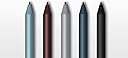
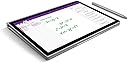
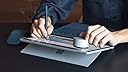
To start off with, I'm actually using a Surface Pro 3 tablet, NOT the 2017 Pro... I may or may not be hoping for my Pro 3 to just suddenly crap out, in hopes of justifying a purchase of the latter. Until then, you're going to get a review and subjective results of this 2017 pen on a late, but great, Surface model. I have been using the Pro 3 with the Pro 4 pen for a long time, and debated over the switch to the 2017 Pen for the $100 price-point. After succumbing to the lure, I have to suggest that fellow Surface Pro 3 users do the same (and with 200% confidence for users still using the Pro 3 Pen... what have you been doing with your life!?). The biggest reason comes down to the lower initial activation force (IAF). Before biting the bullet, I remember reading conflicting reports and reviews on Reddit about whether Surface Pro 3 and 4's would support the IAF improvements. I can't do the objective testing now that I've sold my old pen, but can tell you that my writing has become notably more precise and consistent, which lower IAF would certainly result in. More objective examples of improvement: - With the Pro 4 pen, I had the pressure sensitivity setting at a 10 or 11 to accommodate for the many skips in handwriting I would get with my furiously scribbling notes. Of course, that resulted in a lot of over-pressurized and unwanted carry over lines and curves. With the 2017 Pen, my pressure setting is on anywhere between 4-7, and it's perfect. No skips! Some caveats: I do a ton of note-writing and doodling, but can't comment on drawing, shading, or any other 'real' artistic endeavors. In addition, improvements are more notable in Onenote and Sketchable, and less so in other apps (e.g., Xodo, Drawboard). I also scribble exceedingly fast, so that may explain why the IAF improvements have been obvious for me. If you're a normal human writing at sub-80mph speeds, maybe the differences won't be as noticeable? - With the Pro 4 pen, I had to use the 2H nil-friction nib because my handwriting looked the best (albeit still with intermittent under-recognition and over-pressurization issues noted above). However, with the 2017 Pen, I'm actually still able to use the standard HB pen, because the pen performance is better enough to overcompensate. Now I can simultaneously enjoy the slight friction across the screen, which is more reminiscent of real note-taking. Other reasons I like this new pen more: - The magnet inside the pen is much stronger. My pen is actually able to stick onto my Surface enough that I now feel comfortable tucking the whole device under my arm and walking around. - The annoying clip is gone. I never used it to begin with, and it just got in the way. You may feel the polar opposite about this, however. Of note, the advertised improvement in sensitivity levels is NOT available for Surface Pro 3 (or 4)! Microsoft promised a firmware update for the old Surface Pro's with support for the tilt-feature, but the specific release date still hasn't been announced. Some other tidbits of info you may care about: - The weight is exactly the same as the Surface Pro 3 Pen (20g). - It only comes with 1 nib (the HB one). I almost want to dock a star for this, because it's such a cheapskate sell to not include the pack of pen nibs (like Surface Pro 4 pens did), especially since the HB rubbery tip WILL wear down. If there's one thing I can swear to you, it's that. - Download the Surface app from the Microsoft store if you haven't already. You can adjust the pen pressure sensitivity and turn off the [annoying] Windows button. - I was able to use this pen and my old Pro 3 pen almost simultaneously. Each one was able to be recognized the moment I brought it to the screen. Ok, this may be a completely useless fact after all. - I found the following tips on various Reddit threads in improving pen precision and performance, and have definitely found them helpful (I made sure to adjust these after I used the 2017 Pen for >2 weeks, as to prevent confounding): 1) Go to control panel --> mouse settings ---> Pointer Options tab --> uncheck "enhance pointer precision" box. 2) Control panel --> Pen and Touch settings. Under Pen Options tab ---> go to press and hold settings --> uncheck "enable press and hold for right-clicking" box. Under Flicks tab --> uncheck "use flicks to perform..." box. Don't ask me why... just do it. I hope this review helps anyone using the Surface Pro 3 specifically! 2018 UPDATE: As much as I still love my Surface Pen, the Apple Pencil definitely outperforms it for both note-taking and drawing purposes. See the additional handwriting comparison sample I just uploaded. The differences are particularly noticeable when I'm scribbling quickly. (Amazon uploads images in a bizarre fashion, so you may need to zoom in a ton on the handwriting sample I uploaded.)