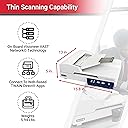
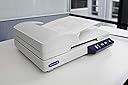
I purchased the “Xerox XD-COMBO Duplex Combo Flatbed Document Scanner” to turn 30 years of paper into digital, searchable PDF’s. I wanted to write this review because I’ve used other scanners in the past, and it’s hard to ensure what features you are getting before buying. This scanner hits on all cylinders and shines. Here’s my experience from installation to digitization. The installation gives you the option to install from the internet, so you know that you are getting the most up-to-date version. I chose to install from the internet. It took about 30 minutes but executed without issue. There is a lot of documentation provided. This review focuses primarily on the Visioneer Capture SE software, but it also installs a number of productivity tools such as, • Visioneer Organizer AI: Indexes your documents so you can quickly search to find a document by contents. • ABBYY Business Card Reader: Allows you to scan business cards and convert them into contacts. • OneTouch: Quick access via the toolbar to start things such as scan, search, or print documents. • Various applications to read, edit, and compare PDF files as well as clipboard capture to PDF. Here are some of the features I’ve come to expect in a scanner which the “Xerox XD-COMBO” supports: • Automatic Document Feeder: The feeder is the best I’ve seen at successfully handling paper and in speed. I even crumpled up a paper and added a tear…it still was able to feed it successfully. • Searchable-PDF support: It matches other OCR capabilities I’ve seen and even matches font for copy/paste operations. OCR was successful even on scans where the text was skewed or warped. • Scan Profiles: The software comes with default scanning profiles with the ability to save your own custom profiles. I primarily tested with 1) 300 DPI, 2) Document Size = Maximum, 3) Rotate = Automatic, 4) Skip blank originals, 5) Duplex. This also allows you to configure • Ability to rotate, crop, delete, and insert pages. • Using the ADF, I was able to successfully scan 2 letter size pages end-to-end (i.e. 8.5” x 22”). Scanning via the glass pane only supports up to A4 size and you are limited to 8.5” page width. • The User Interface isn’t the most glamorous, but it’s fairly easy to find the functionality. The two things I feel it’s missing are 1) Showing the document size (e.g. 8.5” x 11”) of a selected page and 2) Ability to reorder pages. Though, you can accomplish the later using the insert, merge, and split functionality. • Supports export to PDF, PDF/A, Searchable-PDF, TIFF, JPG, and BMP. Here are features that I think make the “Xerox XD-COMBO” stand out from others: • When a jam occurs, I was able to remove the jammed paper and retry. With other scanners, I was forced to restart the scan over completely. That can be frustrating when you’ve scanned 100+ pages and it jams near the end. • Allows you to merge and split PDF documents. So if you have say, 100 pages, you can scan them in batches and merge all into a single document. It also allows you to import any of your existing documents, so you can perform merges with them too. • Allows you to selectively perform edits (such as rotate or delete) multiple pages, prior to export. • With the option to auto-detect orientation and blank pages, I no longer had to manually delete blank pages or rotate pages that were in landscape mode. This is the best I’ve seen to support efficient office automation. • Cropping options even include “snapping” the page size to the closest matching standard document sizes (e.g. Letter, A4). • You can configure the OneTouch buttons to control document automation from scan to target storage. • Supports export of documents to cloud storage (Google Drive). In summary, I’ve used many scanners and OCR software in the past. This combination by far beats all of them and comes in a portable package. The variety of options has saved me a lot of manual effort and time. I can see that there are many more options that I don’t even use that will help you automate scanning of documents to storage and easily search and retrieve those documents for printing or sharing with your team.