Buy anything from 5,000+ international stores. One checkout price. No surprise fees. Join 2M+ shoppers on Desertcart.
Desertcart purchases this item on your behalf and handles shipping, customs, and support to UAE.
🎮 Elevate your flight game with pro-level control and style!
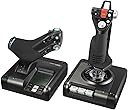
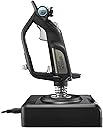
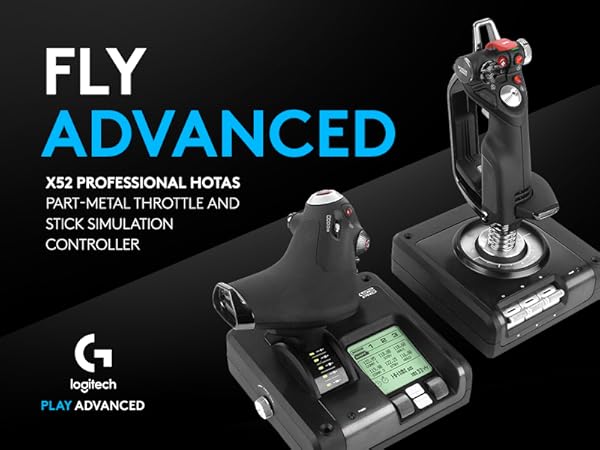
The Logitech G Saitek X52 Pro is a top-tier flight control system featuring a split joystick and throttle design, 16 programmable illuminated buttons, and a multi-function LCD display. Its progressive throttle with adjustable resistance and precise no-contact centering technology deliver unmatched realism and control. Designed for PC gamers, it supports Windows 7 through 10 and offers customizable software for tailored gameplay, making it a must-have for serious flight simulation enthusiasts.


| ASIN | B01LZ1MQTL |
| Additional Features | Precise Combat Sim Action |
| Best Sellers Rank | #1,963 in Video Games ( See Top 100 in Video Games ) #9 in PC Game Flight Controls |
| Brand Name | Logitech G |
| Button Quantity | 16 |
| Color | Black |
| Connectivity Technology | USB |
| Customer Reviews | 4.0 4.0 out of 5 stars (596) |
| External Testing Certification | ANATEL |
| Global Trade Identification Number | 00097855127877, 10097855127874 |
| Hardware Platform | PC |
| Included Components | PS/2 Connector Cable, QSG, X52 Pro Stick, X52 Pro Throttle |
| Item Dimensions | 14.57 x 9.84 x 9.06 inches |
| Item Type Name | Logitech G Saitek X52 Pro Flight Control System |
| Item Weight | 905 Grams |
| Manufacturer | Logitech, Inc |
| Model Name | Pro Flight |
| Package Quantity | 1 |
| Power Source | Information Not Available |
| UPC | 097855127877 752397169173 |
| Unit Count | 1.0 Count |
| Warranty Description | 90- Days |
R**S
Great but a little driver pain
The controls work perfectly. The only trick is finding and installing the correct drivers from Logitech. That proved to be a little detective work, as the links on Logi's site might or might not be present. Once installed, very happy with control system. One more thing - it uses (once the drivers are installed) the Windows' joy.cpl app to configure the controls.
A**R
love it
came from a T.1600M FCS to this, i must say this HOTAS is much nicer to use, works with Windows 10 with no problems. one thing to note is the pinky trigger is not a programmable button, its a shift key to use with other buttons. i dont mind this as the trigger is a 2 stage and you have 3 on the upper head of the stick. VERY SMOOTH stick and the metal bits add to it. throttle mini stick is mouse only use but works great for free look in star citizen. a tad on the light side for the stick. the MDF on the throttle as no real use in SC but it does have plugins for other games. the LEDs are not RGB but you can pick a few colors in the software. every thing other then the pinky trigger and the mini stick can be programmed tho this includes the MFD controls the thumb wheels click so you get 2x use on each and the 2 buttons in between the thumb wheels as well can be programmed
I**S
UPDATED: Good system, potentially hindered by software support
UPDATE: Amended from 2 to 4 stars, after the most recent firmware update it works well. Leaving one star off due to the general hassle of tracking down the update in the depths of a help forum. Setup problems aside, great system! (Disclaimer for the below: don't review when you're angry) As it stands now, the sticks are un-usable. Upon plugging them into my PC (Windows 10, 64-bit, Intel I7 6700K), it immediately crashes to a blue screen of death (BSOD), throwing the error for a .sys file and staying in a fail state even on restart until I unplug the sticks and reboot. After some digging, turns out that I'm not alone in this issue, and having now tried to scrub through manually deleting drivers, programs, etc. for hours, it has the same issue even with freshly downloaded drivers, swapping to different USB ports, and all the rest. Frankly, the software is garbage, and the support is lackluster at best for these sticks. Had I known all of this before purchasing, I absolutely would have gone for a different set. The hardware is decent quality for the price, and for many it seems to have worked out fine (so long as they don't unplug the sticks from their PC), so I will leave a star on for physical quality. I leave this review (or frustration-fueled vent as some might see it) as fair warning for the potential user-unfriendly experience you MAY have ahead if you purchase. Since I ordered these while on an overseas deployment over 6 months ago on a whim (instead of doing my usual research beforehand), I cannot return, since the box and packaging is long gone. Go figure. Thanks for reading, safe shopping.
B**N
Logitech was once quality, this thing is a piece of trash
I had high hopes for this but, 2 buttons didn't work out the box. 1 more went down after day 1. Day 2 stick drift started, now has huge dead zone. and now day 4 throttle is acting up. Always liked Logitech but this thing is looking like a piece of garbage. Have a new one on the they way, hopefully just got a bad egg. Would give 0 stars if i could will see after the new one arrives. Update: New one arrived all buttons worked this time and no dead zones out the box. Shortly after using it problems started. Lights flickering, buttons not responding correctly, now has major dead zones and 2 buttons have malfunctioned. Really tried to like it but its just not a good stick in my opinion. Guess you get what you pay for, will be returning gonna bite the bullet for the Warthog it looks like.
B**D
Same setup the US Navy uses for testing!
Value is great for high quality, over 20 buttons, sensitive but accurate, lighter than expected and has ability to be adjusted to fit any hand
S**F
Microsoft Flight Simulator + Star Wars Squadrons must have!
I went down the rabbit hole. I got MS FS 2020 and started playing that with an XBox One controller. "Hmm, this would be a lot better with a real joystick and throttle..." I said. "But no, no more 'stuff'. I don't need it!" I got one. No regrets. Makes the experience 100x better. This stick has a nice balance of being "affordable" (at least, compared to some of what else is out there. If you're spending thousands on a sim-rig, this isn't for you, but you probably already knew that) and fully-featured. There are a lot of buttons on this thing. I recommend you find a PDF of a button mapping and print it out, and write down what you have everything mapped to as most games will refer to the buttons by their Windows Joystick button numbers instead of the letters that are printed on the stick and throttle.
D**S
Horrendous ergonomics with too much miscellaneous hassle to be worth $200.
I bought the x52 Pro to upgrade my button count from a Thrustmaster T.flight 4. Overall, the x52's build quality seems decent and the device I got appeared to function fine with no real installation difficulties. That said, it's just not a good H.O.T.A.S. Your mileage may vary, but I found: 1. The ergonomics of the stick are horrendous. The hand rest is adjustable, but the base is incredibly thick and the thumb rest is much narrower. This created an unnatural grip posture and caused cramping within 30 min. of use. The buttons and hat switches are also clumped too closely together at odd angles, which made accidental inputs an issue. That nifty safety-covered button? Yeah, it makes for a terrible secondary fire input precisely because so many other buttons/switches are in the way. 2. The stick input itself was a noticeable downgrade from the T.flight, which produced smooth, precise input out of the box. The x52 has a nicer-feeling gimbal, but the range of motion is too wide and the control feels more choppy. It might be possible to tweak this via game settings or 3rd party apps, but Logitech's software didn't support anything more than adding dead-zones. 3. The mouse thumbstick on the throttle is worse than useless. It is nigh-uncontrollable by default and its placement can make for more accidental inputs. There didn't seem to be a way to fully disable it through the software, though setting a max dead-zone helped somewhat. If you have a more extensive setup and can move the x52 to where it is more comfortable to grip and if you're willing to put in extra time fiddling with the stick sensitivity/settings to get it just right, the x52 may be for you. However, I don't think that much hassle is reasonable at its price-point. If the manufacturer software made that process easier it would be less of an issue, but it only supported reprogramming buttons, adding deadzones, and setting up alternate profiles.
C**Y
You need this
Ordered to use with X-Plane 11 and War Thunder. Works great. Love the many programable buttons and dials. Has a nice, ergonomic, high quality feel to it. If you like realistic flight sims, you need this setup. I didn't like using it with War Thunder after testing it out, as War Thunder isn't so realistic, and everyone's using mice, which you can't beat for precision when going for kills. No complaints on this setup though.
E**S
Excelente! (atualização - Pós-venda = NOTA 10000!)
Fazia tempo que estava querendo adquirir um manche para simulador de vôo/espacial. O X52 Pro é perfeito, muito preciso e de ótima qualidade. Valeu a pena, apesar do preço. Atualização: após mais ou menos 1 ano e 2 meses de uso, o joystick apresentou defeito na conexão entre o manche e o manete. Entrei em contato com a Logitech para questionar da garantia, e a empresa FOI EXCELENTE NO PÓS-VENDA. Em questão de dias acataram o meu pedido, e estão enviando outro produto em troca de garantia. Agora posso afirmar que a Logitech não só tem os MELHORES produtos, como também TEM O MELHOR PÓS-VENDA.
D**É
It's no Warthog, but it does the job admirably well.
While the HOTAS market packs a lot of options, most entry-level offerings are lacking in flexibility. The X52 packs a solid, mid-range button suite that makes it easy to bind Elite or Ace Combat 7's essentials into place while relegating less-used commands or features to the mouse and keyboard. The X52's compatible button panel (sold separately) might offer more options, but it isn't exactly required.
S**E
Really great product
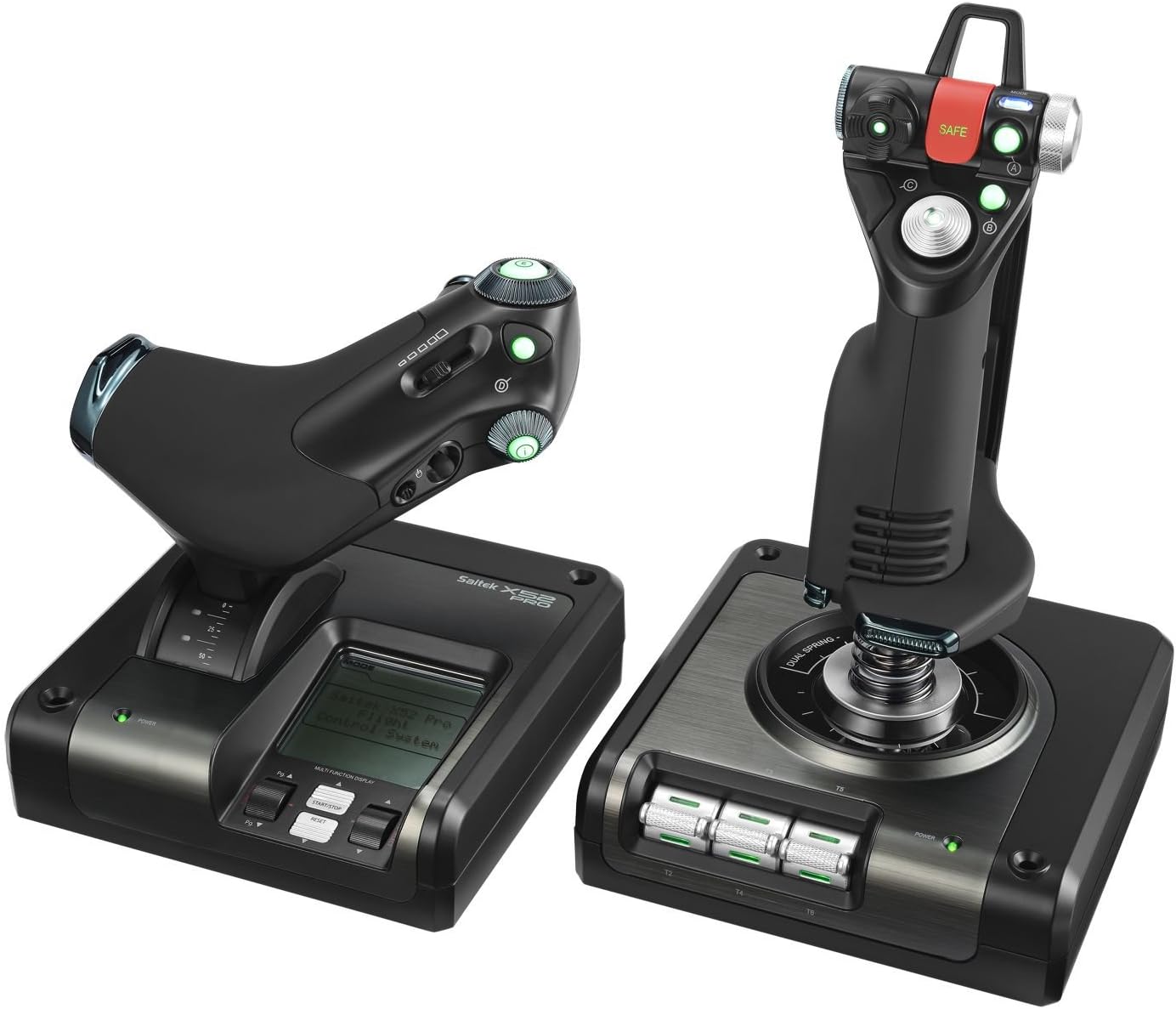
Overall, a very good product, highly satisfied! Couple things I didn't realise when I ordered, for future buyers: - All of the buttons are LED's and glow quite brightly at all times while connected. - Both the axial stick and the throttle devices are very light. They need to be secured during use with screws, clamps or included suction cups depending on your setup. If you just rest them on your desktop, they're fine for navigation but they'll move during dogfights or strong maneuvering. - The silver three-position thumb roller at the top right of the axial stick is read by the PC as three buttons, one of which is always engaged, depending on the position of the roller. Could be used as a shift or mode control with proper programming. The round black shape on the opposing side of the stick is not a control and doesn't move. - The axial stick is very loose, and there's a lot of 'slop', making the use of deadzones in sims practically essential. You get used to this very quickly and it hasn't been a big deal for me. It's a highly sensitive stick. - The throttle has a strength dial on the left side, making the throttle easier or harder to physically move. At a minimum strength it almost has slop, and at maximum it feels like an aircraft control - very nice. - The throttle has three stages, with two rocker positions guarding the zero position (stall protection) and maximum position (afterburner stage) at about 15% and 85%. It's very hard to set the throttle to 10% or 20% because the two rocker positions are attractive like a magnet - within the range of 10% - 20% the throttle will physically attract itself slowly toward 15%, and the same happens at the 85% rocker. This is annoying, and my biggest negative about the product, but isn't enough to withdraw my recommendation. - The two-device combo has *seven* axes in total. The three usuals exist on the axial stick (pitch yaw roll). On the throttle device, the throttle itself is one axis, the small thumb slider is a full axis, and the rings around the large "i" and "E" buttons are rotating knobs that also function as full axes that are all reported by the device. - I haven't been able to get the thumbstick mouse on the throttle device to function at all. This isn't the end of the world (I'm not sure what I'd use it for anyway) but worth mentioning. - Three hat switches in total. Only the lower hat switch on top of the axial switch is reported as a hat. The second one on the stick and the index hat on the throttle are reported as four buttons each, though they do have octagonal gates (eight positions). Even so, it was easy to use them all as ordinary hat switches in my sims. - The pinkie switch is just a button, not a hardware shift key. It's just like a second trigger, in the pinkie position. - The trigger itself is two stage. The second stage registers as both buttons being pressed at the same time. - There is a button under the "Safe" shield. I thought that arming the shield would report a button press, so that my sims could register when a capability was in an armed state, but the shield is only a hardware feature and its position isn't reported. It does change the button glow from green to red when armed, however. - The three switches on the bottom of axial stick are up-and-down rockers. They do not stay in the up or down position, but rather spring back to center, and are reported as six buttons. - The MFD on the throttle serves no useful purpose whatsoever that I have found. The MFD always displays nothing more than the name of the device and a hardware stopwatch, and the buttons and rollers are not reported. I feel that this space is wasted and should be replaced with additional switches. I may be overlooking something here, but I cannot get my PC to recognise these controls or change what's displayed on the MFD. Perhaps specific sims can interface with it, but none of mine do. - The axial stick device plugs into the throttle device using a PS/2 connection (oldschool keyboard and mouse plug, not Playstation 2), which then plugs into the PC via USB connection. Both of these cables are included. The resulting twin-device setup is reported to the PC as a single device. Keep this in mind if you're wiring a cockpit - a physical cable between the throttle and the stick is required. The cable is about a meter and a half long but can be replaced (with a male PS/2 to male PS/2) if it needs to be routed further around the seat. Overall 9/10 recommend, very satisfied.
D**S
Perfecto para Elite Dangerous.
Llegó antes de tiempo, en una caja perfectamente aislada. Al principio tuve problemas para configurarlo, pero eso es porque soy un poco tonto, intenté programarlo desde el Software propietario y no me di cuenta que en Elite Dangerous podía mapearlo perfectamente. Es una experiencia de otro planeta, realmente te sientes en control de la nave, mi habilidad para combatir se vio mejorada al no tener que depender de un control de xbox. Todos los botones responden a la perfección, el único problema es que aún no he descubierto como mapear la rueda de selección de modo para usarla en el juego. También siento a veces que se va a romper cuando hago giros muy pronunciados, pero sólo es mi impresión. 10/10 lo compraría de nuevo. Edit. Tras casi un mes de uso, puedo decir que es perfecto en muchos aspectos, es más natural que usar mando o teclado. Sin embargo he notado algo, el joystick se siente un poco diferente, más mmm flojo al momento de los giros.
A**O
Excelente!!
Precisión impresionante, tiene sus fallos, pero es con juegos de MS-DOS, en Windows se desempeña increíblemente; él envió rapidísimo, 2 días en lugar de los 6 que mencionaba
Trustpilot
2 months ago
1 week ago