Buy anything from 5,000+ international stores. One checkout price. No surprise fees. Join 2M+ shoppers on Desertcart.
Desertcart purchases this item on your behalf and handles shipping, customs, and support to UAE.
🖱️ Master your workspace with the mouse that keeps pace with your hustle.
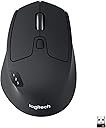
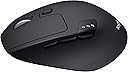
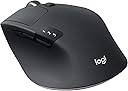
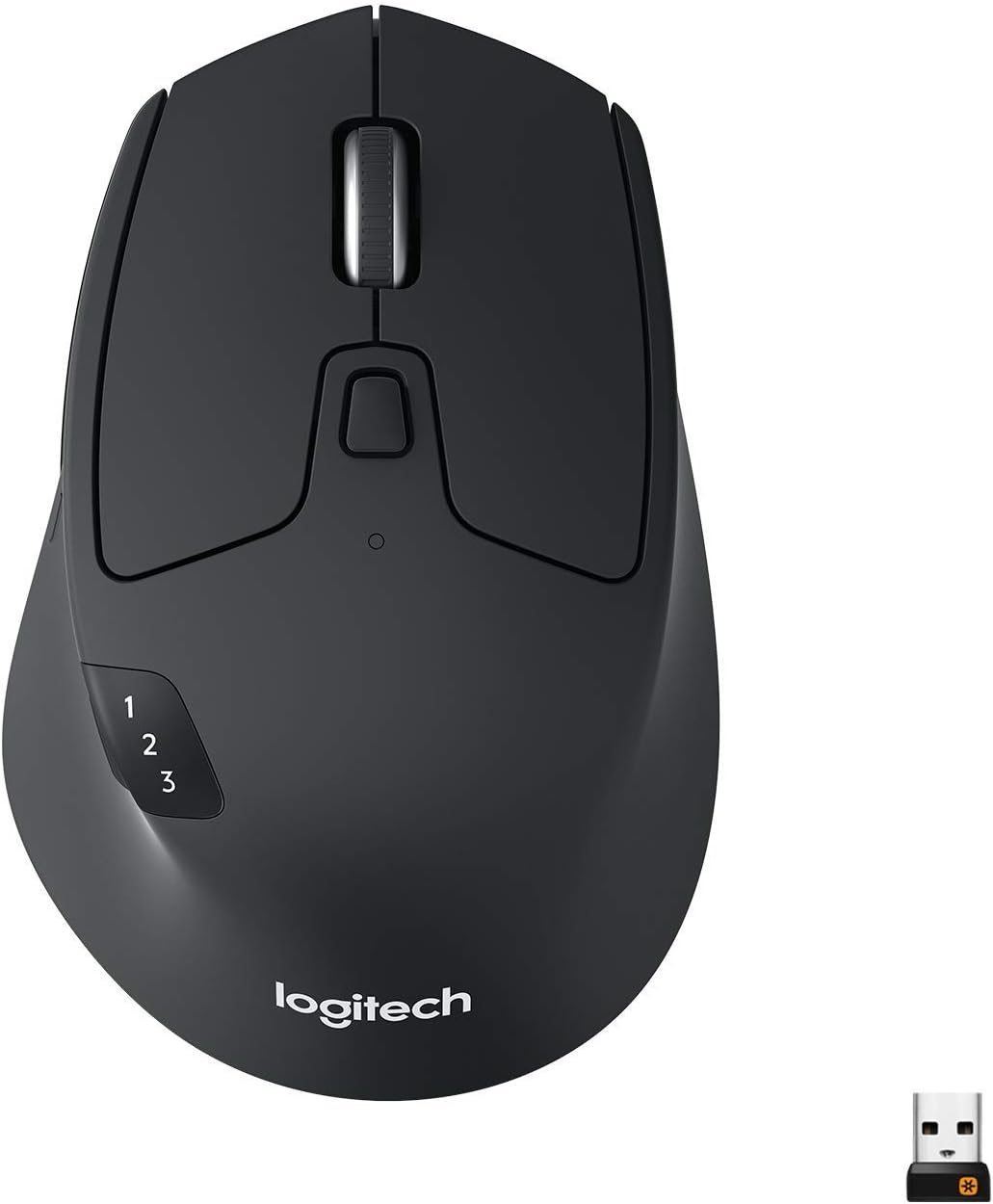
The Logitech M720 Triathlon is a high-performance wireless mouse designed for professionals who demand flexibility and endurance. Featuring dual wireless connectivity (Bluetooth and 2.4 GHz), a 24-month battery life, and the ability to switch seamlessly between three devices, it offers unmatched convenience. Its ergonomic design and customizable buttons enhance productivity across multiple platforms, making it a top choice for multitasking millennials seeking efficiency without compromise.
| ASIN | B01LF37K80 |
| Additional Features | Wireless |
| Antenna Location | Office |
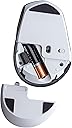
| Are Batteries Included | Yes |
| Are Batteries Required | Yes |
| Battery Average Life | 24 months |
| Best Sellers Rank | #210 in Computer Mice |
| Brand | Logitech |
| Built-In Media | mouse, user guide |
| Button Quantity | 8 |
| Color | Black |
| Compatible Devices | compatible with computers, laptops and tablets -Windows, macOS, Chrome OS, Linux2Customization of the buttons via Logitech Options is not possible on Linux., and iPadOS |
| Connectivity Technology | Connection Type: 2.4 GHz wireless connection and Bluetooth Low Energy Technology Wireless range: 10 m (33ft) Wireless range may vary based on user, environmental and computing conditions. Easy-Switch, 3 channels |
| Customer Reviews | 4.6 out of 5 stars 9,057 Reviews |
| Enclosure Material | Plastic |
| Global Trade Identification Number | 00097855121899 |
| Hand Orientation | Right |
| Hardware Platform | Laptop, PC |
| Item Dimensions L x W | 4.5"L x 2.9"W |
| Item Type Name | Logitech M720 Triathalon Multi-Device Wireless Mouse |
| Item Weight | 4.64 ounces |
| Manufacturer | Logitech |
| Mfr Part Number | 910-004790 |
| Model Name | M720 Triathlon Multi-device Wireless Mouse |
| Model Number | 910-004790 |
| Movement Detection | Optical |
| Movement Detection Technology | Optical |
| Number of Batteries | 1 AA batteries required. (included) |
| Number of Buttons | 8 |
| Operating System | ['Windows', 'Mac', 'Chrome OS', 'Linux', 'iPadOS'] |
| Power Source | Battery Powered |
| Range | 10.0 meters |
| Special Feature | Wireless |
| Style Name | M720 Wireless Triathlon Mouse |
| UPC | 097855121899 |
| Unit Count | 1.0 Count |
| Warranty Description | 1 - year limited warranty |
D**.
Great device for office work
Very hard to find a decent Bluetooth wireless mouse. Needed one for my work laptop due to the removal of so many USB ports. I wanted something that didn't _require_ a dongle for wireless transmission because it removes the point of having a freed up USB spot, so I found the Triathalon. It was an added bonus that it could do either Bluetooth or the unify 2.4ghz wireless ability, so that was nice to have. I really liked how good this felt in the hand and it has side buttons that I absolutely need to do quick transitions back and forth between pages. Extra bonus gesture button that allows me to switch between applications even easier, and the ability to customize it on top of that! The battery life has so far been OK. I've only had it since June 12th, it's August 14th now and the battery meter shows 2/3 bars of life remaining. The Triathalon pairs up to just about everything I've tried rather quick and without any issues. Probably the easiest pairing experience I've ever had on any mouse. The software is optional and only helps with the assignment of buttons and adjustments. I've found it very unintrusive and I actually check it for adjustments and battery level. Since it's not a pain, I actually like having the software around. I'm sure if I got the energy/desire to set it up fully with an account, that data transferring option benefit would be neat. But as of yet, I haven't tried how well that works. The switching of devices through the 1-2-3 button I didn't think I'd ever use, but when I had another test laptop sitting on my desk, desperately needing a mouse vs using the awful touch pad, this absolutely came in handy. No extra mouse cluttering my already cramped desk. For giggles, I paired the 3rd device to my phone and all three worked really well. I could switch between all three with a button press, waiting about 1-2 seconds for it to switch and recognize on the device, and it just worked flawlessly. My only gripe is that the mouse has the completely annoying and unnecessary loud *CLICK* when clicking the two primary buttons. It's 2019 guys! we don't need a click sound! at least not that loud. make one way quieter or silent. I miss that about my junky old mouse. Great mouse all around. If i didn't use a good Logitech gaming mouse I just bought a few months ago for my home PC, I'd buy another one for there too.
S**.
My last one lasted 6 years. Here to get another one now.
I actually purchased this mouse 6 years ago. I'm only writing a review now because I dropped it one too many times and it finally died on me. It's gotten so much use each and every day, also dropped a bunch of times, and it's lasted me for so long. I'm here to tell you about it right before I place an order for another one to replace the broken one. What a great wireless mouse. It's not too heavy and not too light to be able to effortlessly and accurately maneuver with just my fingertips. It fits comfortably in my small asian female hands. I never figured out the 1, 2, 3 profile settings (nor did I need it). But the rest of the extra customizable buttons were great for my purposes, like, setting the squeezey button under the thumb as a Back button for web navigation. The battery life is stellar. Despite getting constant use on the daily, with just a single AA battery, it has been going strong for over a year. I can barely even remember when's the last time I've changed the battery, it's just that good. The clicks are a bit loud but the feel nice and snappy, not mushy.
K**T
Really nice mouse, perfect for multi system
I recently got an iMac and had originally hoped to use it in Target Monitor Mode but I missed the part where Apple stopped supporting that in 2014. No big deal, I have a monitor for my Win10/Hacintosh but I wanted to use just one mouse and Keyboard for both. I use a KVM at work so I am very used to using multiple systems and multiple screens. So I started looking fo solutions and asking around. Mouse: First purchase was a Logitech Triathlon. Besides being a really nice mouse, it can connect to up to three computers. There is a side switch that lets you switch between the computers. I have the USB dongle plugged into the Win10/Hacintosh because it lacks Bluetooth. It connected to the iMac using bluetooth automatically, no action by me. Switching is easy and as long as you are logged in, you can do a lot with just the mouse. As an example, I often use the Win10 system as a YouTube player. I don't need to type anything. Keyboard: For the Keyboard I got a UGreen USB Sharing Switch. This is a simple "one in, two out" switch. I ran my Red Dragon K580 in and sent it out using the supplied USB cables. The box is about the size of a pack of playing cars, flat black with a tiny, not very bright (in a good way) blue LED that moves to indicate one of the two cables. Its simple and it just works. Very nice. So now I have both systems sharing a Keyboard and Mouse and each driving their own monitor. Its a setup I like a lot and while it would have been nice to send everything to the iMac screen, I would lose the ability to have YouTube running in one system completely independent of the other like I can now. Total cost was $55 - $33 for the mouse and $14 for the switch. You would be hard pressed to find a good KVM for $55 and you would still need a mouse. Additionally by splitting the functions like I did I can switch just the mouse or just the keyboard if I choose. Downside of course is that switching is two presses not one but I can live with it. If you need/want to share a keyboard and mouse between two systems, I recommend this setup.
L**E
Logitech M720 is better and much cheaper than an Apple mouse.
My original bluetooth Apple mouse died. I made an emergency replacement purchase of the Logitech M317 at my local Target store. It was cheap and the only computer mouse in stock. I used the M317 for a couple of days and hated it so I shopped on Amazon for another mouse. I considered buying another Apple mouse, but the price was ridiculously high. I ended up purchasing the Logitech M720 after reading the many positive reviews on it. After using the Logitech M720 for over a month, I can confirm that it’s a very good mouse. The one thing that I really like about the Logitech M720 is the large size which fits comfortably in my hand. The scrolling is smooth. It too soon to tell, but the battery life is supposed to be very long. You can customize the Logitech M720, but I’m just using it on one computer so I didn’t find it necessary. The customizing also seemed a bit too techie for me to understand. The Logitech M720 has bluetooth and a USB Unifying receiver. If you decide to use the USB Unifying receiver, you will have to download the Unifying Software to get it to work. I decided to use the bluetooth since I liked having a USB port open and available. The bluetooth worked flawlessly for about three weeks before it started to constantly lose its bluetooth connection. I could not figure out why or how the bluetooth kept losing its connection so I’m now using the USB Unifying receiver. I took one-star OFF my review rating for the bluetooth flaw. If you are considering buying the Logitech M317, I highly recommend reading and downloading the M720 setup and user guide from the Logitech website. I'd buy the Logitech M720 again. I highly recommend it.
I**N
Great Mouse for Productivity and Gaming
I got this mouse almost a month ago and I feel like I can already give feedback on it. Will add to this review if anything changes over time. When I was looking for a new mouse (after my ancient wireless one passed away) I was trying to choose from 3 models: Logitech G305 Lightspeed, M705 Marathon and M720 Triathalon (this one). I wanted the mouse to be wireless, to have multiple configurable buttons and to have a good battery life and nice ergonomic design. Choosing between the three I also took into account their price and the number of perks they came with. I ended up choosing this one because it offered a number of benefits for a considerable price and I have not been disappointed. So far the mouse has been just great. At first, I found it a bit more heavy than I expected, but over time I adapted to its weight being more concentrated in its lower part, and after getting a good mousepad that was no longer an issue for me. The size is also good for me, and I can use it with palm and claw grip, both of which are equally comfortable with this device. As you can see in the photos, the surface tends to pick up some dust and stains, but so far it has not gotten really greasy, and I hope it won't, taken I wipe it from time to time. It is very ergonomically shaped, if you're right-handed (duh). I use this mouse for many different tasks: video editing, gaming, work with documents, internet browsing, and in all cases this device has met all of my expectations. The configurable buttons and gestures are great in video editing and allow me to do my work faster and save time. For gaming, it's very responsive and easy to move around on a mousepad, despite the weight thing I noted earlier. I found the fast scrolling wheel very useful for document scanning, and I was also very pleasantly surprised to find out that the wheel has also a side-scrolling function, which I did not notice when I was looking through its specs before purchasing. I have not had a chance to use it on multiple devices to test out this feature, and that's the only thing I probably wish was different in this mouse - I'd really like to have that third side button as an extra configurable option, and not a switch for devices. But since there is the gesture button with 4-direction gestures you can configure, I guess one button can be reserved for switching, especially if you really work across multiple devices at once. I can't say anything on battery life yet, as I've been using it for a month or so, but I hope it will last long (I am also trying to turn it off whenever I'm not using it, so that might add to total time). TL;DR - very impressive and highly functional productivity and gaming mouse for a good price (cheaper on Amazon compared to the official site).
R**Y
What's Not to Like
The functionality of this device is outstanding when its features are put to use. While there are so many things to like about this mouse, and IMO nothing to dislike, I guess the top features on my list are: 1) controlling up to three computers, 2) copy and paste between computers, and 3) the 8 buttons (i.e. 8 different commands. For example, I’m using two of the five gesture motions to increase/decrease volume and two other gesture motions to zoom in and out. Note these are not just one-shot commands, even though they will do that too. These gestures are continuous as the mouse is moved as long as the gesture button is pressed.). I’m currently using the M720 across a Windows 10 desktop using the included USB Unifying Receiver, and a Microsoft Surface Pro 7 tablet/laptop using Bluetooth. The communications range has been excellent for both. If the Surface Pro is sleeping, moving the cursor to it wakes it up and face recognition (Windows Hello) instantly signs me in. It’s just seamless. It’s cute how the 1, 2, and 3 lights on the mouse momentarily light up as the cursor is moved between computers 1, 2, and 3. When my current wireless USB keyboard dies, I’m getting a Logitech keyboard because Logitech’s cross-computer "Options" software with “Flow” technology will drag the keyboard across with the cursor too. Up to three computers can be controlled with one mouse and one keyboard. The scroll wheel is also nice. It has a flywheel action that will spin up/down a page in no time flat. This mouse may be overkill for someone that doesn't want 8 function commands or multiple computer control. However, even the basic mouse functions seem to be well crafted.
B**L
Versatile mouse
This mouse is smaller and easier to travel with than its big brother the MX master. I can sometimes even pop it in the water bottle holder on my bag (and pray it doesn't come out) if I'm working on the go. Compared to its smaller brother, the MX Anywhere, this mouse retains more functionality and fits my hand better. I can palm this mouse, whereas I have to "claw" the MX Anywhere. This depends on your preferences, but I much prefer to be able to palm a mouse. This mouse also has a middle click button, which I use very frequently while browsing the web, and the gesture control button. The gesture control button has been very useful and easily programmable through Logitech's software. I use it to raise/lower volume, see all open windows, switch between windows, and show the desktop. I miss this feature when I move to other mice. Drawbacks compared to the other two MX mice: The mouse is not rechargeable, but uses a single AA battery. Supposedly, a single AA should power this mouse for 24 months, and I'm inclined to believe them. I've been using this mouse heavily for 4-5 months now (10-16 hours a day) and it still is going off that first battery I put in. This mouse is also not using the higher-end Darkfield high precision sensors that the MX Master is using, but it seems to track just as well in my experience. For my use case, this mouse has been perfect. If you want a compact mouse to travel with, but are unsatisfied with the minimal features of the MX anywhere mice line, this mouse should be great for you too.
W**K
Great iPad and Windows Mouse
This is a great little mouse. I don't use it for gaming, other than some iPad games so I can't really say how it fares there. I got this to use with my iPad and it works beautifully. The bonus is that I can also connect it to my laptop and jump from one machine to the next. The Flow function doesn't work between Windows and iOS but I didn't think it would. If I need to share files between my laptop and iPad I just use a cloud drive of some sort (iCloud, OneDrive, DropBox etc). It's not particularly small as mice go but I prefer a full size mouse and it's not bad at all to pack into the backpack and it's one mouse for both laptop and tablet. I like that it uses actual batteries instead of rechargeable ones. This way I can pop in another battery if I'm away from a power outlet and keep working. Battery life so far seems pretty darn good. They claim up to 2 years on a battery. There are also 2 side buttons which can be programmed for different tasks on Windows or iOS and there is a small button on the left bottom of the mouse that will perform Windows gestures but apparently can't be controlled by iOS. No big deal really. If you're looking for a mouse for an iPad this is definitely one to consider and given that you can BT pair with your Windows device (or use LT Universal controller) you now have one mouse to rule them all! LOL It will connect 3 devices at once if you want.
J**O
Trusted computer mouse.
I have been only using this mouse every since I first purchased it. Reliable and loaded with features.
A**W
Finally a multi-device mouse with switch control ON the mouse, not UNDER
I've been a user of MX Master 3, MX Master 3S, and now Triathlon. Moved from MX Master 3 and 3S are really nice to use with customization action buttons. Moved to MX Master 3S for the silent clicks, which I really appreciate. The MX Master 3 clicks really loud and can be distracting in a quiet environment. However, both have the same problem - the device switch control is at the bottom of the mouse so in order to switch between laptops - and I frequently do - I need to turn the mouse around. Cannot use Flow cos the main company laptop don't allow for 'unauthorized' software and Logi+ Options software is considered 'unauthorized'. Triathlon somewhat solves this problem - it makes the switching between laptops much easier since I no longer need to turn the mouse over in order to press the device switch button. Only downside is that the clicks are not silent, but it is nowhere near as loud as the MX Master 3. If only it also has the silent clicks, this mouse would have been perfect!
R**S
Great mouse
Great mouse, especially if you have larger hands. Typical Logitech quality, battery last ages.
A**O
Versatile, Comfortable, and Long-Lasting Mouse!
The Logitech M720 Triathlon Bluetooth Optical Mouse has been a game-changer for my productivity. It’s incredibly versatile, allowing me to easily switch between three different devices with the press of a button, which is a huge plus for anyone working with multiple devices like a laptop, desktop, and tablet. The 1000 dpi optical sensor provides precise and smooth tracking on a variety of surfaces, and the ergonomic design fits comfortably in my hand even after hours of use. The Bluetooth connection is reliable, and the battery life is impressive—I’ve been using it for months without needing to change the battery. The additional buttons are customizable, which is perfect for streamlining tasks and boosting efficiency. Overall, this mouse delivers great performance, durability, and comfort. Highly recommended for both work and casual use!
W**S
Perfeito!!
O Mouse é simplesmente perfeito. Já tenho 3 meses de uso. Não é tanto tempo, mas o mouse deixa claro de que vai durar muito! Ele usa pilha, mas isso não é um problema, o fornecedor garante 2 anos de durabilidade com a pilha que vem. Tenho 3 meses de uso e ainda está 100%. O mouse é pesadinho, característica de produto bom. Ótimas funcionalidades, principalmente de se conectar com 3 dispositivos. Ele tem vários botões, e baixando a Logi Options (Para personalizar os produtos Logi que você tiver) você consegue definir a função de cada botão.
Trustpilot
1 month ago
1 month ago