


Desertcart purchases this item on your behalf and handles shipping, customs, and support to UAE.
⌨️ Elevate your desk game with silent power and seamless control
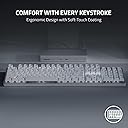
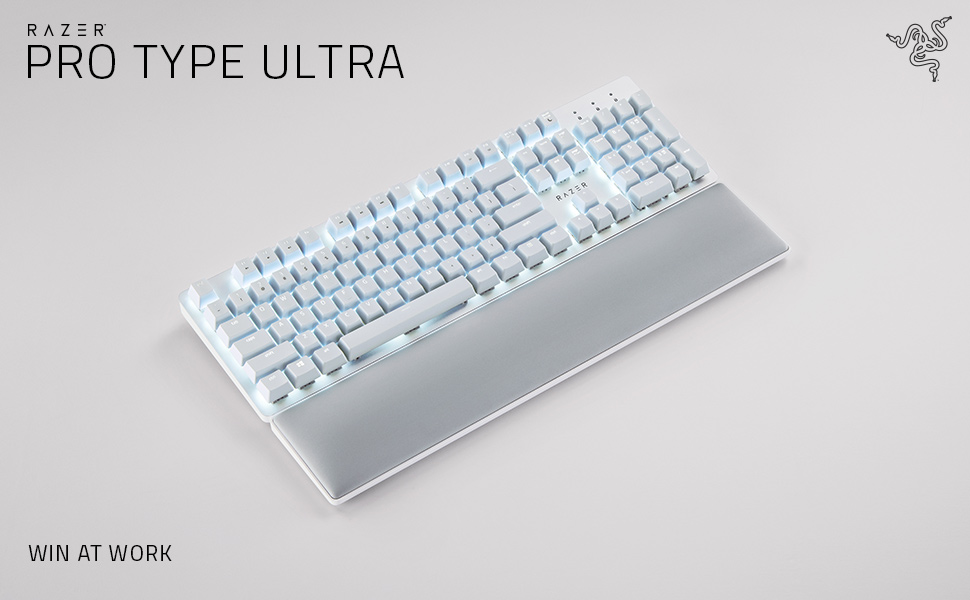
The Razer Pro Type Ultra is a premium wireless mechanical keyboard featuring silent linear switches and ergonomic design for maximum comfort. It supports HyperSpeed wireless technology for ultra-low latency and can connect up to 4 devices simultaneously. Fully programmable keys and smart controls empower professionals to customize workflows, while durable construction ensures up to 80 million keystrokes. Ideal for office and remote work environments seeking quiet efficiency and multitasking mastery.





| ASIN | B09J72K6SM |
| Additional Features | Backlit, Wrist Rest |
| Antenna Location | Office |
| Best Sellers Rank | #699 in Computer Keyboards |
| Brand | Razer |
| Built-In Media | Item |
| Button Quantity | 78 |
| Color | White |
| Compatible Amazon Tablet Models | Amazon Fire 7 12th Generation, Amazon Fire HD 10 13th Generation, Amazon Fire HD 8 12th Generation, Amazon Fire HD 8 Kids Pro 12th Generation |
| Compatible Devices | Laptop, PC, Tablet |
| Compatible Operating System Family | MacOS, Windows |
| Compatible Tablet Computer Models | Amazon Fire 7 12th Generation |
| Connectivity Technology | USB-C, Wireless |
| Customer Reviews | 3.8 out of 5 stars 494 Reviews |
| Enclosure Material | Acrylonitrile Butadiene Styrene |
| Hand Orientation | Ambidextrous |
| Item Dimensions L x W x H | 17.28"L x 5.16"W |
| Item Type Name | PC Gaming Keyboard |
| Keyboard Backlighting Color Support | Single Color |
| Keyboard Description | Wireless |
| Keyboard Layout | QWERTY |
| Manufacturer | Razer |
| Mechanical Keyboard Switch Model | Razer Yellow Mechanical Switch |
| Mfr Part Number | RZ03-04110200-R3U1 |
| Model Name | Pro Type Ultra |
| Model Number | RZ03-04110200-R3U1 |
| Number of Items | 1 |
| Number of Keys | 104 |
| Number of Packs | 1 |
| Number of Sections | 3 |
| Power Source | Battery Powered |
| Recommended Uses For Product | Office |
| Series Number | 304110200 |
| Special Feature | Backlit, Wrist Rest |
| Style Name | Contemporary |
| Switch Type | Linear |
| Theme | Productivity |
| UPC | 810056145170 |
| Unit Count | 1 Count |
| Warranty Description | 2 year manufacturer |
A**W
The backlight is... frustrating, not great for gaming
This is a really excellent keyboard for typing. The best I've ever used. Buttery smooth in a way I didn't realize a keyboard could be. A joy. Noticeably better than any other keyboard I've used. And it looks absolutely gorgeous. I just look at it on my desk from time to time. Just really well done. I added some fancy keycaps and occasionally swap them out for different designs, but mostly I leave the white keycaps in place because it just looks so good. For gaming, the keys are a little TOO responsive. By that I mean I will rest my fingers on WASD and spacebar, and accidentally push them just because the weight of my fingers can push the keys and trigger the switches. Like the slightest pressure activates the key. For typing text, AMAZING. For resting my hands on the keys to play games, not the best. If you're primarily gaming with your keyboard, choose another. If you're primarily typing text, this is the one. My biggest problem is the LED backlighting. The photos usually make it look like they are neutral white; neither warm white nor cool white. But the LEDs are cool white with that slight blue tint to them. This wouldn't be such a problem, but you'd think since they are white LEDs and not RGB, they would use neutral white. This problem is compounded by the yellow switches. The cool-white LED light reflects off the yellow switches. So now you have a mix of blue and yellow shining out from under every key and it just looks a bit muddy and ugly. I know they want to be able to say "our yellow switches" to keep in the parlance of the mechanical keyboard world, but they should have been white or clear. And the LEDs should have been neutral white. Update: I can now push Fn + Esc to swap Function keys/Media keys. So they are now, once again, swappable. The function keys can be edited now in the synapse software; the media keys still cannot be edited and will say as much in synapse if you don't switch them to Function keys first.
L**Y
Best dang keyboard and I've tried a lot of them.
Broke my Logitech G513 keyboard which was previously the best dang keyboard. I liked it because it had black keys that were backlit in white. Logitech, in their infinite wisdom apparently discontinued it because this Razer is now the BDK keyboard you can get if you're not a gamer. It's pricey to be sure. But it feels great and the key action has just the right feel without being too clicky. Wireless means that your desktop is just a bit cleaner. It remains to be seen how these white keys look after a couple of months worth of use (hey Razer why not offer a version with black backlit keys?) but they're removable and washable. The backlighting is lovely and you can turn it down/off. As others have said, if you're going to use it for business, do update the firmware and take the time to load teh Razer Synapse software so that you can customize the keys. I did not like that the function keys didn't work like function keys. With that software, now they do. Get a Razer. You deserve it.
S**N
Totally useless keyboard if you use more than 1 finger to type
I hate this keyboard after the 2 hours of use. There are several cons and pros, but one thing is making this board useless. Missclicks every second word. I use to keep my fingers on buttons while typing. So, for example in default position I have fingers on W, F, J, I, O, P. These and other buttons always triggering after very slight touch. A lot of missclicks, really lot. I spend 2x more time writing this review, because I was correcting every second word. I understand such issue on very budget keyboards, but this costs 160$, and they didn't even include user's manual in the box. I need to go to the official site or google how to enter to pairing mode. Upd. after a month of usage. I can't sell it because no one wants spend 100$ on used KB, and I can't just throw it to the trash because again it is so expensive. Pros: 1. High quality materials. 2. Up to 5 devices support. 3. Long battery life. 4. The response time is very low. Sometimes keys are triggered even before I press them. That's incredible. Cons: 1. Too heavy. 2. Keys on the closest row (ctrl, windows, alt...) are placed too low. So, you hardly can press Ctrl+Shift combination, which I use a lot in various scenarios. 3. You can't just hold fingers on keys, because they can be unintentionally pressed. You need to keep fingers in the air. Not an option for gaming, or if you have any level of tremor. 4. Lots of missclicks if you have medium/big fingers. Whenever you even very slightly touch a key next to your target key, it is triggered. I think this keyboard is most precise tool ever created by human, it feels even if I push a key by 0.1 nanometer. 5. LIGHTS!!! Since I can do blind typing, the lights are superfluous to me, since I can remember location of keys. But this keyboard just wants me to see its shiny yellowish lights. Each time I shutdown PC, the lights are turning on, and this cannot be disabled. I need to manually turn off the keyboard from the rear in order to turn off lights. That's a very stupid "feature". Can anyone from Razer explain what's the point? 6. Software. By default the function keys are multimedia keys instead of F1-F12 functionality. To change the default you have to install their software, which is not designed for real people. It is pop-ups so often, and it is asking me to create an account. Jesus, it is just a keyboard! I simply need to plug and play. If you have software installed, you can switch between function keys by pressing fn+Esc. Why I need the software for this purpose? Why to not make it a built-in feature? And of course I can't install this soft on my workplace. 7. Bugs: sometimes KB automatically is switching do default settings. Sometimes F1-F5 and "~" buttons just not working, I need to push them several times. If you didn't use KB for several minutes, the first key pressed is ignored, it needs 2-3 seconds to wake up.
D**O
Read the Reviews... LOUD and Intermittent
I Love the weight and feel of this keyboard, and it's lights are cool! But....it's claims to be "Minimum Sound" are absurd .....This thing is NOISY. Even worse, it is always sleeping when I start to type, thus my first few keystrokes are not registered. It requires software and custom programming for the function keys to work like a normal keyboard. It is billed as wireless but it requires recharging to be wireless and who wants to wait for their keyboard to charge so they can use it? I gave it a fair trial and while I like it's ergonomics, it's flaws overwhelm it's assets. Returning it after a week. I liked my Logitech MK710 but had to replace it before it's 3rd birthday because the letters rubbed off so many of it's keys that using it is difficult. Back to searching for a comfortable, quiet keyboard and disappointed that the false advertising for this one tricked me into trying it!
R**5
This is a great keyboard, just expensive and needing some functions added.
So I'm coming from Logitech MX Master Keys and MX Master 3 (Mouse). Neither of those devices are for gaming, but they are fantastic for productivity, with near limitless programmability and full cross-platform support for a Mac OS or Windows user. I use both daily. So here we have a keyboard made by a gaming company that promises productivity for multiple devices. Seemed promising. And I am a gamer who works from home. Gave it a go. So obviously, unlike the MX Keys, this doesn't have full cross platform support. No worries. Bumbled around in Mac OS for a while and found the keyboard modifiers to switch the "Command" and "Option" placement so that the functions would carry over from Mac OS to the "Start/Windows" and "Alt" keys respectively so that it's seamless. Nice. If you use Windows, Razer Synapse gives you all the functionality you could need to compete with Logitech Options, being able to bind nearly every key to whatever you need it to do if you have the patience to program it. Options comes more ready to go out of the box to integrate into Microsoft Office and the like, but overall Synapse gives you more flexibility if you know how to use it well. So we're good to go there. Razer would still benefit from adding true cross-platform functionality to attract a larger audience and give back some of those wonderful hot keys and shortcuts and gestures to Mac users (they advertise their Mercury Thunderbolt 3 dock as a Mac accessory even though it's not purpose built for it, so it seems they do want to attract more Mac users to their peripherals). The other piece is the price. For a full size keyboard, it is great that it supports multiple devices like the Logitech, but without true cross platform support, it's just not as strong of a value as the Logitech. The Logitech product is $99-100 and this one is $160 (and seldom goes on sale). It's a mechanical keyboard which is pleasant to type on, but I think your typical Mac user won't think that nor the plush wrist wrest that I'm enjoying right now justifies the $60 price increase. And for many non-Mac OS users, there are other multi device supporting keyboards (both mechanical and membrane) for less. That said, this keyboard supports 4 devices to Logitech’s 3. Final critical point, which I don't care about really, but worth noting: Razer advertises these switches as silent. For anyone who uses a membrane or scissor switch keyboard, this is anything but. I enjoy the clacks as I type, but others may not. Especially if you sit close to colleagues. Razer’s Red Optical Switches they use on the Huntsman lineup are actually a quieter typing experience and otherwise very comparable in performance as it pertains to travel distance before registering input, force required to press down a key, etc. Now for another positive point not related to productivity: this keyboard is blazing fast. If you play FPS or other high speed games, this won’t disappoint. Not only is it low latency when compared to the hundreds other gaming keyboards on the market manufactured by other brands, it is quicker than many of Razer’s own keyboards, with a 0.7ms response time over wired connection, and 1.3ms over HyperSpeed Wireless. There are presently only about 6 keyboards measured on RTINGS (a fantastic resource) that have lower latency, all are either Razer or Corsair. And the perceived difference between 0.1ms and 0.7ms is negligible. This keyboard will not disappoint in gaming performance. If you don’t like the smooth keycap feel that it comes with, try some DoubleShot PBT caps like I have. I'm going to write a separate review for the Pro Click mouse from Razer, which I also purchased. That item is priced identically to the MX Master 3, but has more glaring features lacking than the keyboard comparison. Overall, I wouldn't recommend to anyone that has only a Mac in their life, that demands high customization. Nor would I recommend it for someone who is price sensitive. If you are neither, and are someone who may be: A) A Razer enthusiast B) need something to support numerous windows devices simultaneously C) Don't need RGB D) Want something competitive against true gaming keyboards when you’re not working This will meet and exceed those expectations, and they'll do fantastic for gaming as well. The latency is low, polling rate on the mouse is up to 1000hz, which will do well for many enthusiasts of FPS and other fast-response genres. Anyhow, hope this helps. It is a good product, but it's too pricey for some for a mere office keyboard. Albeit few, there are gaming keyboards that cost less when on sale that will outperform it. But this is gonna be the best of both worlds if you’re looking to keep a professional looking working space that supports numerous devices and looking to game when off work.
J**.
Excelente compra
El teclado cumple con todo lo mencionado
K**8
Designed for the office? Not quite.
First of all I love Razer's gaming products and used them for several years including their gaming keyboards. So when it came time to look for an office solution, they were at the top of my list. In case you are not familiar with gaming keyboards, most people prefer mechanical ones for their accuracy and tactile feel. But they are loud because of the clicking sound they make. The Razer Pro Type markets it's self as a mechanical keyboard for the office, with "silent" keys. I thought, "WOW" the best of both worlds - the clicky feeling w/out the noise for quiet environments. I'm in. Got the keyboard, set it up, and it looks great. Clean and simple white on white. Lighting also great but more subdued that a gaming keyboard - who want a light show on your desk at work. Started to type and. . . We'll unless you are deaf, it's not silent. Yeah, it is quiet(ER), than a gaming keyboard, but I'm pretty sure if you had this at work, you'll drive your coworkers nuts in no time. click, click, click, click, click! Another issue for me was that the keyboard Fn keys are set by default to the action functions. I couldn't find a Fn Lock key or a way through their software to keep it on the F functions. This is designed for the office right? Office shortcuts anyone? Press Fn+F2 to edit an Excel cell every time. No way. No documentation or detailed online user guide to help out either. Last thing. Promise. Before you buy this to work with a work computer, check if your IT department allows for installation of non-approved software. Many of them lock down their computers. If this is the case, you won't be able to use a lot of the features that Razer touts because is is setup through their software. In the end I returned this keyboard (and the matching mouse) as it did not perform as stated in the sales material, at least for me. Instead, I went with the Logitech MX series. Very quiet, able to switch between computers, backlit, but without the mechanical tactile feel, but still comfortable for long typing sessions. So far so good! PS: After I returned the keyboard, I was searching more online about the Fn Lock problem. I continued to find people having the same problem but, one person posted that shift+F10 works. I can't confirm it since i don't have the keyboard, but couldn't they have just put that in a guide or something?
S**E
shuts down
This is a wireless keyboard, but there is no way of knowing that the battery charge is low... is just shut off in the middle use. there is a tiny indicator light on the back of the keyboard.. this should on the front surface. If you are gaming, good luck! I have to manually plug in USB to continue. Also, when first typing, the keyboard is unresponsive, this seems typical of most wireless keyboards.
A**R
Love it but too sensitive
Its really nice and i love it. But its too sensitive and almost always I misspell words because of its high sensitivity.
H**.
Excelente producto, pero la entrega no me pareció que fuera la adecuada de parte de Amazon
Fue una confusión, todo bien con el paquete, pero lo entregaron de forma incorrecta y sin aviso
C**R
Nice soft keys but still have the nice clacking sound
This is a great keyboard with multiple options to connect as well as support to connect to multiple devices
R**O
El peor teclado de gama alta que he tenido.
El teclado tuvo falsos en las teclas a los 2 meses, nunca se me cayo, nunca regue agua sobre el. Soy jugador y tambien hago Home Office, cambide de usar un Logitech MX Keys a este Razer y fue la peor decision que tome, ya tire el teclado a la basura y volvi a ordenar mi Logitech MX Keys La transicion bluetooth de un equipo a otro es lenta, la durabilidad es nula, no lo recomiendo en lo absoluto, lo unico bueno es que se ve bien, no hay mas
J**M
Great Keyboard
Bought it a few years ago, still working perfectly now. Could be little bit loud if you don't like the clicky sound.
Trustpilot
2 months ago
2 months ago