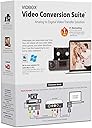
Desertcart purchases this item on your behalf and handles shipping, customs, and support to UAE.
🎞️ Turn nostalgia into digital gold—before it’s too late!
The VIDBOX Video Conversion Suite is a USB capture device that converts analog videotapes (VHS, Beta, 8mm, camcorder) into MPEG-4 digital files compatible with both Windows (10/11) and Mac OS (10.9+). It includes all necessary cables, software, and easy-to-follow pictorial instructions, enabling users to preserve and share their precious memories on modern devices and social platforms.
| Antenna Location | Video Conversion |
| Asin | B00ND0E7FS |
| Av Output | MPEG-4 |
| Best Sellers Rank | 127,500 in Electronics & Photo (See Top 100 in Electronics & Photo) 1,007 in Video Converters |
| Box Contents | AV Adapter, TF Card Reader |
| Brand Name | VIDBOX |
| Compatible Devices | Personal Computer |
| Customer Reviews | 4.1 4.1 out of 5 stars (1,837) 4.1 out of 5 stars |
| Global Trade Identification Number | 00882960266890 |
| Hardware Interface | USB |
| Item Dimensions | 13.7 x 5.4 x 19.1 centimetres |
| Item Weight | 0.01 Pounds |
| Manufacturer | VIDBOX |
| Manufacturer Part Number | VCS2M |
| Minimum System Requirements | Minimum System Requirements: - Processor: Intel i5 or above - Memory: 4GB RAM - Free hard drive memory: 15GB recommended - PC: Windows 10, 11 - Mac: macOS 10.12 and above |
| Model Name | VCS2M |
| Model Number | VCS2M |
| Number Of Items | 1 |
| Operating System | Windows 10, Windows 11, macOS 10.12 & up |
| Platform | Mac OS Big Sur 11, Mac OS Catalina 10.15, Mac OS High Sierra 10.13, Mac OS Mojave 10.14, Mac OS Monterey 12, Mac OS Sierra 10.12, Mac OS Sonoma 14, Mac OS Ventura 13, Windows 10, Windows 11 |
| Tuner Type | NTSC, PAL |
| Upc | 882960266890 |
| Video Capture Resolution | 480p |
User
Works - copied 24 family VHS tapes - download driver, dont use the CD enclosed
Spent 30 mins but could not get audio.Went to the VIDBOX website and downloaded and installed the latest driver software and it works!Transferred 24 family videos to mp4 files.Quality very good.I am very pleased.Our VHS player didnt have RCA so bought a SCART-to-RCA adapter for £4 and used that to connect to the VIDBOX. Brilliant.
User
Not a complete Suite
It doesn't say literally anywhere on the "about" or the details or on the box photos that it does not include any VCR device and you just have to have one on hand somewhere at home. Great.
User
It doesn't work! Seller did not respond to any queries
The seller did not respond to queries as to how to get it working. Would avoid this seller and the product.
User
Flaky support for flaky software
Bought this when still using Windows 7 and received v7 software. After upgrading to Win10, the software would not work properly even after reinstalls etc. Contacted manufacturer who would not provide the newer Win10 compatible software. They instead suggested just using compatibility mode in Windows.That will get it working, but it's a nightmare to use. It will often freeze during a capture requiring Task Manger End Task to kill.And the video settings (brightness, contrast etc) are not applied when a new video starts or will reset even when there is just a break in a recording (e.g. a bit of snow between sections). You need to move a slider and all the settings then are reapplied. This makes it impossible to capture the first few frames of anything reliably. These settings are present in both the driver and the software, but it's unclear how they interact.Have also had to often restart software or even reboot to get it to capture without dropping loads of frames (giving very jerky, unusually video). Also find that it will often not capture longer sections without this problem arising part way through. Spent hours trying to capture 15 minutes of video trying to work around all these issues.Driver options to cut off bottom of video (to remove tearing) do nothing.Capture format settings not retained (had to be selected each time). Quality settings button is also always greyed out.White balance, gamma, backlight comp, ColorEnable, and poweline frequency (anti flicker) all greyed out.There's a repetitive click/buzz which comes through speakers when capture is selected. Fortunately this doesn't affect captures.Had a problem when I connected to a USB 3 card interface. This resulted in picture break up with red/green flashes and unusually captures.Following manufacturer recommendations to plug direct to motherboard port solves this for the most part. It has occasionally resurfaced however.All on an fast 6 core, 12MB PC.Believe some of these issues would not be present with updated software, but supplier chooses not to stand behind their product.
User
Software is hit and miss
software is a bit patchy and some times crashes. it's forever asking me to submit activation and when i do it always fails. i have found that nero video 2019 supports this device so i just installed the drivers and now i use that rather than their own software.
User
Camcorder
Funktioniert einwandfrei
User
Excellent and Simple to Use for Converting VHS
I struggled with other products, including Diamond OneTouch Video Capture and VirtualDub, for a long time (without any success) before purchasing VIDBOX Video Conversion Suite. I was very impressed with it. The installation couldn't have been any simpler and it was also very quick. (I am running Windows 10). Once it was up and running, recording a VHS tape couldn't be easier. All you have to do is specify the location to save the file, the file name, and the aspect ration and then start the VHS playing and click on 'Record' on the VIDBOX menu. It includes a full preview screen, with both audio and video, and seems to record virtually an identical copy of the VHS. (This is not to say that the recording is BlueRay quality -- keep it mind that it is being recorded from very old VHS tapes but the recording does not lose anything or end up with lower quality than the original VHS.) VIDBOX also makes it very easy to convert to result to MP4 and to record it to a DVD. It does not include any video editing software but I already have PowerDirector for that. All in all, I am extremely satisfied with this product and wish I had purchased it earlier and never bought Diamond.
User
Works on Mac.
Been meaning to get a device to archive all my old DV stuff for ages. Now I can, and now I have.Plug and play is fairly idiot proof. To be honest, I was amazed at how easily it worked. The software that you download (and register with a code) from their site is quite intuitive. Basically, you select your source and then you can preview the footage with a small window (double click to go full screen!) and then you can choose the length of the clip, or even just choose a start and stop point. The files get saved to a folder on your computer and then you can watch them with ease.I have not even needed to bring these into an editing program but I imagine it is very easy to do so; at the most you will need to convert the clips to a file that is readable by your editing software.In these modern times where everyone just digitizes and clouds stuff, physical media is nearly obsolete. So much to the point where I had to buy a power adapter for my DVCam deck, no idea where the original one got to. Though I have a fair amount of "finished projects" backed up in digital form, there were still some missing pieces on the tapes in the box. I now have the ability, if I chose, to dump ALL the footage onto external hard drive storage. The original footage is only DV so it takes up very little space.The price is a little high for a really small little device, but all those shoe box memories are priceless, right? If you're like me and haven't watched those old VHS or DV tapes in years, this is a nice stroll down memory lane.Consider the price it would cost to get these "professionally transferred" ...you'll be saving hundreds! Even with no computer savviness and even if you have to buy some old equipment to make it work, it is totally worth it. You get a lot more satisfaction (and privacy ;-)) doing it yourself.
User
Pessimo, SCONSIGLIATISSIMO
Assolutamente l'antitesi di ergonomia , rapporto qualità prezzo PESSIMO, facesse almeno il suo lavoro . . .La scatola arriva tutta impacchettata fieramente , dotata di cavo RCA maschio-maschio (cortissimo) e 2 dischetti per il software ( per MAC e per WIN(zoz)) , software che è totalmente puzzolente , non fa nulla di speciale solo la conversione da MPEG a MP4 (e ovviamente il cattura schermo) , e per giunta non ti permette di editare il video in alcun modo, roba imbarazzante . . .Il vero fetore viene emanato dall'instabilità del software , dopo qualche ora di utilizzo "impeccabile" sparisce misteriosamente l'input video che si trasforma in uno schermo nero, chiudere il programma ,riavviare il computer ,resettare la cache e reinstallare il programma è COMPLETAMENTE INUTILE;disperato decisi di scaricare linstaller via internet scartando l'opzione lettore CD , tutto funzionava benissimo , solo che dopo poche ore solito fetente problema . . . SCONSIGLIATO , CON 15€ FATE EOBA MIGLIORE . . .Speravo che quei 115€ si traducessero in qualità ed affidabilità , invece. . .Per antonomasia:A GREAT WAY to WASTE MONEY
User
Easy to use
This just works right out of the box. The basic capture and convert to MP4 is a no thought process. Great for quick digitising of large numbers of legacy video tapes. The advanced features take a bit more time to get right, but once you figure out what’s what, it’s pretty smooth sailing
Trustpilot
1 month ago
1 month ago