


Buy anything from 5,000+ international stores. One checkout price. No surprise fees. Join 2M+ shoppers on Desertcart.
Desertcart purchases this item on your behalf and handles shipping, customs, and support to UAE.
🎥 Control your camera and command your presentation—be the boss of every room!
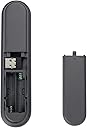
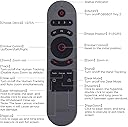
The OBSBOT Tiny 2 Remote Control is a sleek, lightweight wireless device designed exclusively for the OBSBOT Tiny webcam series. Featuring a 10-meter wireless range via USB receiver, it combines intuitive 3-button control with AI-powered camera modes like Close-up and Desk Mode. Beyond camera control, it doubles as a professional-grade presentation clicker, enhancing your productivity and presence in meetings. Compatible with multiple OBSBOT Tiny models, it’s the ultimate smart remote for millennial professionals seeking seamless tech integration.





| ASIN | B0C741VPX1 |
| Additional Features | Lightweight |
| Battery Type | Alkaline |
| Best Sellers Rank | #13,211 in Electronics ( See Top 100 in Electronics ) #602 in Remote Controls (Electronics) |
| Brand | OBSBOT |
| Button Quantity | 3 |
| Color | Grey |
| Compatible Devices | OBSBOT TINY Series Webcam, Not Applicable to Other Non-OBSBOT TINY |
| Connectivity Technology | USB |
| Controller Type | Button Control |
| Customer Reviews | 4.4 out of 5 stars 309 Reviews |
| Manufacturer | OBSBOT |
| Max Number of Supported Devices | 4 |
| Maximum Number of Supported Devices | 4 |
| Maximum Range | 10 Meters |
| Mfr Part Number | S.A.1.00014 |
| Model Name | Tiny Smart Remote 2 |
| Model Number | TINY Smart Remo |
| Number of Batteries | 2 AAA batteries required. |
| Special Feature | Lightweight |
| UPC | 786368773113 |
| Warranty Description | 1 Year Warranty |
M**3
Great device, and excellent addition to the camera
Once I got the remote working, it has perform beautifully. I found out I had to turn on the road mode and the app and then quit the app and restart the app to get the remote to connect. I don't know if this is normal but I cannot get it to connect any other way you do have to have the remote turned on in the app. At least twice the remote has stopped working, but quit in the app and start it up again I fixed it each time the other thing I found annoying it doesn't seem to be any documentation of any kind of how to get the remote to work, but the remote does work well once you get it going, and it's a nice addition to my Tiny 2 4K
D**E
Good remote
It is good.works to my expectations
G**Z
Perfecto
Excelente muy útil
P**O
Should include a manual
Camera wasn't detecting the controller and I was unsure why, I looked everywhere in the app and in the paper that comes in the package as "manual" but didn't got an answer. Turns out that if the controller pair by pressing the track and hand buttons at the same time until light blinks twice...
A**H
A must for quick actions
Really handy little remote for my OBSBOT Tiny 2. It works flawlessly for camera control and even doubles as a presentation clicker, which is super convenient. The wireless connection was smooth and setup was quick. One funny thing happened though. Whenever I pressed the power button on the remote, it would randomly launch Asus ROG GPU Tweak III! 😅 Turns out GPU Tweak had a hotkey set that clashed with the remote's signal. Once I disabled hotkeys in the GPU Tweak settings, everything worked perfectly. Power on and off now does exactly what it should with both the camera and OBSBOT Center software. If you’re using an ASUS setup like me, that’s something to check. Otherwise, awesome little gadget!
J**Z
THE BEST REMOTE CONTROL I HAVE EVER TESTED
Spectacular. This remote control seems very complete to me. It is light in size, so you don't get tired of having it in your hand. Its reach is very good... I absolutely love being able to move the camera easily, in addition to changing "templates" through the same control. Its "pointer" function seems great to me. It is an excellent product that makes a perfect mix with the camera
N**A
It doesn't stay connected & freezes the software
When this first pairs each time you use it to move the osbot there are clicking sounds from the laptop as if you are hitting the keys incorrectly. That sometimes resolves & then the remote flawlessly moves the camera for seconds or minutes before disconnecting. It seems like a software issue. Sometimes restarting the software allows the remote to repair, but other times it will freeze the software, requiring that I restart my laptop to even use the osbot webcam software manually.... every time I have needed to use this for more than 5 - 10 minutes I have ended up tossing it to the side. I have reinstalled the software, updated everything, and ultimately, it is not worth buying... quite infuriating. I would not recommend purchasing this remote. I have a macbook pro and the Tiny4k.
C**S
Returned
Hard to use
J**.
Perfect! Works exactly as expected!
Exactly what we had hoped for! Perfect for controlling our webcam when not sitting directly at the laptop. Worked perfectly with our OBSBOT Tiny 2 Lite 4K right out of the box!
V**A
Controle
Muito bom !
J**Z
Excelente
Excelente
N**L
Good piece of kit
Fantastic tool, is very versatile and works very well for me.
M**O
Tutto bene
Tutto bene
Trustpilot
1 day ago
2 weeks ago