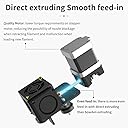
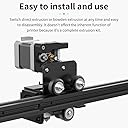
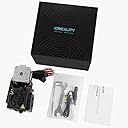
🚀 Upgrade your 3D printing game with precision and power!
The Creality Direct Drive Extruder Upgrade Kit includes 10 high-quality brass MK8 nozzles in multiple sizes, 5 stainless steel cleaning needles, and a spanner. CNC precision manufacturing ensures concentric, burr-free nozzles that reduce filament resistance and clogging. Designed for Ender 3 series and compatible 1.75mm filament printers, this kit delivers durable, smooth, and reliable printing performance while simplifying maintenance.

| Brand | Creality |
| Compatible material | Acrylonitrile Butadiene Styrene , Polylactic Acid |
| EU Spare Part Availability Duration | 1 Years |
| Manufacturer | Creality |
| Number of Packs | 1 |
| Unit count | 16 Count |
N**.
Pretty good, it is just as what it says on the box
The box was pretty beat up, but the parts are good,
T**T
No guessing... it just works.
I find that buying OEM parts and replacements are usually the way to go. In this case I just want my Ender 3 V2 to keep printing. I bought this so that I could print TPU more reliably. Seems you need direct drive to do that! Just keep in mind that with this unit you can now reduce the amount of retraction from 6mm down to 1mm or less depending on the filament you are using. Direct drive does not need the extra length that a Bowden tube required. And when you do get a clog... it's easier to push it through. For the Ender 3, it doesn't seem to be an issue with the extra weight on the hot end. If you think that it does because of flexing you can always add an extra Z-axis for dual Z drive.
S**D
Great upgrade for an older Ender printer
Purchased this upgrade to get away from the sidemount feeder stepper and Bowden tube setup. This one change brought my print failure rate down drastically and it was super easy for me to install.
P**Y
Be ready to tweak your retraction settings
This was easy to install, and worked well at first. After a couple of prints, though, it stopped feeding, with the filament wedged in place. Remembering that the hotend is all metal, I changed the retraction distance in Cura to 1mm, and once I got the filament path cleared, it was smooth sailing until I used a different computer without the retraction setting tweaked. Set the retraction distance to 1mm, and enjoy!
C**E
you'll need to tighten the set screws before installation
Seems to be working well and reducing jamming so far, especially when printing areas with lots of retractions (large areas of small circles, in particular, like the top of dense clusters of support branches, used to jam almost instantly regardless of speed and retraction setting). Would be nice if it came with directions, or a wiring diagram for a version of the motherboard that has shipped in the last eight years. Has a diagram for the 1.1 board in the package, but nothing for the 2.4.4 board that the Ender 3 Pro shipped with, and no other assembly recommendations/instructions. The wiring on the actual device also doesn't match what's in the diagram - none of the cable colors or tags match, so you just have to kind of guess and pray. Found that the set screws on the extruder drive gear were not screwed in - after a short test print, extruder started clicking constantly. Since the set screws were not tightened before shipping, the extruder drive gear had walked itself nearly off the post, and the protruding screws were clicking were they dug against the housing. Had to reseat this gear and re-tighten the set screws (there's two of them) manually and then it has worked well since.
Trustpilot
1 week ago
2 weeks ago