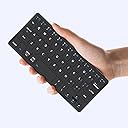
| ASIN | B0D2XYLZ7X |
| Additional Features | Foldable, Integrated Stand, Lightweight, Portable, Rechargeable |
| Antenna Location | Connect Bluetooth: Press "Fn" + "1" or "2" for 3 seconds to enter pairing mode, Esc function: Press "Fn" + space bar, Lock/Unlock the keyboard: Press "Fn" + Caps Lock, Shortcut Keys: Press "Fn" + shortcut keys,Apostrophe:FN" + ' |
| Best Sellers Rank | #227 in Computer Keyboards |
| Brand | Kenkor |
| Built-In Media | USB Cable, User Manual |
| Button Quantity | 78 |
| Color | Black |
| Compatible Amazon Tablet Models | Amazon Fire 7 5th Generation, Amazon Fire HD 10 5th Generation, Amazon Fire HD 8 5th Generation |
| Compatible Devices | Android,Windows and iOS,iPad,Phone,Tablet or Laptop, Samsung Galaxy Z Fold 8 Ultra/Z Fold 8 Wide/7/6/5/4 Series Compatible Devices Android,Windows and iOS,iPad,Phone,Tablet or Laptop, Samsung Galaxy Z Fold 8 Ultra/Z Fold 8 Wide/7/6/5/4 Series See more |
| Compatible Operating System Family | Android, Windows |
| Compatible Tablet Computer Models | Apple iPad (10th generation) |
| Connectivity Technology | Bluetooth |
| Customer Reviews | 4.3 out of 5 stars 242 Reviews |
| Enclosure Material | Acrylonitrile Butadiene Styrene |
| Hand Orientation | Ambidextrous |
| Item Dimensions L x W x H | 7.68"L x 3.34"W x 0.6"H |
| Item Highlight | Dual-Device Computer Keyboards Rechargeable Travel Bluetooth Keyboard for iPad/iPhone/Tablet/Laptop&Android/Windows/iOS,Black |
| Keyboard Description | Three steps to connect the mini keyboard ①Turn on the power of the keyboard from [OFF-ON] ,Press “FN”+“1”or “2” for three seconds,until the indicator light between flashes frequently ②Then turn on the buletooth of the device you want to connect ③Find the “wireless keyboard” on the device and connect Note: It will automatically connect after connecting once.If it has not been connected for too long, you need to remove the wireless keyboard first and then repeat the above steps Keyboard Description Three steps to connect the mini keyboard ①Turn on the power of the keyboard from [OFF-ON] ,Press “FN”+“1”or “2” for three seconds,until the indicator light between flashes frequently ②Then turn on the buletooth of the device you want to connect ③Find the “wireless keyboard” on the device and connect Note: It will automatically connect after connecting once.If it has not been connected for too long, you need to remove the wireless keyboard first and then repeat the above steps See more |
| Keyboard Layout | QWERTY |
| Manufacturer | Kenkor |
| Minimum Required Operating System Version | Android 3.0 Honeycomb, Windows 10, iOS 10 |
| Model Name | K08 |
| Model Number | K08 |
| Number of Batteries Required | 1 |
| Number of Items | 1 |
| Number of Keys | 58 |
| Number of Packs | 1 |
| Number of Sections | 1 |
| Power Source | Battery Powered |
| Recommended Uses For Product | Connect Bluetooth: Press "Fn" + "1" or "2" for 3 seconds to enter pairing mode, Esc function: Press "Fn" + space bar, Lock/Unlock the keyboard: Press "Fn" + Caps Lock, Shortcut Keys: Press "Fn" + shortcut keys,Apostrophe:FN" + ' Recommended Uses For Product Connect Bluetooth: Press "Fn" + "1" or "2" for 3 seconds to enter pairing mode, Esc function: Press "Fn" + space bar, Lock/Unlock the keyboard: Press "Fn" + Caps Lock, Shortcut Keys: Press "Fn" + shortcut keys,Apostrophe:FN" + ' See more |
| Special Feature | Foldable, Integrated Stand, Lightweight, Portable, Rechargeable |
| Style Name | Classic |
| Switch Type | Linear |
| Theme | Minimalist |
| Unit Count | 1 Count |
| Warranty Description | 1 Year Warranty |