


Buy anything from 5,000+ international stores. One checkout price. No surprise fees. Join 2M+ shoppers on Desertcart.
Desertcart purchases this item on your behalf and handles shipping, customs, and support to UAE.
🚀 Upgrade to the future of Wi-Fi — because buffering is so last decade!
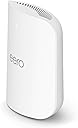
The Amazon eero Pro 7 is a cutting-edge tri-band Wi-Fi 7 router designed for professionals and tech-savvy millennials. Supporting internet plans up to 5 Gbps and covering up to 2,000 sq. ft., it delivers ultra-fast, reliable connectivity for over 200 devices. Featuring Qualcomm’s Dragonwing N7 chipset, multi-link operation, and seamless Alexa integration, it ensures a future-proof, smart home or office network with easy expansion and industry-leading 3-year warranty support.
| Wifi standards | Wi-Fi 7 (IEEE 802.11a/b/g/n/ac/ax/be) |
| Number of radios | 3; tri-band |
| Supported channels | 2.4 GHz: 20, 40 MHz 5 GHz: 20, 40, 80, 160, 240 MHz 6 GHz: 20, 40, 80, 160, 320 MHz |
| MIMO | 2x2/2x2/2x2 MU/SU-MIMO |
| Spatial streams | 6 |
| Channel width | 20, 40, 80, 160, 240, 320 MHz |
| Network security and services | WPA3 and WPA2 wireless encryption |
| Other Wi-Fi features | Support for IPv4, IPv6, UPnP, DHCP reservations, and port forwarding. WAN compatibility: DHCP, static IP, PPPoE, and internet VLAN tagging |
| BE rating | BE10800 |
| Automatic Channel Selection | Yes |
| Band steering | Yes |
| Device/profile pause | Yes |
| Easy password sharing for guest and home network | Yes |
| Smart home hub | Yes |
| Thread | OpenThread |
| Bluetooth | Bluetooth Low Energy 5.0 |
| Zigbee | Yes (as a controller only) |
| Works with Alexa | Yes |
| Matter | Yes (as a controller only) |
| Antenna | 2x2 2.4 GHz 2x2 5 GHz 2x2 6 GHz |
| Frequency bands | ISM (2.4-2.484 GHz) U-NII-1 (5.15-5.25 GHz) U-NII-2A (5.25-5.35 GHz) U-NII-2C (5.47-5.725 GHz) U-NII-3 (5.725-5.85 GHz) U-NII-5 (5.925-6.425 GHz) U-NII-6 (6.425-6.525 GHz) U-NII-7 (6.525-6.875 GHz) U-NII-8 (6.875-7.125 GHz) |
| Types of modulation | OFDM (2.4 GHz, 5 GHz, 6 GHz) DSSS (2.4 GHz only) |
| Ethernet | Two auto-sensing 5 Gigabit Ethernet ports, 1 USB-C port |
| Processor | 1.5 GHz quad-core processor |
| Memory | 1024 MB |
| Storage | 4 GB flash storage |
| Size | Width 5.77 in. (146.6 mm) Height 7.10 in. (180.4 mm) Depth 3.10 in. (78.7 mm) |
| Operating temperature | 32°F-104°F (0˚C-40˚C) |
| Electrical requirement | 100-240V AC, 50/60 Hz |
| AC supply | 27W USB-C power adapter |
| OS support for eero app | iOS/Android app |
| Subscription | New customers are eligible to access eero Plus free for 30 days. Learn more about eero Plus. |
| Required for setup | Supported iOS or Android device and internet service (with cable, DSL, or fiber ONT modem, if required). See eero setup requirements. |
| Warranty and service | 3-year limited warranty. For warranty info, privacy policy, terms of service, trial and subscription terms, and more, visit eero.com/legal. |
| Included in the box | 1-pack: one eero Pro 7 router, one 27W USB-C power adapter, and one CAT6a Ethernet cable. 2-pack: two eero Pro 7 routers, two 27W USB-C power adapters, and one CAT6a Ethernet cable. 3-pack: three eero Pro 7 routers, three 27W USB-C power adapters, and one CAT6a Ethernet cable. |
| Software security updates | Learn more about software security updates. |
| Legal disclaimer | Works with Alexa not available in all countries. eero Pro 7 and services, including eero subscription services, are subject to the disclaimers found at eero.com/disclaimers *Additional services each require a separate subscription. †Actual size and weight may vary by manufacturing process. ‡Insurance details: Insurance Benefits under the policy are issued and covered by Lloyd’s, under a master group policy issued in the name of Cyberscout Limited, Sontiq Inc. and all subsidiaries for the benefit of members. For policy terms, explanation of benefits and exclusions view the “Summary of Benefits.” for $1Million USD Plans or $2Million USD Plans. “Family” plan insurance will cover the primary account holder and his or her household residents. |
| Chipset | Qualcomm DragonwingTM N7 Platform |
R**N
Easy to setup, fast, and good looking.
This wireless router is incredible. I upgraded from a WiFi 6 TP-Link and my internet speeds doubled! I went from averaging ~600mbps to 900+. The router was super simple to setup. I went with the pro over the max because I have a medium sized home and a 1gigabit internet plan. The app made it a breeze to get it running. This is my first mesh router, and I am getting much better signal throughout my house w/ 2 nodes. I setup the SSID w/ the same network name and password as my old router and all my devices connected. Very easy to adjust the settings with app, and good compatibility w/ legacy mode enabled. Only drawback is with Eero plus features enabled you can’t set a custom DNS server. Not a huge problem because this can be configured on the device side if needed. Also some features that are free on other routers require the Eero subscription. Nonetheless it’s worth it if you buy the Eero signal, as you get 10GB of data backup a year. The device also looks good and is compact! Much better than my old spider legged router’s antenna. To get the full advantages of this router make sure your devices support WiFi 6e / 7. This router is also great if you have a smart home. I have a motion sensor that controls lights that utilizes thread. Before I was having signal issues as the device was far away from my hub. Now my device is connected and functioning like normal again. Overall a great purchase!
J**F
Significant Speed Upgrade from eero 6, Noticeably Faster and More Stable
Upgraded from an eero 6 system to the eero Pro 7, and the difference was immediately noticeable. Speeds throughout the house improved significantly, and connections feel more stable, especially when multiple devices are running simultaneously. The tri-band WiFi 7 performance really makes a difference. Areas that previously had slower speeds or occasional drops now maintain strong, consistent connectivity. Streaming, video calls, smart home devices, and large downloads all perform more smoothly after the upgrade. Setup was very easy through the eero app. The new router integrated seamlessly with the existing network, and the upgrade process took only a few minutes. Devices transitioned automatically, so there was no need to reconnect everything, which made the upgrade simple. Build quality is solid, and the design is clean and compact. It also runs quietly and has been reliable since installation. What stood out: • Noticeably faster speeds compared to eero 6 • More stable connections across the house • Handles multiple devices without slowdown • Very easy setup and upgrade process • Strong performance for streaming and smart home devices Overall, this was a worthwhile upgrade. If you are coming from eero 6 or an older mesh system, the eero Pro 7 delivers a clear improvement in speed, stability, and overall network performance. Highly recommended.
J**C
“Internet So Fast Even My Plants Load Instantly”
The Amazon eero Pro 7 (2‑pack) is basically the warp drive of home Wi‑Fi. Setup was shockingly easy — the app walks you through everything like a buddy who actually knows what they’re talking about. Coverage easily blankets our space (up to ~4,000 sq ft), and I haven’t found a dead zone yet. Even the fridge gets online now (probably streaming its own content). Speeds are ridiculous — solid support for plans up to 5 Gbps, and real‑world performance is impressively stable whether I’m streaming 4K, gaming, or pretending to work in five different rooms at once. I’ve never seen so many devices connected without the network throwing a tantrum. The tri‑band Wi‑Fi 7 boost really shows — low latency, fast throughput, and rock‑solid connections even when the kids are doin’ whatever they do online. Mesh roaming is seamless; I walk around the house, and the signal just doesn’t quit. In short: strong coverage, blazing speeds, idiot‑proof setup, and dependable performance. Five stars. My router just got promoted to household superhero. 🚀📶
R**T
Easy install, monster speed upgrade, great app and on sale - perfect!
11/25 update - A few bugs have popped up. One change I had to make to get my Bluesound Node X music streamer app to work was to move the RJ-45 Ethernet cable that feeds the Node X from my Fios modem to the Eero modem on the open RJ45 Ethernet input on the back of the Eero node next to my Fios modem. The Bluos app would not connect because it thought the Node X was on another network, different from my iPhone 16 pro. When I moved the Ethernet cable, the Node X appeared in the Eero device list. The next day, my audio system and Sony TV also appeared because they are connected to the same Ethernet cable as the Node X through a Netgear Ethernet powered splitter. Existing devices keep popping up as new almost daily as the Eero nodes recognize the signals and devices. Original review - The easiest Wi-Fi upgrade I've ever installed! I was semi-dreading the arrival of the Eero system because no matter what product I have ever installed Wi-Fi hardware related, something always goes wrong. Not in this case - total compatibility, flawless and simple setup. I had the entire system including 3 Eero nodes connected to my Fios 1GB modem and the Eero app in less than 30 minutes. The Eero node connected to my Fios router/modem even automatically shut down the laggy Fios Wi-Fi from that older Fios device, no action required on my part. Cool! The nodes are hefty - they have some weight to them, and they are smaller than I thought they would be - about 1/2+ the size of my legacy Fios router/modem. See the photos of an Eero node next to my mini garbage can sized Fios modem/router. All the Wi-Fi "dead spots" from my Fios router are now gone and I have full Wi-Fi access everywhere in my home and my attached garage. When I rebooted my Windows 11 laptop it immediately recognized the new security protocols in the Eero nodes versus the Fios modem. I have almost 1gb up and 1gb down with Eero - with the previous FiOS WIFI, it was 1/3 to 1/2 lower - very laggy. Not anymore! All my Ring cameras, music streamers, Apple phones and every other Wi-Fi device connected without incident and run much faster, especially my laptops. There is a QR code in the box for downloading the Eero app which connects with the 3 nodes. There are 3 power cords and 1 RJ 45 cable to connect one of the 3 nodes to your main modem in the Eero box. The Eero app is terrific, it located my nodes fast and approved their locations quickly. I used Chat GPT as a primer before I started connecting devices and it helped speed things up because I knew what to look for and not look for in the setup. I'm very tech savvy; an audio nut & I can hook up almost anything audio or computer related. But I'm still semi-shocked at how easy setup was, how much better my Wi-Fi signal is compared to the Fios modem because something ALWAYS goes wrong. This is quality mesh system and a BIG upgrade especially for $150 off on a recent sale. I would definitely recommend the Eero 7 Pro mesh system with 1gb Fios internet speed because the Fios gear is wasting up to half that speed with its inefficiencies plus the dangers of its outdated security protocols. Hope this helps!
A**B
Worthwhile Expense - Great Coverage and Speed - Simple Setup
Great upgrade from my close to 10 year old Orbi setup. Would love to be able to hardwire the devices in the network but that simply isn't an option for my house. I specifically paid more for the Pro model for the dedicated backhaul band given my setup limitations. PROS: I really appreciate the simplicity of the setup in the app. While I have enjoyed tweaking and tinkering with my network in the past, I've discovered that modifying most of these settings are more trouble than it's worth. The Eero app is clean and simple and just works. Connections have been rock solid and I am amazed at the speed/coverage in relation to how far away the device is with hardware that supports wifi 7. I can be on a different floor of the house and still get speeds close to what I'd get when hardwired into the network. CONS: The hardware is bigger than I'd prefer. I wish they had a tri-band wifi 7 puck style device, but the great thing about Eero is new hardware is backwards compatible, so I'd imagine at some point they'll release hardware similar to the 7 Pro in a smaller package. Price was hard for me to justify. Had I not got in on a 20% promo with Amazon device trade it, I would have said it's not worth the price compared to the 6E tri-band. Overall, great hardware and investment in my home network for the next decade.
T**S
Night and Day Difference — Eero Nailed It
After a nightmare experience with the Netgear Orbi 777, the eero Pro 7 felt like a breath of fresh air. I'll explain. The Backstory We had an Orbi RBR50v2 for years without a single issue, so when it was time to upgrade we went with the Orbi 777. Huge mistake. Dropped signals constantly, restarting the router over and over, firmware update headaches, endless troubleshooting. And I'm pretty tech savvy so it wasn't a user error situation. For a company as established as Netgear to drop the ball that hard with a premium product is just inexcusable. It felt like they were going backwards. Returned it and decided to give eero a shot. Setup This is where eero completely won me over. The setup was so ridiculously easy compared to what I just went through with the Orbi 777 it almost felt too good to be true. Smooth, quick, and stress free from start to finish. Couldn't believe the difference. The App Really impressed with the app. It gives you full control over every device connected to your network and is super easy to navigate. Very user friendly — everything is right where you'd expect it to be. No digging through confusing menus. Performance I've had the 1 router and 2 satellites running for about a month now and not a single dropped connection. No random restarts, no troubleshooting, nothing. Speed is consistent and coverage is solid throughout. Hard to do a direct comparison to the Orbi 777 on coverage since that router dropped signal so often I could never really tell if it was a coverage issue or just the router being a mess. Either way, eero has been rock solid. One Annoyance eero does push you to subscribe to their paid plan to unlock more features, which gets a little old. That said, I'm not subscribing and the free features are more than enough for what I need — just a solid, reliable connection for all the devices in the house. So don't let that be a dealbreaker. Compatibility Seems great. All devices are able to connect as long as you use the legacy password security like WPA2/3. If you go with WPA3 only, it may have some issues with older devices. That is what I learned with the Orbi 777. Bottom Line If you're coming from a frustrating router experience, the eero Pro 7 is a serious upgrade in reliability and ease of use. A month in and zero complaints. If this thing holds up long term, I won't be looking anywhere else when it's time to replace it. Hope this review helps you out and thank you for reading!!
K**N
Best router I've used since Apple routers
Since Apple stopped supporting routers I've tried multiple routers over the years. I've used Google's first attempt which was the TP Link and honestly that one wasn't bad at all. I thought at that time all my router woes were over. Until Google stopped supporting that router. Then I moved to Google's puck mesh routers. They were ok for me solid with keeping devices online but their range wasn't the best and they weren't wifi 6,6e or 7. So I then upgraded to the next Google mesh system the marshmallow looking one. That one was terrible the mesh point had no ethernet connection so it was only able to connect to the main router through wifi. Bad idea and wasn't great at all. Then came Google Nest wifi Pro 6e. That one was good for a while but it would throttle all the time and keep my 1gb download service to 96mbps download. I would have to reboot the routers all the time. It would be good for a few days and throttle again. Which leads me to going with this eero Pro 7. So far this has been awesome. Easy set-up which to be fair most are very simple to set up these days, so par for the course. Speeds and connection have been phenomenal on all devices. The range has also been great. I have 65 devices running and all have stayed connected solid even the security cameras I have pretty far away from the routers. Now for the not so great, I really like the app layout and options but this eero plus subscription thing? Come on man we are paying almost $600 dollars for the Pro 7 model and some pay even more for the Max 7 and the Outdoor 7. At that price point give those Pro buying customers the eero plus for free. Maybe if you just buy the base model you can charge for the subscription but charging everyone or even charging at all is dumb. I'm trying the 2 month free trial but I'm not keeping the subscription. Even if I like it, just for principle I will not pay for this subscription. This actually should have been an Apple product. I don't know why Apple stopped making Apple routers, those were the best I've ever used until now. If they were Apple you could use them through Homekit and connect through the Airport Utility app and it would have been awesome for the Apple ecosystem. But since Apple has been out of the router game and no rumors of them returning are in sight these eero's are the closest thing to the good old days of the Apple routers that I've ever used.
O**Y
Surprised At Limited Functionality For An Expensive Setup
This is a primary review of my Eero Pro 7. I will come back to update the review after using it for awhile (or returning it). As described for the product, set up using the Eero app is quite simple. Follow the app instructions and the main router is up, online, and operational in short order. After the main is up (which can be either one of the two), I used the app to set up the mesh router. It connected fairly quickly. The main is set up upstairs (2 floor townhouse, 1900 sq ft) in my master bedroom with the mesh router in my living room, first floor, opposite side of the house. Connections have been stable since set up, except as noted below -- not because of the routers. All my Alexa echo devices and smart plugs connected and work with no problems. In fact, my Alexa devices are automatically set up as Eero extenders if necessary (none of mine are). Signal strength is as expected. I have a 1 gig cable line in and get that in download when near the main router (along with 40 mbs upload) and 400 to 500 mbs down/35 mbs up in the living room, connected to the mesh router. As a single user, this is ample response for my needs. Now the negatives and why I downrated the system 2 stars: -- I cannot create separate SSIDs for each band (2.4, 5, 6). The routers handles best band foe each device OK, but I would have preferred having that control myself. -- There are only 2 ethernet ports on each device, and 1 has to be used for the WAN (internet) on the main router. Without some network trickery, this limits ethernet device connectivity. Why this was done for this high price set up, while other manufacturers have at least 4 discrete ethernet LAN (network) connections is beyond me. -- There is no USB port on either router to connect a network drive. -- Router control can only be accessed thru the app. Web browser access is not available. Again, something available with other manufacturer routers but not here. -- Advanced router functions like enhanced security and parental controls are behind a pay wall. One has to subscribe to Eero + with a monthly or annual fee to access these capabilities. Being single with no dependent use on my network, and ample security on my devices, the advanced functions are probably not necessary for me. However, for a family, I think they would be. As far as the limited ethernet connectivity, I solved this by taking 2 ASUS mesh routers, doing a factory reset on each, direct connected each one in turn to my laptop, resetting each one to an access point (AP) and then connecting one to my main router, LAN on ASUS to available ethernet and one to my mesh router in same fashion. I now have 3 additional ethernet ports on each AP router, and testing shows this set up works. The lack of USB connectivity was also solved by the above set up. I just plugged my (already configured) external USB drive into the USB 3.0 port of the upstairs AP router and I regained access to the files on that drive. If I was not able to create this AP router(s) setup in the mesh network, I would have quickly done a factory reset and set up a return on these, but since I was able to regain (most of) the functionality of my previous network, I have decided to keep the Eero routers and set up, at least for awhile. If there are any future issues in the next month (I have until 1/31 to return them) I will definitely send them back and go back to my previous set up. I will update this review to reflect my experiences and future actions. Stay tuned. The reason I purchased this in the first place was because my ASUS Mesh system was starting to fail -- download and upload speeds going up and down regularly. Turns out the problem was wasn't with the routers, but with the battery backup I was using -- passing cable internet input thru the battery device to the modem to prevent cable power spikes. Testing by the cable company indicated that when connected this way there were drops in connectivity to the modem, but when the cable in was directly connected to the modem there was no drop. Speed tests on my laptop confirmed this. Update 01/11/2026: Internet coverage has dropped a couple of times over the last week (at about the same time) requiring a reboot of the base router. This can be quite irritating when one is watching something exciting (e.g. college football playoffs) and has most house lights on smart switches which do not work when internet is not available. Don't know whether this is a router issue, a modem issue, or a cable in issue. Interestingly, tomorrow I am getting fiber installed with a speed upgrade to 5G down and up along with another Eero router which I will configure as a mesh node. Also, there is a firmware upgrade that will be installed overnight. We will see how this does or doesn't improve the disconnect issue. Otherwise, the connections are stable, and speeds are as expected. I will provide another update soon. Note that I have until the end of the month to pack up and return these for a refund.
Trustpilot
2 days ago
1 month ago