Buy anything from 5,000+ international stores. One checkout price. No surprise fees. Join 2M+ shoppers on Desertcart.
Desertcart purchases this item on your behalf and handles shipping, customs, and support to UAE.
🎞️ Turn nostalgia into digital gold—don’t let your memories fade away!
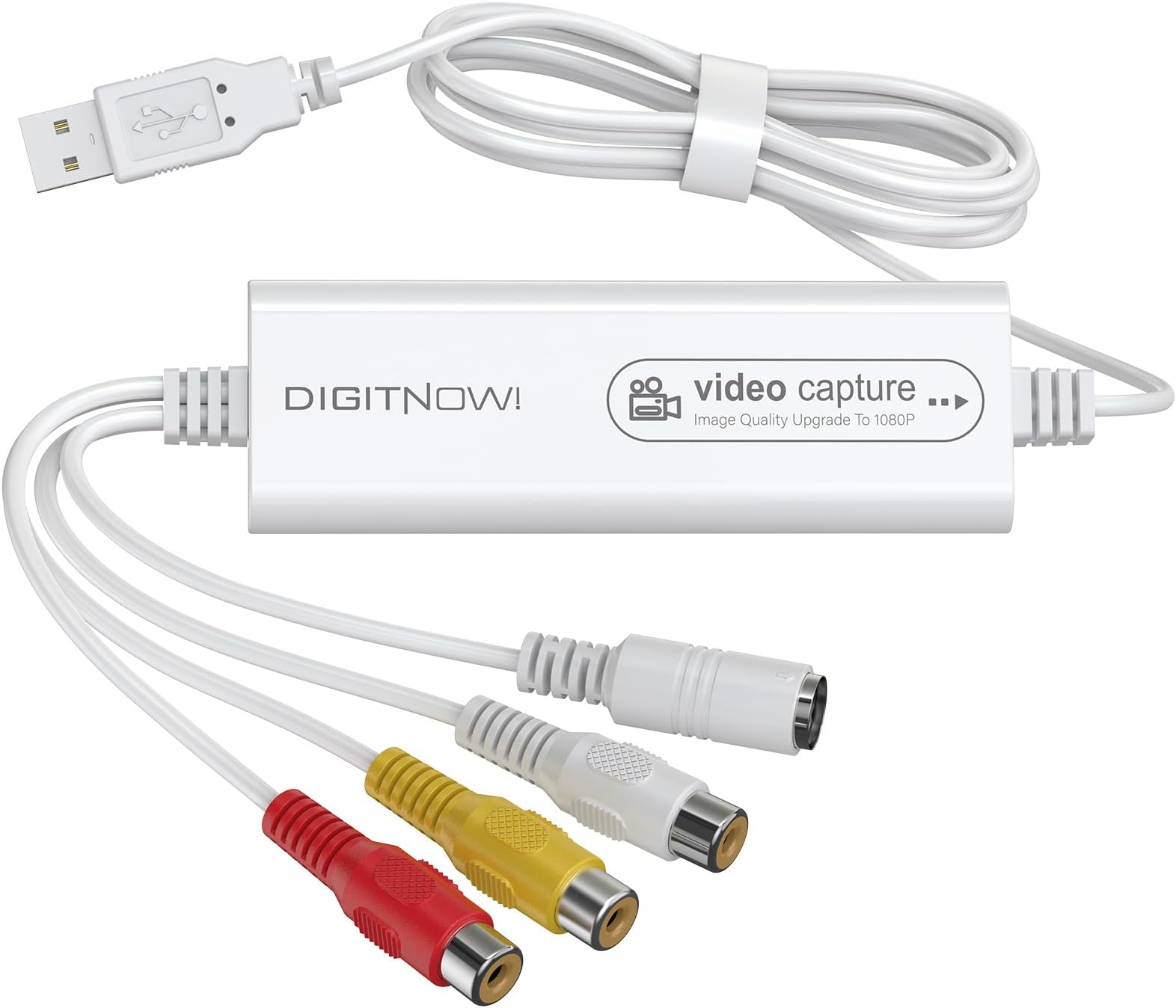
The VIXLW Video Capture Device is a high-speed USB 2.0 converter that transforms analog video sources like VHS, VCR, Hi8, and Mini DV tapes into high-quality digital files up to 1080p resolution. Compatible with Mac OS, Windows, Linux, and Android, it supports NTSC, PAL, and PAL/60 formats and works seamlessly with popular software such as OBS and QuickTime. This plug-and-play device is perfect for professionals and enthusiasts looking to preserve and repurpose vintage footage with ease.


| ASIN | B0C2H3Y9KB |
| AV Output | MJPEG and YUV422 formats |
| Antenna Location | Convert analog video sources to digital, connect to computers for video capture and editing, use with capture software like OBS or QuickTime Player |
| Best Sellers Rank | 23,975 in Electronics & Photo ( See Top 100 in Electronics & Photo ) 274 in Video Converters |
| Box Contents | Capture Card |
| Brand | VIXLW |
| Brand Name | VIXLW |
| Compatible Devices | Television, Camera |
| Customer Reviews | 4.0 out of 5 stars 189 Reviews |
| Hardware Interface | USB 2.0 |
| Hardware interface | USB 2.0 |
| Manufacturer | VIXLW |
| Manufacturer Part Number | 1 |
| Minimum System Requirements | Windows, Mac OS, Linux, Android |
| Model Name | Video Capture Card Pro+ |
| Model Number | Video Capture Card Pro+ |
| Operating System | Android,Mac Os |
| Operating system | Android,Mac Os |
| Other Special Features of the Product | High Speed |
| Platform | Android, Windows |
| Recommended uses for product | Convert analog video sources to digital, connect to computers for video capture and editing, use with capture software like OBS or QuickTime Player Recommended uses for product Convert analog video sources to digital, connect to computers for video capture and editing, use with capture software like OBS or QuickTime Player See more |
| Special feature | High Speed |
| Tuner Type | NTSC, PAL, PAL/60 |
| UPC | 797427778833 |
| Unit Count | 1.0 count |
| Video Capture Resolution | 1080p |
| Video capture resolution | 1080p |
C**R
Just didn't work for me capturing PAL VHS and DV sources.
This just doesn't work, or at least for capture from PAL sources that I needed. I bought this because of problems with a cheaper product and when I opened this better packaged product I found a review leaflet with the exact same email as the cheaper one. And this doesn't work. No video at all, sound on one channel, I tried two different sources and both OS X and Linux with two different capture software packages. No joy. I'm glad it's working for some people - maybe it supports other video standards.
S**A
Great product for the price
This product is truly a plug-in play product and works exactly as described. I have a MacBook Pro running the latest software update, and there was no problems, recognizing the video dongle or running the QuickTime software with it. The video quality is good considering that I am converting 30-year-old VHS tapes
W**G
Meh
I couldn’t get it work for my computer I had to use my laptop for it to function
K**L
Kind of recommend
The description on the packaging says it's plug and play, but it is not. You need to download two different apps to get it going and then you have to figure out how to use the app!! I still haven't figured out how to get it to record full screen. So far it only will record from my camcorder less than a quarter of the screen. I think it's better than nothing, because I really wanted to see my 30-year-old camcorder tapes, but I do wish it was easier as it suggests that it is in the description and on the box.
L**Z
Excellent price for a valuable item that cost much less than other doing same work.
Work perfect , just follow the instructions step by step.
S**P
Not perfect for a Mac
I have both VHS and mind DVs I need to convert. The manual that came with the product seemed like it would be easy. I connected it to my MacPro and nothing happened. I followed the instructions and using Quick Time nothing happened. I found the company online and downloaded the OBS software for Mac. Once I got familiar with the software, like you have to tell it you want to monitor the sound, It worked well. When I quit the software the video showed on my computer with the sound in Quicktime. The OBS software has lots of ways to work with the video, but I prefer to work with Adobe. It plays back in Quicktime, but doesn't record audio in Quicktime which is why I recommend using the OBS software. I haven't tried the mini DVs yet, but I'm an optimist. For the Mac you need to use a connecting cable to use the USB.
Trustpilot
1 day ago
4 days ago