Desertcart purchases this item on your behalf and handles shipping, customs, and support to UAE.
🎶 Own the beat, own the moment — create like a pro with PreSonus ATOM!
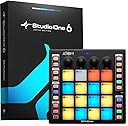
The PreSonus ATOM is a compact, USB-powered MIDI pad controller featuring 16 velocity- and pressure-sensitive RGB pads, 20 assignable buttons, and 4 rotary encoders. It comes bundled with Studio One Artist and Ableton Live Lite software, plus over $1000 in plug-ins, enabling seamless music production and live performance. Designed for professional and aspiring producers alike, ATOM offers customizable pad response, deep DAW integration, and portable power to keep your creativity flowing anywhere.


| ASIN | B07H6BVHSV |
| Additional Features | Backlit, Velocity Sensitive Key |
| Best Sellers Rank | #12,274 in Musical Instruments ( See Top 100 in Musical Instruments ) #48 in Computer Recording MIDI Controllers |
| Brand | PreSonus |
| Brand Name | PreSonus |
| Color | Black |
| Compatible Devices | Laptop, Desktop, Tablet, Smartphone (Windows, Mac, iOS, Android) via USB |
| Connectivity Technology | USB |
| Connector Type | USB |
| Control Method | Touch |
| Control Type | Pad Controller |
| Customer Reviews | 4.4 out of 5 stars 1,272 Reviews |
| Global Trade Identification Number | 00673454007149 |
| Hardware Interface | USB 2.0 |
| Hardware Platform | PC/Mac, iOS, Android |
| Human Interface Input | Buttons |
| Included Components | (1) ATOM production and performance pad controller, Studio One Artist recording software and content (digitally delivered upon registration), USB Cable, User Manual Included Components (1) ATOM production and performance pad controller, Studio One Artist recording software and content (digitally delivered upon registration), USB Cable, User Manual See more |
| Instrument | Multiple Instruments / Digital Audio Workstation |
| Instrument Key | Any |
| Item Dimensions D x W x H | 9.9"D x 9.9"W x 2.7"H |
| Item Type Name | PreSonus ATOM Production & Performance Midi Pad Controller with Studio One Artist and Ableton Live Lite DAW Recording Software |
| Item Weight | 16 ounces |
| Manufacturer | Presonus |
| Manufacturer Part Number | ATOM |
| Material Type | Stainless Steel |
| Model Name | ATOM |
| Model Number | ATOM |
| Model Year | 2023 |
| Noise Control | None |
| Number of Items | 1 |
| Platform | Android, Windows 10, iOS |
| Product Dimensions | 9.9"D x 9.9"W x 2.7"H |
| Product Style | ATOM |
| Special Feature | Backlit, Velocity Sensitive Key |
| Supported Software | Ableton Live |
| Total USB 2.0 Ports | 1 |
| UPC | 673454007149 |
| Unit Count | 1 Count |
| Warranty Description | 1 year manufacturer limited. |
C**L
Surprisingly easy to use for music production.
I needed something tactile to allow me to produce a little more specific (rather than just using a mouse to point and click out beats). This thing is solid, feels significant and was surprisingly simple to figure out and start using. It connected to my Studio One 6 software without a hitch and, once you begin learning the little ins and outs of the button functionality, it is full steam ahead! Very cool item for music production and even streaming (it has six programmable sound banks). All in all, well worth the money and fun as all heck to use!
R**A
This Pad Was Made To Beat
Atom is a Presonus Midi controler pad-input instrument, so it's primary usage is with Studio One sequencer basied software, (Lite, but substantial version INCLUDED). However, you can also use it with other packages like Ableton Live. I'm using it as an iOS (iPad) Midi instrument input (running Loopy Pro). It's a sturdy 16 pad/4 Variable knobs controller, that's 8 inches square. It communicates it's status by turning the pads different colors, while this varies with different software. I believe a lot of people use it as a virtual drum machine input but you can use it as MIDI program change or music notes controller for any midi device. That means you can control changing actually notes, voices or loops in the software (that responds to Midi). It uses AND INCLUDES a USB-B cable, and it's powered by THAT cable. Unless you power that setup it will draw it's power from the device you connect it to and possible shorten the battery run time. If you use with a device that doesn't connect to the USB-A end, you'll need an adapter. If you're using an iPad, get a adapter that's certified to work by Apple. Also, those adapters that have a way to power the unit or the system. The pads on the Atom are a good quality, they feel a little stiff but respond well. They include variable velocity outputs. If you're using an iOS device a lot of the apps can show you the Midi numbers of each pad so you can program accordingly to what ever you're connecting to - using ' Midi Learn' function. Compared to other similar devices, it does well but cost less than most. Other more expensive controllers have more pads, but I don't see the need for them in my set up. Your's may be different.
M**L
Basic and just what I was looking for
I just wanted a way to play finger drums to work out song ideas. I tried the Elektron Digitakt 2 - too complicated. I tried the Akai MPC One+ - too complicated and poorly organized. The ATOM is a simple drum pad controller that can play any drum plugin in my DAW without complication. The pads are sufficiently responsive and it integrates very well with Studio One. I can start, stop, record, and play by using the buttons on the ATOM - although it probably only works in Studio One. I'm pleased - and for the price, you can't beat it. (No pun intended).
M**R
The ATOM
The item was delivered on time. The ATOM is very responsive and very easy to use. It is a great device for beginners.
7**3
Atom..
still useful in 2026. besides being a decent drum pad, the dedicated buttons are very useful for studio one functions.
D**S
A good pad controller with one issue
I ordered this MIDi controller and it worked well. The pads were sensitive, there were a number of nice options, but it seemed to be optimized for the PreSonus Studio One software. It offered some extra functionality for Ableton Live too, but it has no ability to allow you to program the midi note values for the individual pads. There might be some way around that, but I wasn't able to discover it, and I ended up sending it back. Not being able to program the note values for the pads was a dealbreaker for me.
L**)
Initial review. Using this with Cubase 10 Artist
I just unboxed my new ATOM today after work, and it is currently downloading all of the optional\recommended content. I did the firmware update immediately, as strongly recommended. After installing the Windows driver, I powered up my Cubase. My primary intention at the time of purchase was simply to use this as a pad controller, primarily for use with drum sounds using Groove Agent 5. I haven't dived into any advanced features of the ATOM itself, or played much with the included Studio One (though I did install it, and plan to test it more once I've downloaded all of the goodies). It does seem to function just fine as a simple MIDI pad controller. The 4x4 pads on the ATOM match perfectly with the 4x4 pads on the Groove Agent's VST kits, and playing from the pads is much more fun than using the keyboard. I used a lot of old school drum machines in the past (Like the Alesis SR-16 & DR Rhythm DR770). What I wanted was the feel of using an old hardware drum machine when creating my beats. Thus far, it seems to be money well spent. I am curious to see (once the additional content is downloaded) if I can use that sound content within Cubase as VST sounds\instruments. If so, I will consider this the bargain buy of the decade for my music equipment collection. I was initially cautious about purchasing this product because I've been able to find virtually NO information online or reviews from customers using anything other than the Studio One software with the device. That worried me, as there is virtually no chance that I'd replace my Cubase with Studio One as my primary DAW. First & foremost, I was interested in using the hardware at a very basic level of functionality, primarily for Groove Agent. That seems to work for me without any problems at all. Stay tuned for a more in-depth review once I've gotten under the skin of this machine a bit more.
T**S
I Like The ATOM!
The PreSonus ATOM is the first MIDI pad controller I've ever used and it took me a few YouTube tutorials and 3 days to get through the learning curve but once I did, I found the ATOM to be relatively EASY to use! With it, I can turn an idea to a full song QUICKLY and arrange and edit on the fly. I like that it's fully integrated with Studio One 4. Just download the software and link up with the Universal Controller (found at the PreSonus website) and you're done. The pads are multi-functional and assignable - I can create my own template. The touch response is great and the colors are bright. I find the functions quite user-friendly. From the unit I can open a track, assign an instrument, record it, loop it, set the tempo, duplicate or delete it, quantize it and more - all without touching the mouse! I really like that I can use my M-Audio Oxygen 25 keyboard with it too. It's compatible! Once I learned the ATOM, it quickly became my new sidekick in the studio. This also comes with Studio One 4 Artist (which I use) and LOTS of high-quality kits and samples by MVP Loops. I highly recommend getting the ATOM/Studio One 4/Interface/Mic bundle.
S**A
Great value for money..
Negative: I ordered an item and i realized some pads are not working and over sensitive and some pads are triggered even when i press bank, like other push buttons. updated firmware and still it didnt resolve the problem. i checked the manuafacture date and it was 21XX something means made in 2021 even now it is 2024. i have requested a return and i received a new item within a one working day. The new item was manufactured in 2023 and the above mentioned problem was not there.. Possitive: i am fully satisfied with the all features and usability and workflow. Now i am using this even in my mixing sessions as well :) :) i use these knobs to control third party plugins. ex: compressor threshould, gain, mix like most comonly used controlls. smooth and works with almost all third party plugins. feeling of pads are also great and fun to play..
B**G
Au-delàs de mes attentes !
Pour une fois le Fabricant tient ses promesses . Car si le produit est beau et fonctionne super bien , il y a la suite logistique promise ! Il faut un peu de patience et ouvrir un compte , puis attendre un peu pour que la validation du produit arrive et enfin ...la page de téléchargement des softs soit possible . Mais ça marche ! et retrouver Ableton Live gratos c'est de la balle !!! Studio One 5 est un énorme outils avec une visibilité directe sur la . tablette Atom , qui prend en compte nos dossiers perso sans aucune difficulté pour les simpler . Merci à PreSonus
A**R
Excellent product
Excellent product. Does everything they say.
L**S
Calidad, funcionalidad y sencillez de uso
El controlador está fenomenal, muy buena calidad de acabados, se siente robusto, los pads sensibles a la presión tienen un tacto muy bueno, los knobs de giro infinito tienen un diseño y tacto perfectos. Yo lo uso con Studio One y se agradece la tremenda integración entre el controlador y el programa, tengo también el FaderPort y ya no necesito apenas hacer uso del ratón, entre ambos controladores gestiono todo perfectamente. Eso se acaba notando no solo en las horas que ahorras sino también en que te cansas menos cuando están trabajando en tu home estudio.
S**N
Transformed my workflow
you can use this amazing device in so many ways and within a few hours use it becomes invaluable. I use mine along with mouse and a 1 octave keyboard, using the atom for drum programming and DAW shortcuts. Being able to quickly open VST instruments, add tracks/patterns, duplicate, undo, set loops, zoom etc etc ... all by the touch of a button has really improved my workflow. With a bit of practice you can write and edit a whole song without touching the mouse/keyb (if you were that way inclined) Get one, watch the training videos at presonus.com and enjoy !
Trustpilot
1 month ago
2 months ago