


Desertcart purchases this item on your behalf and handles shipping, customs, and support to UAE.
🌈 Elevate your game with pro-grade precision and dazzling RGB vibes!
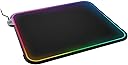
The SteelSeries QcK Prism Medium RGB mousepad combines the world’s best-selling QcK micro-woven cloth with dynamic 2-zone RGB lighting and real-time event notifications. Optimized for both optical and laser sensors, it features a durable, non-slip base and intuitive customization via SteelSeries Engine software, making it the top choice for esports professionals for nearly two decades.


| ASIN | B07HZ6NZNJ |
| Additional Features | Gaming Surface |
| Antenna Location | Gaming |
| Best Sellers Rank | #46 in Video Games ( See Top 100 in Video Games ) #9 in PC Gamepads & Standard Controllers #27 in Mac Gamepads & Standard Controllers |
| Brand | SteelSeries |
| Built-In Media | Mouse Pad, Product Information Guide |
| Color | RGB | Black |
| Customer Reviews | 4.5 out of 5 stars 2,985 Reviews |
| Enclosure Material | Rubber |
| Global Trade Identification Number | 00813682025632 |
| Item Dimensions L x W | 12.6"L x 10.63"W |
| Item Thickness | 4 millimeters |
| Item Type Name | SteelSeries QcK Gaming Surface - Medium RGB Prism Cloth - Best Selling Mouse Pad of All Time - Optimized For Gaming Sensors |
| Item Weight | 7.84 ounces |
| Manufacturer | SteelSeries APS |
| Material | Rubber |
| Mfr Part Number | 63825 |
| Model Number | 63825 |
| Number of Items | 1 |
| Number of Packs | 1 |
| Product Dimensions | 12.6"L x 10.63"W |
| Recommended Uses For Product | Gaming |
| Shape | Rectangular |
| Size | Medium |
| Special Feature | Gaming Surface |
| Theme | Rainbow |
| UPC | 813682025632 |
| Unit Count | 1 Count |
| Warranty Description | 1 year manufacturer warranty |
T**.
Great product, when it works properly
I have almost all steel series periphrials, Arctic 7, rival 600, xxl mousepad and they did all work fine, that’s why I love the company, but one day I turned my pc on and the mouse pad turned didn’t turn on, after a while of trouble shooting I ordered a new on, as I thought it was some user error and it was my fault so I didn’t think twice, I wanted another one I got it within a day (thanks to prime) and I plugged it in. The top portion of the rev mousepad didn’t light up even close to as much as the bottom portion, and just as the first one it wasn’t a color pattern I’d expected, I didn’t think much as I hadn’t yet configured it in the steel series engine, and when I linked both portions of the mouse as one, they had changed to the color I wanted but the top portion hadn’t gotten any brighter, I tried resetting my pc after a couple more tries and when that didn’t work, I tried a couple more times, didn’t work, but on one of the last couple tries of either reverting and changing the config, or making new color profiles etc, the top portion suddenly stop projecting light as a whole, I didn’t try anymore. This I feel I had to have been unlucky but just the hassle this product has given me is a little annoying, but again the mousepad with the lighting effect is, in my opinion, one of the best you’ll find, I even have a friend with a smaller square on and he says it’s been the best one he’d ever had. gaming- awesome, almost unnoticeable friction and a very tight weave in the material, the only problem I have with it is when I run over the stitching the keeps the leds on the pad with my mouse, but I am aware that this is almost completely unavoidable, so I’m not complaining. Ergonomic- there is nothing here to hate on, sometimes my whole forearm in on the mousepad it is soft, smooth, and doesn’t cause irritation of any sort. Material- again tight weave, soft, and smooth. The less do get dim (when they are working properly) at the far corners of the mouse pad as the light has to carry through such a fr distance from the source, I feel this may be improved, but it’s really just nit picking on my part.
R**L
Bright and Smooth Gaming Mouse Pad (works on Mac)
Bought this mouse pad because I wanted to a large pad that I can keep my keyboard and mouse on. As bonus, I opted for the LED version. I bought the XL and version and fits my desk pretty nicely. The thickness of this is just right. Not thin were it feels cheap. But, not to thick were it feels spongy. And, the colors are bright and vibrant. Also, I'm using this with my MacBook Pro M2 running Mac OS Sonoma. The SteelSeries GG software has been working well so far. It's a bit confusing at first as the guides didn't explain what the app calls Layers. Layers are different states. For example, I wanted the pad to turn off after to some time. I found that you can select the Idle Layer -> Effects and select the drop down timer, i can adjust when it sleeps. Basically, I have it turning off after 30 minutes of no activity. That was not very obvious where to find this at first. Or I'm just slow. I thought I was going to be stuck with this on all time or unplugging it. Luckily, I figured that out and it''s been working well. Occasionally, it glitches in were it won't sleep. This would have happen after a fresh restart of machine. To fix, I would launch the SteelSeries software and go to the specific Idle Layer and it would start working again. The good thing is that they seem to keep updating the software. So, maybe the will improve this part. I'm not gaming hardcode these days. Mainly use it for work. But, when I do play some games, it seems nice enough. I really didn't buy it for gaming. So, I can't give a focused review from that angle. Anyway, overall, I'm happing with this. Hard to find these that have Mac software. So, happy Macs are supported. And, I paid the higher price of $59. Now it's on sale for $39. Bummer for me. But, good for you if are thinking of getting one right now.
A**I
Good mat (but watch out for defective ones)
Good quality materials. The cloth surface feels pleasant to touch; back is rubbery and doesn't slide. The mat does attract specks of dust quite fast, but I suppose it's normal. And I love the size. Photos: first two are of the defective mat I've received first, the third one is for the replacement. ORIGINAL REVIEW, UPDATE BELOW: However, my primary grief is that the mat refuses to lie flat. And lying flat on the table is the primary function. I've put weight on it and kept it like that overnight, but this hadn't helped any much - after 8 hours, the edges still warp badly. I am now trying to roll it in the opposite direction and keep it like that for a day. Another odd thing is that I've ordered a new product, but got one with a "recertified" label. This roll-up failure could be related - possibly, a defective piece that was returned and deemed okay. I guess I'll ask for a replacement if it doesn't straighten up. The software is designed weirdly, as it's not obvious how different applications interact with the mat. E.g., I can't tell without trying what would take priority between a game, music player, and Discord integration. I'm not exactly concerned about this, as there is probably some third-party software to control the lights. UPDATE: I've contacted Amazon support and asked for RMA and a replacement. A new mat had arrived next day, and this one had unrolled and flattened almost perfectly. There is one negligibly small (~2-3mm) bulge at the bottom left corner's edge - barely noticeable, unlike the insanely wavy edges of the first mat I've got, this one doesn't bother me at all. I think that's just from the mat being rolled up, as it seem to straighten over time. With this, I'd say that I'm completely satisfied and thus changing my review from 2/5 to 5/5.
R**.
A Good, Simple Mouse Pad
Strictly as a mouse pad, this SteelSeries QcK mouse pad is great. It doesn't take up a lot of real estate on my desk, yet provides a more-than-adequately large area to move my mouse on (for years, I've used mouse pads that were HALF this size and they were adequate). In fact, I looked and looked all over the internet for a mouse pad that would actually fit on my small desk (without crowding out my long keyboard) and this one was the smallest-width RGB mouse pad I could find (12.6" wide by 10.8" deep). The micro-woven cloth surface works precisely and perfectly with my laser mouse (It also feels amazing to the touch). The product description calls this a "gaming surface" rather than a "mouse pad" and is quite worthy of that sophisticated term. The USB cord connects ON THE SIDE of this mouse pad and is comparatively small and very low profile, so it never interferes with your mouse cord—a VERY big plus. This connector is unobtrusive, very tastefully done and unique among RGB mouse pads. The USB cable is permanently attached, so you can't unplug it at the pad connection. There is also no USB pass-thru to attach other devices, but these are minor issues (especially in light of the amazing RGB color show you get). The connection has a tastefully embossed SteelSeries logo on it, not a huge, ugly, printed logo in the bottom corner like so many mouse pads have. The only problem I had with the QcK was that under normal use, it slipped around a fair amount. I fixed this problem by placing two small strips of double-sided tape on the back; now it's perfect. As an RGB mouse pad, the SteelSeries QcK is extremely simple—works right out of the box. Just plug it into a USB port and it lights up colorfully and brilliantly—no software to install or download. There are only 2 "zones," Not 50 million or some other ridiculous number like some other mouse pads have. This 2-zone system, however, doesn't in the least diminish the impressive light show you get. It lights up with purple at the top of the mouse pad, then circulates counterclockwise, turns to orange, then red, yellow, green, cyan, and blue, then back to purple and repeats; all this while flowing very smoothly in a counterclockwise direction. In addition, the LED strip is located to the sides of the mouse pad, making it easier to see and brighter than an LED strip that is hidden underneath the mouse pad (which creates more of a "backlighting" effect). There are no buttons for options and no software-based control over the colors or other options (such as speed, direction, pulsation, brightness, etc.), which is all right by me since I don't need (or want) a PhD just to know how to control the colors on a mouse pad. This circulating, color-shifting looks very impressive and if you keep your mouth shut about the simplicity of the 2-zone RGB lighting, some people might actually think you had to spend several days in complicated driver software to program these effects. Even in daylight conditions, this mouse pad looks amazing and it's all a "no-brainer." With the Rainbow Wave setting on my Corsair K55 RGB keyboard and the flashing multicolor RGB setting on my Gskill Ripjaws MX780 mouse (the most awesome-looking mouse in the world), and this SteelSeries QcK RGB mouse pad, the light show on my desk looks totally awesome; in the dark it's mind-blowing. Friends and other visitors are very impressed by this SteelSeries QcK, but perhaps a little intimidated. They keep asking me where the mode buttons on the QcK are and to pull up the control software to see how complicated it looks, but I keep denying them their requests. If they only knew how simply this mouse pad lighting works, they wouldn't believe it! And they would have killed me and I wouldn't have written this review. UPDATE: It's been over a year since I received this mousepad, and it still works as nicely as it did the first day I plugged it in. The brilliance of the colors are still there and it feels like it's going to keep working perfectly forever. I have never once regretted purchasing this mousepad. In fact, I love it more every day, and I can recommend it to everyone!
L**A
Good
It’s a good price for something fun and takes up a good amount of surface area on your desk.
H**V
Looks purty
Great addition to my set up and very smooth so my mouse moves effortlessly on it. I recommend it to my friends because it’s an awesome gaming surface. Update: so unfortunately the lower left corner of mouse pad has stopped lighting up. I was on a long gaming session that day and I took a lunch break and when I returned my purple color I had was now green. After restarting my computer, plugging and un plugging the usb connection and even re installing the Steelseries engine app the bottom left corner would not color match the rest of the mouse pad. Zone 1 and 2 were set to purple and it would light up red and pink. Still 5 stars because amazon refunded me the money and I just re ordered it because I feel my gaming pad was just defective somehow.
M**D
Love this
Very smooth lights have cool effects and fits my desk perfectly
Y**S
Steelseries has good stuff, it's just their CS that's not good.
I like this mouse pad so much, I actually bought another. I like the blinky lights around the edges and it's a great size so my mouse never feels like it's directly on the table. I broke the first one though, so be careful that the edge light tubes aren't bent too much. They WILL SNAP.
D**S
Excelente
Se ve excelente, buena calidad y es enorme, cubre todo mi escritorio
N**S
Très belle effet visuel
Très beau tapis mais cher pour ce que cela est.
C**X
Maximize Your Gaming Experience: SteelSeries QcK Gaming Mouse Pad - XL RGB Prism Cloth
Score: 9.5/10 The SteelSeries QcK Gaming Mouse Pad – XL RGB Prism Cloth delivers an exciting blend of performance and aesthetic enhancements, scoring an impressive 9.5 out of 10. One of the key strengths of the QcK Prism is its exceptional tracking performance. The micro-woven cloth surface is designed to optimize mouse tracking accuracy for both optical and laser sensors. This results in smooth, precise mouse movements, which can be crucial in high-stakes gaming situations. The XL size of the mouse pad is another substantial advantage, providing ample space for broad mouse movements. The large surface area can also cover a significant portion of your desk, ensuring your keyboard and other accessories are on the same level. The QcK Prism mouse pad also stands out with its dynamic, customizable RGB lighting. The 2-zone RGB lighting adds a stylish flair to your gaming setup. The colors and effects can be customized through the SteelSeries Engine software, allowing you to match the mouse pad's lighting with your other RGB components. The mouse pad's non-slip rubber base ensures stability during intense gaming sessions. It keeps the pad securely in place, preventing slips and slides that could disrupt your game. However, as with any product, the QcK Prism has minor potential drawbacks. The need for a USB port for powering the RGB lighting could be a slight inconvenience for those with limited available ports. Also, while the RGB lighting is certainly impressive, it may not appeal to those who prefer a more understated aesthetic. In conclusion, the SteelSeries QcK Gaming Mouse Pad - XL RGB Prism Cloth is a top-tier choice for gamers. Its excellent tracking performance, ample size, stunning RGB lighting, and stable base make it an excellent addition to any gaming setup. Despite minor drawbacks, the overall quality and functionality of this mouse pad make it highly recommended.
F**D
Bad RGB
the right side of the mousepad rgb is weak and almost have no light
G**O
Buena calidad y complemento perfecto para un sistema steelseries.
Esta increíble el mouse pad, es el complemento perfecto para mi mouse, la superficie es muy diferente a los tapetes convencionales, generalmente dejan residuos debajo del mouse y con este no. La única contra que le doy es que no es perfecta la iluminación, por ejemplo selecciono el verde y por un lado es verde y por el otro azul, en el rojo-naranja y así no va a la par Pero es muy bonito y funcional.
Trustpilot
3 weeks ago
3 weeks ago