Desertcart purchases this item on your behalf and handles shipping, customs, and support to UAE.
🚀 Elevate your stream game with pro-grade clarity and AI smarts!
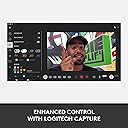
The Logitech StreamCam delivers professional-grade 1080p video at 60fps with AI-powered autofocus and exposure, USB-C connectivity for fast, stable streaming, and versatile mounting options. Perfectly optimized for both horizontal and vertical content, it’s the go-to webcam for creators who demand crisp visuals and seamless performance across Twitch, YouTube, Instagram, and beyond.

| ASIN | B07W4DHNBF |
| Antenna Location | livestreaming, video conferencing, and content creation |
| Are Batteries Included? | No |
| Best Sellers Rank | 25,644 in Computers & Accessories ( See Top 100 in Computers & Accessories ) 197 in Webcams |
| Box Contents | Webcam |
| Brand | Logitech |
| Brand Name | Logitech |
| Camcorder Type | Webcam |
| Colour | Black |
| Compatible Devices | Compatibility Windows 10 or later macOS 10.14 or later 7th Gen Intel®Core™ i5 or later USB 3.1 Gen 1 Type-C direct connection |
| Compatible Processors | Intel Core i5 or better |
| Customer Reviews | 4.4 out of 5 stars 12,185 Reviews |
| EU Spare Part Availability Duration | 2 Years |
| Effective Still Resolution | 4 MP |
| Effective Video Resolution | 4 MP |
| Exposure Control Type | Automatic |
| File Format | AVI |
| Flash Memory Bus Interface Type | SDHC |
| Flash Memory Installed | 128 GB |
| Flash Memory Speed Class | 10 |
| Flash Memory Type | SDHC |
| Flash Memory UHS Speed Class | 2 |
| Flash Memory Video Speed Class | V60 |
| Flash memory type | SDHC |
| Focus Type | Auto Focus |
| Form Factor | Compact |
| Global Trade Identification Number | 05099206087187 |
| Has Image Stabilization | Yes |
| Image Aspect Ratio | 16:9 |
| Image Capture Speed | 60 fps |
| Image Stabilization Type | true |
| Item Dimensions D x W x H | 4.8D x 5.8W x 6.6H centimetres |
| Item Type Name | Webcam |
| Item Weight | 7.83 Ounces |
| Lens Type | Prime |
| Log Gamma Curve | True |
| Lower Temperature Rating | 1 Degrees Celsius |
| Manufacturer | Logitech for Creators |
| Maximum Aperture | 2.8 Millimetres |
| Maximum Display Resolution | FHD |
| Maximum Focal Length | 1 |
| Maximum aperture | 2.8 Millimetres |
| Maximum focal length | 1 |
| Minimum Aperture | 10 Millimetres |
| Minimum Focal Length | 1 Millimeters |
| Model Name | 960-001281 |
| Model Number | 960-001281 |
| Network Connectivity Technology | USB |
| Number of Batteries | 1 A batteries required. |
| Number of Speakers | 2 |
| Operating System | 4th Gen Intel Core i5 or better, Windows® 10 or later, macOS 10.14 or later |
| Optical Sensor Size | APS-C |
| Optical Zoom | 3 x |
| Photo sensor technology | CMOS |
| Product Features | Low Light |
| Screen Size | 75 |
| Sensor Type | CMOS |
| Shooting Modes | Max Video Resolution: 1080p/60 fps in MJPEG Supported resolutions 1920x1080, 1280x720, 960x540, 848x480, 640x360, 320x240 Supported frame rate MJPEG: 60 fps, 30 fps, 24 fps, 20 fps, 15 fps, 10 fps, 7.5 fps, 5 fps YUY2, NV12: 30 fps, 24 fps, 20 fps, 15 fps, 10 fps, 7.5 fps, 5 fps |
| Style Name | Streamcam with HD Vertical Video 60FPS |
| Supported Audio Format | AAC, MP3, PCM |
| Supported Image Format | JPEG |
| Unit Count | 1.0 count |
| Upper Temperature Rating | 1 Degrees Celsius |
| Video Capture Format | MP4 |
| Video Capture Resolution | 1080p |
| Video capture resolution | 1080p |
| Viewing Angle | 90 Degrees |
| Water Resistance Level | Water Resistant |
| White Balance Settings | Auto |
| Zoom | Optical |
J**T
Great camera for streaming
Great camera. Easy to use can just plug and play but to get the best you do need the software. I got it on a prime day deal and it was definitely worth it for £60. Microphone I couldn’t comment on it’s a camera I use an external XLR mic setup so have the cameras mic disabled in my settings. Picks up well in sunlight and in darker rooms so can’t fault it tried to get a second but the price has shot up.
A**D
So good I bought it twice
I purchased the Logitech StreamCam, and it’s quickly become an essential tool in my setup. The video quality is impressive, making it perfect for streaming, video calls, and recording content. The image is crisp and smooth, capturing every detail beautifully. I love the versatility of the mounting options. It easily attaches to my monitor or tripod, and the ability to switch between landscape and portrait is a great bonus. The AI-enabled autofocus and exposure adjustment work seamlessly, so I never have to worry about looking blurry or washed out during calls. Audio quality is surprisingly good too, thanks to the dual omnidirectional microphones that pick up sound clearly without too much background noise. The Logitech Capture software adds another layer of functionality, with options for overlays and filters that make my content stand out. The only minor drawback is the fixed USB-C cable, which could be longer for more flexibility. However, that’s a small issue in an otherwise outstanding webcam. Overall, I’m really pleased with the StreamCam and would recommend it to anyone looking to up their video game.
A**B
1080p questionable
I've been researching webcams for a long time now, in desperate need to upgrade my C270 which I've had for more than 10 years. My use is solely for online video meetings. No streaming or YouTube, plain simple conference video streaming. Anyway with most reputable brand webcams being out of stock, choice was rather limited. I ended up buying the streamcam for four reasons: - It was available - Its price had not been inflated due to current shortages - The Logitech Brio, which I was really after, was available but for silly money - The streamcam's design PROS - Design: it's a lovely webcam to have on your desk or monitor. Whilst rather large, it feels solidly constructed and fits well in a modern environment. I really didn't want a black boring webcam like most are designed these days. I wanted something which stood out, this one does. - Field of view: I was a little worried the field of view wouldn't be wide enough, but actually it's perfect for meetings, my head isn't cropped like it was on the C270, I fill in about a 1/3 of the image and have a nice living room background. - A serious upgrade on my C270. But then again, the C270 is so limited by today's standards, any new webcam was going to be great. - Microphone: clear voice, but do make sure you use "Dual Mono" and not "Stereo" for meetings. In stereo, the audio recording is incredibly low. In dual mono, the voice is amplified and you can be heard. CONS - Skype: I bought this camera for Skype meetings, and Skype just cannot give me an image better than 480p. You read that correctly. I appreciate it's not Logitech's fault here, but 480p is simply appalling. I've tried everything, read up online solutions, even submitted a ticket to Microsoft, Skype just won't handle this camera with my setup. It could be my graphics card which is a little old, a Nvidia 660GT, but Skype only uses 3% of its GPU when running, so no excuse. I tried Skype on a three year old laptop, same problem. I then tried Skype online via Edge browser, and I get a clear 720p image there. I get a clear 720p image with Zoom, and 720p with Google meet. So I feel defeated by Skype, and this was an important reason for my purchase. - 1080p quality: seriously questionable. The increase in detail between 720p and 1080p is so minor, it's difficult to notice. I even feel Logitech is simply applying some sharpening to a 720p feed. I've attached a series of pictures to demonstrate this. Compare the 100% crop of the streamcam vs. a 1080p video using my Huawei Mate 20 Pro phone. Sure, the Huawei was 5x more expensive and was released around the same time as this camera, but the Huawei has 4 cameras, using Leica glass, can take 4K videos, has loudspeakers, screen, GPS, WiFi, Bluetooth, NFC, Infrared, battery, wireless charging, GPU, CPU, 128Gb memory... by this very standard, the Logitech is incredibly overpriced. - 1080p meetings: currently, few communication tools provide 1080p meetings. If you have a professional subscription to Zoom, you can get 1080p. Otherwise, almost everyone limits their feeds to 720p. Again, a bit of a let down. Whilst 1080p means future proofing, there's no service right now you'll find to take advantage of the highest resolution. SUMMARY It's an "OK" camera, overpriced for its performance, but given the current market, I probably would recommend it.
A**R
Sharp and Reliable – Perfect for Streaming
Picked up the Logitech StreamCam for streaming and it’s spot on. Full 1080p at 60fps makes video really smooth, and the auto-focus keeps you sharp even if you move around. Works perfectly with YouTube and Twitch, and setup is dead simple. Only minor gripe is the built-in mic isn’t amazing, so you’ll probably want a separate microphone for proper sound. Otherwise, brilliant for live streaming or video calls – clear picture, easy to use, and reliable.
P**D
A Game-changer for Video Calls
Having resided to the fact that my laptop's built-in camera was akin to peering through a colander, I finally bit the bullet and bought a proper webcam. You know, the thing that you used to plug into your computer during the early-2000s, when the 'digital home' was a cheesy expression for 'Jump on the USB peripheral bandwagon'. I guess back then we had an excuse seeing as cameras were generally 1.2 megapixel, or more frequently, absent altogether. But in these times of remote working, I've learned that making an impression online is and should be no different to physically meeting people in person. That is, aside from wearing shorts below a shirt and blazer. Now this isn't to say that I felt alone in my grainy, dull video world. Many of the people that I've been required to Zoom have used equally bad and unflatteringly positioned laptop-lid cameras to present important information. But this only makes the case creating a strong impression even greater. I settled on the Logitech StreamCam seeing as the ever-popular C920/22 are now long in the tooth, and honestly not that much better than a laptop's camera for the price you're paying. The StreamCam is a little on the pricey side, but absolutely worth every penny. For starters, it can be positioned in a wide array of ways. The C920/22 also have this 'clamp' ability, but it's worth mentioning as not all manufacturers provide this design. A tripod mount is also included. The device itself is a decent size and feels superb quality. It makes you realise why the sub-1cm depth cameras in our laptops are so poor, almost reassuringly so. I like the white colour and grey fabric microphone cover; they look clean and modern. I'm also very pleased that it features a USB-C connector. It'll take quite a few years before this interface becomes a standard, but the more manufacturers that jump on-board the better - it's just very convenient when new computers offer these ports and you can actually use them. But what it really all comes down to is performance, and the StreamCam doesn't disappoint at all. The video quality is miles ahead of the C920/22 and competing products, to a point where YouTube videos drawing comparisons really don't do the StreamCam justice. In perfect lighting it is crystal clear with incredible exposure, lacking any blown highlights or noisy dark areas; in less-than-ideal lighting it continues to outperform built-in cameras, and anything less results in an image that will more than do the trick. It works best with even artificial lighting. The microphone is an interesting one. Having used the StreamCam on a few devices, I will say that it performs better than most, but when it came to the MacBook Pro, callers believed that the latter's microphone was actually better than the StreamCam's during a direct comparison, with it being more tinny. So your mileage may vary. There's an argument to be made that, in good lighting, this device may actually be overkill for video calls. I would disagree on the grounds that the StreamCam is incredibly versatile, and is going to look good in a wide variety of environments, whereas I honestly wouldn't take a gamble with other cameras. Give it a go!
O**N
Good quality inexpensive cam for mac
Bought this camera for doing interviews, I have one built into a MacBook but I tend to have that to the side and a larger screen central on my desk. The picture quality on this cameras great, I’d say it’s definitely crisper than the built in one. If you download Logitechs options app you get more control over it, you can control the fps and and the aspect ratio. It functions really well in low light which is a bonus as my office is north facing and doesn’t get too much direct sunlight. It’s plug and play which makes it really easy to use. The sound quality is also decent. All in all a good piece of kit and well worth it for the money.
C**R
Great for Microsoft Teams, although it has been a little buggy
Picture and sound quality has been great for Microsoft Teams calls during work. From my video preview, the image quality is excellent, and not had any issues being heard in meetings. The camera itself feels really good quality, and has a good mounting solution so it fits on my monitor perfectly. The camera was a bit larger than I was expecting, but that's my own fault! See the attached image as an indication, it's sitting on a 32" monitor. The cable is quite chunky, but has reasonable flex so was able to route it without too much issue. (Update: Teams hasn’t had any issues since end of November, so whatever was causing the problem has been fixed). Teams does not seem to like it sometimes, my voice can be distorted and "sounds like a robot", but a switch to the internal MacBook microphone and then back again fixes it. It's probably an MS Teams issue rather than the camera, but just noting anyway.
T**G
Attachment ruins it.
Quality is great but the mount it has is a nightmare if you want to do anything other than 'hang it off your screen'. Theres way to connect this thing to anything other than its original base, which is just bits of folding plastic? Nothing to actually ATTACH to anything. Theres a picture in the desc of it being used in the middle of a ring light... This is impossible using the attachment provided so what am i missing? I have had this for 18 months and I after upgrading my monitor theres not enough space to attach which means I was hoping to get a flexi tripod to attach this to but its not possible! And its purposely too thin to be used by a grippy attachment (like a traditional phone mount) really irritating.
A**Y
Default standard 2022
Så länge du bara ska köra videosamtal över tjänster som Zoom, Teams, Google osv så är StreamCam mer än fullgod. Ska du däremot spela in vlog i 1080p eller högre så bör du välja något annat.
A**Z
なんだかんだ良い
とても画質がいいとか、AFがいいとかはないのですが、なんだかんだ安定して使えます。
R**K
Spoko
Urządzenie świetne ale oprogramowanie ghub jest średnie lepiej korzystać z obs
N**A
Un po' cara ma che spettacolo
Questa webcam è davvero ottima ed il suo programma dedicato funziona molto bene. Apprezzo molto la possibilità che l'inquadratura si sposti in base ai miei movimenti grazie al riconoscimento del volto, la messa a fuoco automatica è veramente eccezionale anche in situazioni con scarsa luminosità. La qualità delle immagini è davvero notevole, discreta quella del microfono. Personalmente utilizzo un microfono esterno ma in caso di bisogno è possibile utilizzare il microfono della webcam senza timore che l'audio trasmesso sia penoso. Il software Logitech funziona bene, permette di registrare video e scattare foto ed ha al suo interno numerose impostazioni, che si espandono un po' se si registra un account (gratuito) e lo si collega al software. L'unica cosa che non mi fa impazzire è che fino ad un po' di tempo fa era possibile indicare al software se si voleva registrare una schermata web (ad esempio una pagina di YouTube sul proprio browser preferito) e l'anteprima della pagina selezionata appariva immediatamente all'interno della schermata del programma ma adesso, in seguito ad un aggiornamento, è necessario abbassare la finestra del programma Logi (o portarla in secondo piano) per poter registrare la schermata selezionata. In caso contrario il programma vedrà la schermata del programma sopra alla finestra del browser e registrerà la schermata stessa. Una seccatura che davvero non mi spiego. Non so davvero come mai adesso il programma funzioni in questo modo. Ho provato a verificare i driver e altre impostazioni ma non c'è stato nulla da fare. Davvero un peccato perché prima era possibile gestire alcune cose in tempo reale (scritte, effetti, sovrimpressioni ecc) mentre adesso si è costretti a nascondere la finestra del software. A parte questo dettaglio (a mio avviso fastidioso ma dipende dall'utilizzo che ne facciamo) la consiglio sicuramente ma consiglio magari di attendere quando viene messa in sconto per risparmiare anche 20 euro.
D**N
Müthiş bi kamera…
Brio ve streamcam arasında çok araştırma yaptım. Brio’nun illa farkı var ancak kullandığımdan söylüyorum fps anlamında çok başarılı, gece karanlıkta inanılmaz güzel bi performans gösteriyor. Kamerayı yan çevirdiğimizde dönme özelliğinin olması da ayrıca güzel özelliklerinden.
Trustpilot
2 weeks ago
2 weeks ago