Desertcart purchases this item on your behalf and handles shipping, customs, and support to UAE.
🚀 Upgrade Your Speed, Own the Future of Storage!
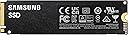
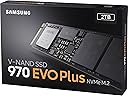
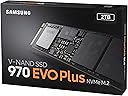
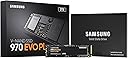
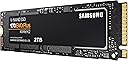
The Samsung SSD 970 Evo Plus M.2 NVMe 2TB combines cutting-edge V-NAND technology and PCIe Gen 3.0 x4 interface to deliver blazing-fast read/write speeds up to 3,500/3,300 MB/s. Designed for professionals and gamers alike, it offers exceptional endurance with 1,200 TBW, advanced thermal control, and a compact M.2 form factor, making it the ultimate reliable storage upgrade for high-performance computing.


| ASIN | B07MLJD32L |
| Additional Features | Portable |
| Best Sellers Rank | #28,757 in Computers ( See Top 100 in Computers ) #235 in Internal Solid State Drives |
| Brand | Samsung |
| Built-In Media | Internal Solid State Hard Drive |
| Cache Memory Installed Size | 2 |
| Color | Black |
| Compatible Devices | Laptop, Desktop, Gaming Console |
| Compatible Video Game Console Models | Sony PlayStation 5 |
| Connectivity Technology | PCIe |
| Connectivity technology | PCIe |
| Customer Package Type | FFP |
| Customer Reviews | 4.8 out of 5 stars 22,141 Reviews |
| Data Transfer Rate | 48 Gigabits Per Second |
| Digital Storage Capacity | 2000 GB |
| Digital storage capacity | 2000 GB |
| Enclosure Material | 34d nand |
| Form Factor | M2 |
| Global Trade Identification Number | 08801643628093 |
| Hard Disk Description | Solid State Hard Drive |
| Hard Disk Form Factor | 2.5 Inches |
| Hard Disk Interface | Solid State |
| Hard disk form factor | 2.5 Inches |
| Hard disk interface | Solid State |
| Hard-Drive Size | 2 TB |
| Hardware Connectivity | PCI Express x4 |
| Hardware Platform | PlayStation 5 |
| Installation Type | Internal Hard Drive |
| Item Dimensions L x W x Thickness | 8L x 2.2W x 0.2Th centimeters |
| Item Weight | 8 Grams |
| Manufacturer | Samsung |
| Media Speed | 3500.0 |
| Mfr Part Number | MZ-V7S2T0BW |
| Model Name | 970 EVO Plus |
| Model Number | MZ-V7S2T0BW |
| Number of Items | 1 |
| Read Speed | 3500 Megabytes Per Second |
| Special features | Portable |
| Specific Uses For Product | Gaming |
| Warranty Description | 1 year Warranty |
D**O
Good
Good
S**T
Brilliant upgrade, fast delivery and no issues with the product
Bought this drive to add more storage to my gaming PC but decided to clone my existing 1TB SSD to this drive and use it as my Windows drive. The cloning went off without a hitch but my PC's motherboard didn't like it too much and would keep flaking out with random rebooting. Flashing back to an older motherboard BIOS and then flashing the latest version got things working fine again. Speeds are a slight improvement over my older 1TB 970 Evo but I'm happy that my PC now has 3 GB of fast NVME storage.
A**K
Good NVMe Solid State Drive with great performance and quality
Being software developer I'm a heavy user of SSD and my requirements to SSD is much higher than most people will ever have. The Samsung EVO Plus SSD providing 500-700 Mbyte/ sec which is good enough to keep my high load Virtual Machines to work from SSD without any lag. Highly recommend this 970 Evo Plus for demending users with a lot of write/read applications - Photo/Video editing or software developers )
R**.
worth buying even in SEP2023
nowadays you can buy faster gen4-5 ssds, however this is still one of the best gen3 in terms of reliability. I got it coz its still pretty fast for gaming and regular pc use + it has dram cache
H**T
A product meeting my expectation!
Sofar,I've got a dramatic change in my laptop performance than what was before while using the HDD. As time goes,I realized that the HDD which comes with the laptop will degrade gradually and result in poor performance of laptop. Now, my issue is solved and I hope it will last long. Good product as per description!! Thanks for trusted service!!
A**Z
fast but very hot
for modern laptops, the product gets too hot. for getting full performance as advertised you have to Samsung magician software and update the firmware. a very fast and a very good SSD.
S**E
Great drive. Long 5 year warranty.
Very easy to install and use. Drive was already on latest firmware do I just needed to install the Samsung nvme software.
S**D
Lightning quick
Works as intended. Performance is as advertised. Trustworthy name in the semiconductor industry too!
I**Y
معلومه مهمه جدااا
المنتج جيد جدا ولاكن بالبداية حسبته لا يعمل واكشفت انه يحتاج الي برمجة من جهاز يعمل وضعته في تحويله الي usb وما اشتغل وروحت لفني قالي بسويه ب 50 ريال فرمته ولكن ما عرف لانه من وصلة خارجية اخذته وركبته ع جهاز مكتبي ودخلت علي اداره الاقراص وحصلته موجود بس يحتاج الي تنصيب او تجزئة نصبته واكتمل واشتغل بشكل طبيعي حبيت اشرح تجربتي لكي يستفاد منها الجميع ويوجد مقاطع ع اليوتيوب شرح كامل
L**L
buen producto
excelente producto, llevo tiempo usandolo y no tengo problemas
A**D
Mycket god prestanda till bra pris. Se recension.
Recenserat exemplar utlämnades som ersättning för tidigare modell som gått sönder inom ramarna för garantin och där den tidigare modellen ersatts med ny modell av Samsung av nämnt skäl. Tidigare exemplar fungerade utmärkt tills den dog, dock med 100% återställning av filerna dvs. ingen dataförlust. Amazon skötte ersättningen utmärkt och nytt exemplar synes fungera utmärkt efter 1 veckas bruk. Saker som kan vara bra att ha koll på med denna nvme-disk är värmeutveckling och att installationer på Windows 11 på vissa system kräver särskilda åtgärder som det kan vara bra att ha koll på innan installation för att undvika överraskningar. Nedladdningsbara program från Samsung synes kunna hantera väldigt många svårigheter relaterade till drivrutiner m.m. Disken och Amazons kundcenter förtjänar 5/5 stjärnor.
D**D
Szybki i niezawodny dysk NVMe Samsung 970 EVO Plus
Samsung 970 EVO Plus MZ‑V7S1T0BW oferuje świetną wydajność dzięki szybkiemu interfejsowi NVMe, co znacząco przyspiesza uruchamianie systemu i aplikacji. Transfery są bardzo wysokie, a dysk utrzymuje stabilną prędkość nawet przy dłuższym obciążeniu. Technologia V‑NAND i solidny kontroler zapewniają niezawodność oraz długą żywotność. Dysk dobrze radzi sobie z temperaturami, zwłaszcza w obudowach z odpowiednim chłodzeniem. Ogólnie to jeden z najbardziej opłacalnych i wydajnych dysków NVMe do komputerów domowych i profesjonalnych.
M**U
Top performing M.2 NVMe SSD drives
Samsung's 970 Evo Plus M.2 NVMe SSDs are close to legendary performers at the sharp end of M.2 NVMe SSD performance charts. I was waiting for a long time to experience the performance of these drives first hand. The opportunity came when I purchased a new Dell G3 3500 (2020) Gaming Laptop with the following specs: i7-10750H, 1660Ti 6GB graphics, 16 GB RAM, 512 GB NVMe SSD, 15.6 inch 120Hz screen. The laptop by default has pretty decent specifications. But, when I was pushing through my workload, I could see it struggling. The RAM was the first to get upgraded to 32 GB (Hyper X running at 2933 MHz @ 17-19-19). This gave a good jump in performance. However, the slower M.2 NVMe SSD (DRAM-less Kioxia) was creating a bottleneck which was becoming quite obvious. Additionally, I was getting tired of hauling a portable SSD drive connected to my laptop that had all my files and data on it. When I saw an special offer on Amazon for the 970 Evo Plus 1 TB, I had to get 2 of them. Before installing the drives, I switched from the RAID to AHCI SATA mode on my laptop. [There are various resources online showing how to do this safely]. I installed the Samsung Magician software and Samsung NVMe drivers. The drives are easy to install. In my case, I had to remove the original SSD and install the 970 EVO Plus in its place. I used a cloning software (not the one Samsung provides) to clone my System drive to one of the 970. Then I booted up the system from the 970 after removing the old SSD. The boot time reduced from about 7-10 seconds (from the Dell logo to Windows login screen) to about 3-5 seconds. This was just a taster of things to come. These drives are outrageously quick. Data transfers, load times of software and games, everything happens blazing fast. Seeing the performance numbers and charts is one thing, experiencing the fast performance first hand is another. And then the drives rode away to glory....... Well, not quite. On just the third day after installing, one of the drives died. It wouldn't allow my laptop to boot. It was painful to see it happen and I was looking at a big loss. Fortunately, I was able to return the drive and buy a new one for the same special price on the same day. That was just pure luck! Now when the new drive arrived, I noticed something peculiar. Both drives which I had received the first time were made in Korea. But the drive I got the second time was made in China. I was in two minds - should I use it or return it? Checking the information on the box and verifying the serial number on Samsung's website revealed that the product was indeed genuine. That was half a relief. Now I wanted to know if the drives performed the same or different. This is what I have found by using the drives over a month. Both drives read and write performance is nearly identical (within margin of error). The "Normal" working temperature of the made in Korea drive is between 45 - 50 degree C; whereas the "Normal" working temperature of the made in China drive is between 38 - 42 C. The other thing I noticed was that both drives hit the peak temperature mark during benchmark tests around the same time and the peak temperature was also the same - 85 degree C. But for some reason, the made in China drive came back quicker to a "Normal" temperature than the made in Korea drive. Strange! It may also be that the made in Korea drive gets written to more often as it is my System Drive. But it's not a convincing enough reason for me. In short, the important thing is to make sure that the drive is genuine (by checking on Samsung's website) than where it is made. Samsung does a stellar job on Quality Control in my opinion. Update after more than 1 month of usage: The drives were running longer in the higher range of "Normal" to "High" during normal usage. Even though my daily work does not involve heavy write activity to the drives, working on a remote server was causing a lot of writes to the drives. I decided to install copper heatsinks on the drives to try and keep the temperatures in the "Normal" range. The results after installing the heatsink were astounding. (See photo). After this experience, I would recommend using a heatsink with these drives for anyone who intends to make full use of the capabilities of this drive. Samsung chose to base it's newer 980 Pro drives on the 970 Evo Plus than the 970 Pro. This should be proof enough for everyone about the potential of the 970 Evo Plus. Legend!
Trustpilot
2 weeks ago
2 months ago