Desertcart purchases this item on your behalf and handles shipping, customs, and support to UAE.
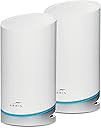
🚀 Surf the future with ARRIS mAX: Speed, coverage, and control in one sleek system!
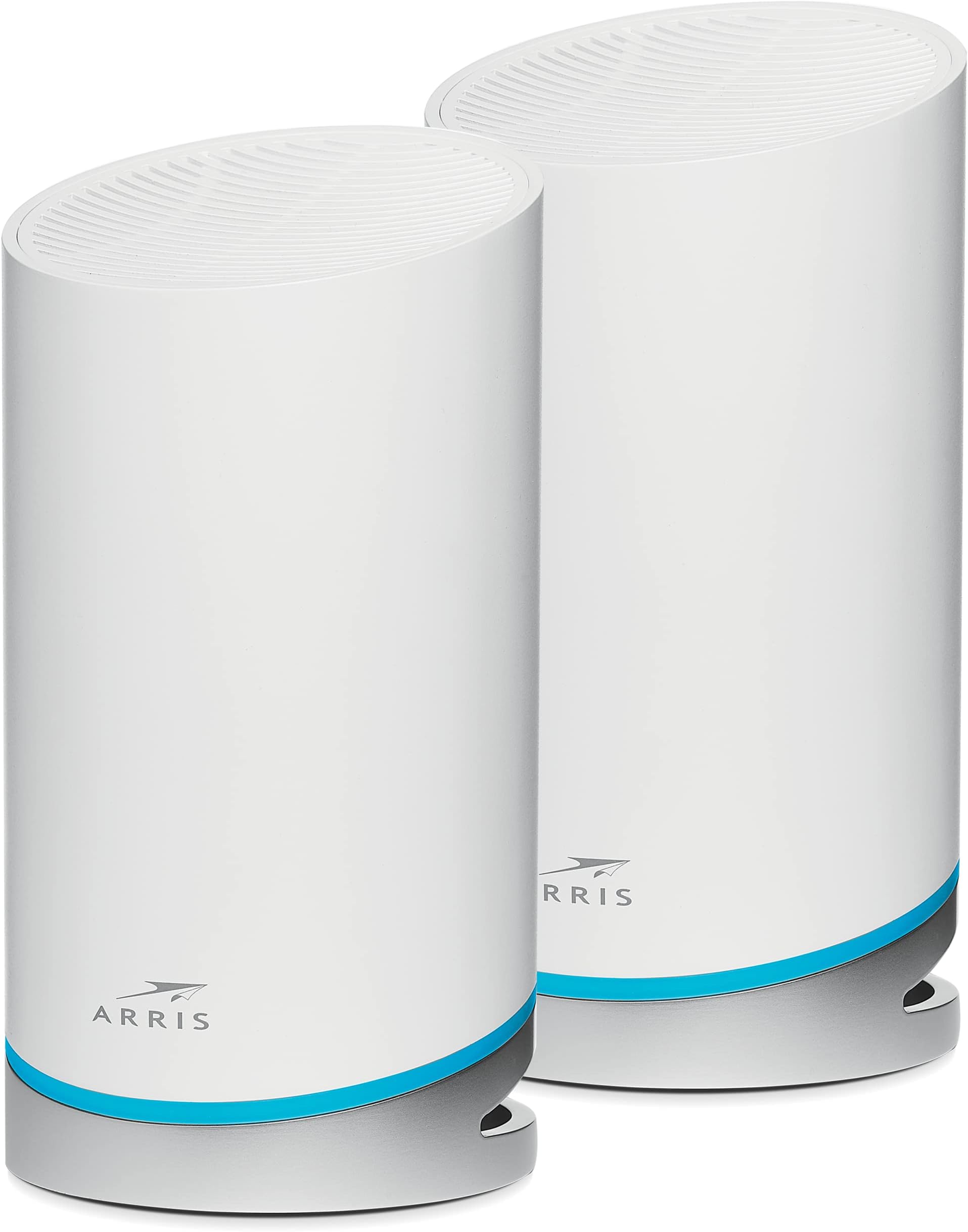
The ARRIS SURFboard mAX W121 is a tri-band WiFi 6 mesh system delivering ultra-fast AX6600 speeds up to 6.6 Gbps and expansive 5,500 sq ft coverage. Featuring dedicated express lanes for true gigabit connectivity, it ensures seamless streaming, gaming, and smart home integration. Controlled via the intuitive SURFboard Central app, it offers advanced parental controls and network management, all backed by ARRIS’s trusted quality and 2-year warranty.


| ASIN | B08S8WZ9FK |
| Antenna Location | Home |
| Antenna Type | Internal |
| Best Sellers Rank | #35,409 in Computers & Accessories ( See Top 100 in Computers & Accessories ) #400 in Whole Home & Mesh Wi-Fi Systems |
| Brand | ARRIS |
| Built-In Media | Quick Start Guide, Router, power cord |
| Compatible Devices | iPhone, cell phone, Tablet, computer, streaming devices, smart TV, IOT devices |
| Connectivity Protocol | Ethernet, Wi-Fi |
| Connectivity Range | 5500 square_feet |
| Connectivity Technology | Ethernet |
| Control Method | App |
| Controller Type | App Control |
| Coverage | 5,500 sq ft |
| Customer Reviews | 3.5 out of 5 stars 448 Reviews |
| Data Transfer Rate | 6600 megabits_per_second |
| Frequency | 5 GHz |
| Frequency Band Class | Tri-Band |
| Item Dimensions L x W x H | 7.95"L x 7.95"W x 7.64"H |
| Item Type Name | WiFi 6 Mesh Router System |
| Item Weight | 5.6 pounds |
| LAN Port Bandwidth | 1000 Mbps |
| Manufacturer | CommScope |
| Maximum Upstream Data Transfer Rate | 3300 megabits_per_second |
| Mfr Part Number | W121 |
| Model Name | W121 |
| Model Number | W121 |
| Number of Items | 1 |
| Number of Ports | 4 |
| Operating System | Linux |
| Other Special Features of the Product | QoS, WPS |
| Security Protocol | WPA-PSK, WPA2-PSK |
| Special Feature | QoS , WPS |
| UPC | 612572216101 |
| Unit Count | 2 Count |
| Voltage | 120 volts |
| Warranty Description | 2 year limited warranty |
| Wi-Fi Generation | Wi-Fi 6 |
| Wireless Communication Standard | 802.11ax |
| Wireless Compability | 802.11ax |
P**C
Simple mesh
Just finished setting this up this morning and so far very pleased with the product. The setup was easy with only 2 minor hiccups that were easily resolved. The first issue was the inability of the control app to join the newly created SSID during setup. This is most likely an iPhone security feature preventing apps from hijacking the SSID for malicious intent. Exiting the app and using iOS network settings circumvented the issue. The second issue was a security camera initially failed to connect after completing the setup of the mesh system. It's one of these cheap IOT devices that is simply poorly designed. Rebooting the camera resolved the issue. Otherwise, all my devices are now above -65db which is the threshold for voice quality wireless signal. Very pleased with the performance. Pros +Easy setup +Fantastic coverage +Great performance (quick speed test off the satellite measured 700Mbps) +Nice modern design Cons -No WPA3 -Barebone configuration features -No web interface management -No built-in firewall I am not taking a star off the review as I was aware of the shortcomings and made the purchase with full knowledge of the cons. With that said, if you are looking for a no-frill "set-it and forget-it" mesh system with high performance, this system is a fantastic option. If you like to tinker and customize your wireless network settings, this product is not for you.
G**R
Impossible to set it up with the app - incredibly bad design decision
I am SO VERY MAD at myself for waiting until after the return window closed to install these! I purchased 2 of the W121 sets to replace my existing mesh wireless system. My existing system worked fine, but the company which made them had stopped providing security updates, so I decided to replace it. Since I had a mesh system with 1 base and 2 satellites and wanted at least the same number of mesh boxes. So, I bought 2 of the W121 sets (even though the tech support said it could only use the base and 2 satellites) because buying a second pair on sale was about the same price as a single unit. The hardware appears to work well, but they made an incredibly bad decision in forcing the use of an app to configure and setup the device. I trusted a big name like Arris to not completely mess things up, but holy cow is that app horrible. I see other people with the exact same issue as me (the app refuses to connect satellite units and is crazy slow in initial setup.)As of now, the base is working as a stand alone/single unit, but I can't access it with the app unless I do a factory reset (you have to use a paperclip or similar item and press and hold the reset button hidden in the tiny hole by the network port for a long time - they told me to do 30 seconds.) Once I do that, the app will let me completly start the install process over, but it refuses to add any additional units and just hangs eventually. Restarting the app takes it back to the initial install screen with no option to bypass it. ARRIS - IF YOU ARE GOING TO ONLY PROVIDE AN APP FOR SETUP, MAKE SURE THE APP WORKS!!! So very, Very, VERY angry with whoever made this decision at Arris. There was no documentation in the box (mine was completely new with all the shrinkwrap and the plastic peel-off intact, so its not like the issue was someone sneaking a used unit into my sale), just a 2D barcode for directing the owner to download their (horrible!!!) app. Update: Feb 17 2023. I have a couple of items to add. 1) I used one of the "spare" units as a stand-alone device for my in-laws. Since it the app had been updated in the Google Play store, I had my wife install it on her phone and used that to set it up (my thought was that it would not have any trace of the issues I had with our home unit.) She had similar issues, but after a lot of playing around, I got it to work. 2) I uninstalled the app on my phone and re-installed it, then tried to see if it would let me add a satelite. No luck!. So, really frustrating as the hardware works great, but the install/management app is so bad. P.S. I saw one person put out a rave review about how easy the app is to use. Unfortunetly, he is misunderstanding what people are complaining about. Its not that the app is hard to use (it appears to be VERY simple and has a lot of newbie friendly options.) The issue is it DOES NOT WORK for most people and there is no other option to setup and mange the hardware than with their broken app, so until/if they fix the app, its going to be a gamble on whether this is a nightmare or a win for you. If this thing works well for you, maybe list out what type of device you use to set it up??? I know my Android phones have not had luck, so maybe IOS users have better luck???
J**.
Phenomenal Tri-Band throughput and total home coverage—my son absolutely loves it!
I picked up this ARRIS Surfboard mAX W121 Tri-Band Mesh WiFi 6 System for my son to upgrade our home wireless infrastructure. Between online gaming, streaming high-definition media, and managing multiple wireless smart home accessories simultaneously, our old router was completely bogged down, leaving frustrating dead zones in the upstairs bedrooms. This multi-gig mesh array works absolutely perfectly, and my son loves it—our home network is now completely transformed. Why this Tri-Band mesh system is a top-tier networking tool: Dedicated Tri-Band Wireless Backhaul: Unlike cheap dual-band mesh kits that cut your wireless speed in half to talk to the secondary node, this ARRIS system features a dedicated third radio band strictly for backhaul communication. This ensures the satellite unit maintains a full, unrestricted AX6600 data link back to the main base, giving you true multi-gigabit speeds at the far corners of the house. Massive 5,500 Sq Ft Signal Penetration: The range on these nodes is incredibly impressive. The signal punches effortlessly through heavy drywall, floor joists, and structural insulation, delivering a steady, high-bandwidth connection from the front door all the way out to the back garage workbench. Seamless Smart Roaming Handshake: The network management software handles client handoffs beautifully. As you walk across the house with a smartphone or laptop, the system automatically transitions your device to the closest node instantly with zero drops, buffering cycles, or packet loss. Network Setup & Workspace Deployment Tips: Strategic Node Placement: For the best possible speed results, don't place the secondary satellite node directly in a known dead zone. Instead, position it halfway between the main base router and your target room. This ensures it catches a screaming fast signal to repeat onward into the bedroom. Easy Application Onboarding: The mobile app walks you through the step-by-step installation path smoothly. It took less than fifteen minutes to get both towers provisioned, synced, and online. The big takeaway: The SURFBOARD mAX W121 is a premium, future-proof hardware solution that entirely eliminates wireless bottlenecks. It offers rugged signal durability, whisper-quiet fanless cooling, and a massive device handling capacity that keeps up with modern high-volume data demands. It is a fantastic value buy for any household struggling with network lag or wireless blind spots.
S**E
No Way to Know if it is Ethernet Backhaul or Not
It was not easy getting a tech support person on the phone but once I did they were extremely patient and even called me back the next day to continue troubleshooting. In the end, the router works well but I ran an ethernet cable to connect the satellite and the main router together. This is called wired or ethernet backhaul. The website and the tech guy said the units will work this way. It is better than wireless in general and most brand mesh systems can accommodate wired backhaul. BUT there is no way at all to know if the wire is working or if they are connecting wirelessly. The app does not distinguish. The units don't indicate either. You have to "trust" they are. More than a small oversight in my opinion.
A**R
Can't beat the price for a Mesh network!
If you have a wifi router that hits most of your house except that one annoying spot that you just can't seem to watch videos or load websites quickly then you may want to consider what I've recently learned called Mesh networking. A mesh network is like having another wifi access point in your home but with the same SSID (network name), so you're not switching between networks as you move through the house. Mesh makes it seamless and mesh networks can be ridiculously expensive (like most things right now), however I found this item by ARRIS and have been pleasantly surprised. For the price, it works and it does the job. There aren't any bells or whistles and router administration is minimal (you can't set the frequency, for example) but my wife has been so happy that she can sit in the kids' room and be able to browse the internet and listen to podcasts! So far so good!
M**K
Worst Router Ever
This is, without any doubt at all, the worst router system I have ever seen. I say this having used a few different routers at home and a great many routers and switches in over 20 years working in the IT service and support industry. First, you are required to use their mobile app to configure and manage the system, there is no way to navigate to a web interface via IP address like most routers to manage your network (I verified with their support department, such as it is, they ability to manager via web interface is blocked so as to force customers to use the app. The app, contains ads, and has questionable permissions for what it is). This supposedly easy method kept failing to complete the process, it took uninstalling and reinstalling the app as well as resetting the units many times over the course of several hours before it finally made it all the way through the process without freezing up. Next... The units cannot talk to each other over hard wire, the satellite unit only talks to the main unit via wireless signal. I have the satellite in my office, about 20 feet away from the main unit, only 1 wall between them... The system says the signal between them is poor. Having them only work wirelessly is pointless, it defeats the purpose of having a mesh system, which is to extend your range to areas with poor signal; they need to be able to be wired to each other so that they can have a reliable connection. Finally, when you call them, their support recording first threatens that they might charge you for support and second tries to get you to instead use their community forum for assistance from other users. Bottom line, the product is garbage and it's going back.
D**.
I am just not happy with this.
The speeds just do not even come close to 1gb per second. I do not know where to place these devices, I just know closer the better. Because I cannot modify my house, placement for so called ideal placement is impossable. I thought these devices had longer range. I guess not. They mostly work at their speeds when they feel like it. I do not know if their is a firmware update. I thought it was supposed to be auto matic, with being online. Me renaming of connected does not work correctly. I just do not feel like I have any control. They work in mostly keeping all the connected wifi stuff. most of the time. Just not happy with the money spent.
M**E
disable auto join WiFi during setup!
These guys set up it 0 problems. It was so easy that it just felt like I clicked continue every few minutes. There was one hiccup where my iPhone decided to rejoin my old WiFi. Disabling the option to auto join known WiFi’s would have prevented that. Just relaunching the setup worked. It picked up where it left off. My speedtest on my old wifi router hooked up to att fiber 1g - 120Mbs. The first speed test done was immediately after setup finished on this was 320Mbs 1hr after setup completed and it completed optimization - 510Mbs!! Blazing fast. Running for over a week without a single disconnect from tvs, mobiles phones, tablets, 2 desktops, and a dozen microcontrollers. The coverage is so much better. With 5g a stronger signal means faster speeds. The only issue I have is the app. The only way to manage this is via app! Initially I thought it lacked any actual management capabilities, settings are just hard to find. It was made for people who likely are renting WiFi from a provider. It’s horribly rated but they continue to make improvements. This is by far the best deal on a wifi6 mesh that has an incredibly fast backplane between the mesh nodes.
Trustpilot
1 month ago
3 days ago