


CPC200-CCPA
Product ID: 441717362
Details
- BrandCarlinkit
- ColourBlack
- Compatible devicesCellular
- Connector typeUSB
- Specific uses for productCar Audio &
📶Wireless CarPlay & Android Auto
🔌Wired Mirroring Support
⚙️APK-enabled Smart Integration
Desertcart purchases this item on your behalf and handles shipping, customs, and support to UAE.
🚗 Elevate your drive: wireless freedom meets smart connectivity!
The Carlinkit Wireless CarPlay Adapter transforms compatible Android radios (4.4.2+) into a wireless CarPlay and Android Auto hub. It supports wireless and wired connections, requires APK installation for full functionality, and offers voice command integration. With a lightweight design, USB connectivity, and a one-year warranty, it’s the ultimate upgrade for a clutter-free, smarter driving experience.
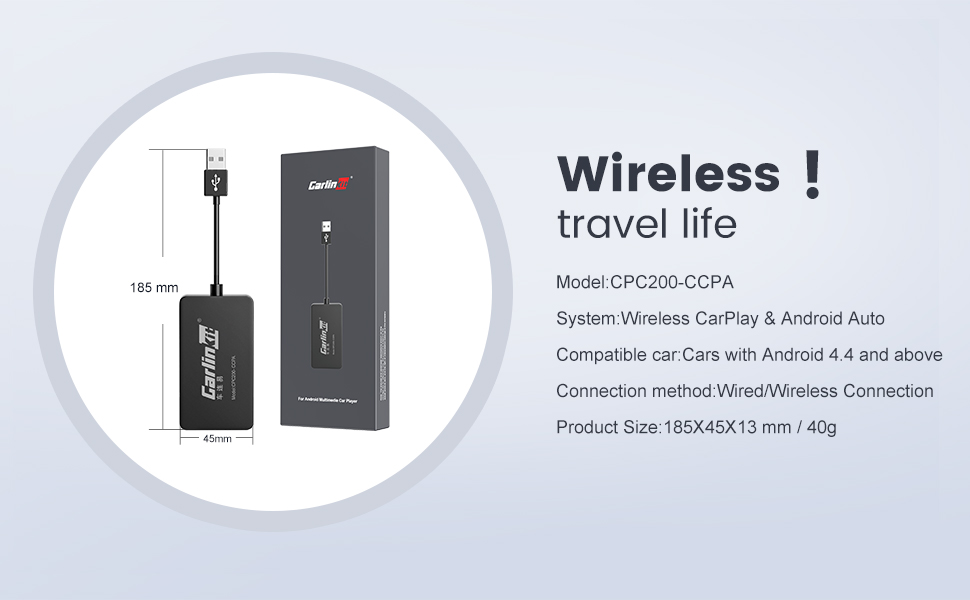
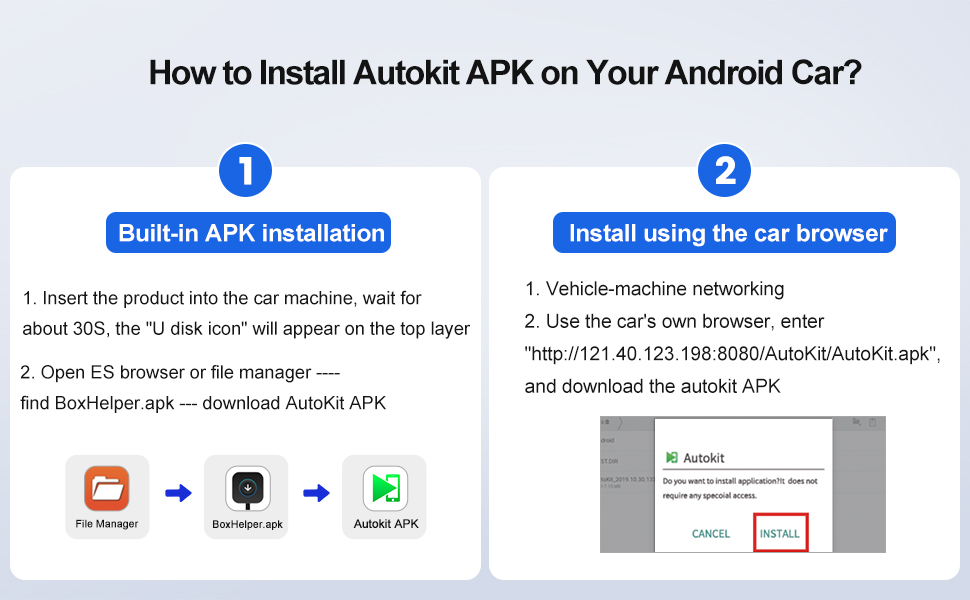
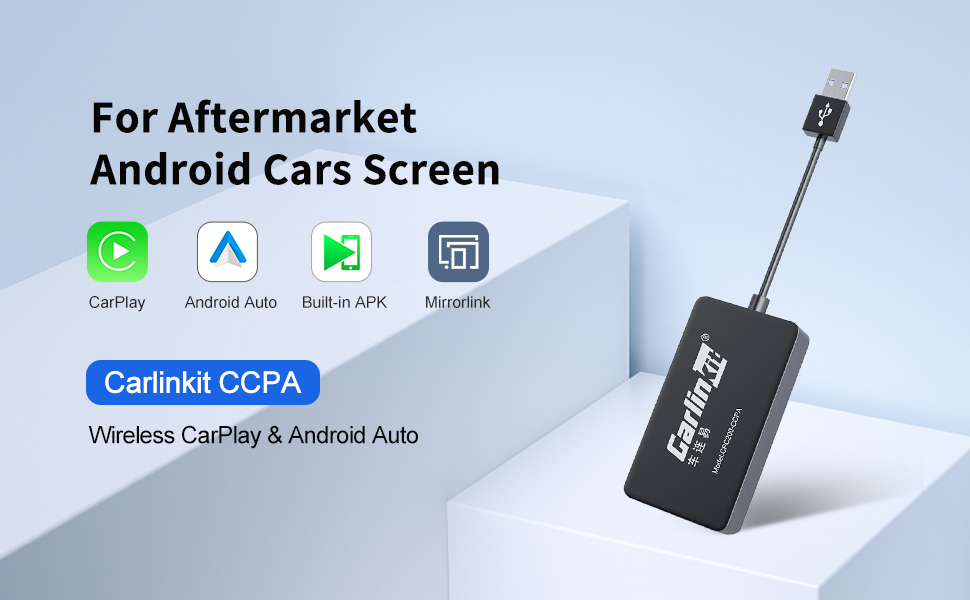
| ASIN | B09ZPBL4HP |
| Best Sellers Rank | 99 in Car Audio & Video Input Adapters |
| Brand | Carlinkit |
| Brand Name | Carlinkit |
| Colour | Black |
| Compatible Devices | Cellular Phones |
| Compatible devices | Cellular Phones |
| Connector Type | USB |
| Connector type | USB |
| Country of Origin | China |
| Customer Reviews | 3.9 out of 5 stars 509 Reviews |
| Input Voltage | 5 Volts |
| Item Weight | 34 Grams |
| Item weight | 34 Grams |
| Manufacturer | Carlinkit |
| Model Number | Carlinkit CCPA |
| Number of Items | 1 |
| Number of Ports | 1 |
| Package Quantity | 1 |
| Power Plug Type | No Plug |
| Product Warranty | 1 year manufacturer |
| Specific Uses For Product | Car Audio & Video |
| Specific uses for product | Car Audio & Video |
| Unit Count | 1.0 count |
| Warranty Type | Limited |
J**L
Darlington New Wireless CarPlay
Works well. Connects to my car as soon as I plug it in.
D**E
Must have for cars without Apple/Google Play
Works really well. Perfect for systems that don’t have Apple/Google Play. Works perfectly in my Leapmotor C10.
W**L
Bluetooth stopped working.
It worked ok for a couple of days, then the Bluetooth stopped working, meaning to us it is just a mess of wires.
I**T
Apple CarPlay works brilliantly on my Leapmotor C10! Here's a few tips
I bought this Carlinkit adapter for my Leapmotor C10 because I really wanted Apple CarPlay, something the car doesn't support natively. I know quite a few Leapmotor owners have been wondering whether this adapter actually works with the C10, so hopefully my experience will help. First, installation was surprisingly easy. I plugged the adapter into the car's USB port, went into Applications, launched AutoKit and that was it. Apple CarPlay was up and running on the C10's large screen! Google Maps, Waze, Apple Music and my other CarPlay apps all work brilliantly. The display is responsive, and after sorting out the audio settings, there's no noticeable lag. However, there are a couple of things I discovered after using it for a while that aren't explained particularly well in the instructions. 1. Changing the AutoKit settings After installing everything, I unplugged the Carlinkit adapter and then opened the AutoKit app again. This allowed me to access the settings menu. I changed two settings: Enabled "Bottom bar always visible" so I could easily switch between CarPlay and the Leapmotor's own interface. Changed the audio output to use the car's Bluetooth rather than the Carlinkit box. The second setting made a big difference. When audio was routed through the box, I noticed a delay. Switching to the car's Bluetooth sorted that out. 2. Fixing the Bluetooth disconnection This one took me a little longer to figure out! Every time AutoKit started, my phone's Bluetooth connection to the Leapmotor would disconnect. I suspect the adapter was grabbing the connection before the phone could connect directly to the car. Initially, my workaround was to swipe down or use the bottom bar to return to the Leapmotor's main screen, reconnect Bluetooth manually, and then switch back to AutoKit. That worked, but having to do it every time was annoying. Then I discovered the Leapmotor C10 has a feature called Scenarios, which lets you automate certain actions. I created a scenario that runs when I buckle my seatbelt: Open the AutoKit app. Wait 20 seconds. Enable the car's Bluetooth. And that was it! The Bluetooth issue was sorted, and I no longer have to keep reconnecting it manually. Overall, I'm really pleased with this adapter. CarPlay looks fantastic on the C10's big screen, Google Maps and Waze run smoothly, Apple Music sounds great, and I haven't experienced any noticeable display or audio lag since sorting out the settings. Another thing I like is how small the adapter is. I've got mine tucked away in the centre console, plugged into the USB port, so it's completely out of sight and doesn't take up any useful space. As for value for money, I'm really happy with it. Rather than having to live without CarPlay in my C10, this little box has given me access to all the apps I use regularly. Considering how well it works once you've sorted the settings, I think it's money well spent. It's not quite a plug-and-forget experience straight out of the box, but once configured properly, it works brilliantly. I've given it four stars rather than five because the Bluetooth and audio issues took some figuring out, and the instructions could definitely be better. If you're a Leapmotor C10 owner wondering whether this particular Carlinkit adapter works, I can confirm it does on mine. Hopefully the tips above save you some of the frustration I went through!
M**D
Works great Leapmotor C10
Ordered for Leapmotor c10 and works great for Apple CarPlay
S**A
Great product!
Works perfectly in my Leapmotor, quick connection, easy to set up and use.
J**H
Good
Bra kvalite
A**R
Mega patients required especially for Leapmotor C10
Unfortunately still having major problems with this particular device , sent the first one back as couldn’t do anything with it. Got a replacement and just the same. Purchased for the 2026 Leapmotor C10 and after doing plenty of research as well as the uk YouTube videos thought this looked easy to install ? Can’t even download the rollback which you need to do for the C10 , possibly to do with using iPhones and not Android. Will give this a better rating if I can get it to work.
K**D
It's slow!
Slow
K**Y
Parfait sur les radios android chinoises
Ca ne fonctionne qu'avec les radio android chinoises, aliexpress pour ne citer que lui... J'ai vus des commentaires disant que ça ne fonctionnaient pas avec leur radio de base... Vraiment faut s'acheter un cerveaux... C'est écris sur la page du produit bref. Dans mon cas ça marchais nickel, l'application est fourni avec, quand vous le brancher elle s'installe et si jamais vous n'y arrivez pas comme ça, encore une fois c'est écris sur la page produit, j'ai aussi vus des commentaire dires qu'elle n'y était pas... Je vous jure bref encore. La connexion est instantané et tout est expliqué directement sur votre smartphone, autant android qu'iphone, cependant il se peut qu'il y est des problème de latence sur la version android, c'est lié à android auto et non le carlinkit, ils doivent faire une mise à jour, ce n'est pas le cas chez apple. Voilà tout, vous pouvez foncer ! :)
~**�
Funktioniert mit Leapmotor C10!
Wer einen Leapmotor C10 fährt, kennt das Problem: weder AndroidAuto noch AppleCarPlay sind an Board. Der Carlinkit-Adapter ist hier die perfekte Lösung – man muss nur einen kleinen Trick kennen. Nach der richtigen Einrichtung läuft das System absolut reibungslos, stabil und ohne Verzögerungen. Wenn man ins Auto steigt, verbindet sich das Handy automatisch im Hintergrund und CarPlay / Android Auto startet direkt. Da der offizielle Dateibrowser blockiert ist, muss man für die Erstinstallation im Leapmotor C10 einmalig den Firmware-Downgrade-Trick anwenden: Schritt-für-Schritt-Anleitung für den Leapmotor C10: Teil 1: Die AutoKit-App ins Auto bekommen 1. Adapter anschließen: Den Carlinkit-Adapter per USB im Auto (oder an einem USB-Netzteil) mit Strom versorgen. 2. Mit Adapter-WLAN verbinden: Am Handy das WLAN aktivieren und mit dem Hotspot des Adapters verbinden (heißt meist AutoKit_xxxx). Das WLAN-Passwort lautet standardmäßig 12345678. 3. Web-Interface aufrufen: Im Browser des Handys die IP-Adresse 192.168.43.1 eingeben. 4. Rollback durchführen: In den Einstellungen der Seite auf „Rollback“ bzw. „Downgrade“ tippen. Durch das Aufspielen der älteren Firmware triggert der Adapter die automatische Selbstinstallation der benötigten AutoKit-App direkt auf das Fahrzeug-Display. 5. Update (optional): Sobald die App auf dem Leapmotor-Bildschirm zu sehen ist, kann im Web-Interface (192.168.43.1) wieder die neueste Firmware aufgespielt werden. Die App bleibt auf dem Auto erhalten. Teil 2: Smartphone koppeln 1. WLAN trennen: Die manuelle WLAN-Verbindung zum Adapter am Handy wieder trennen („Netzwerk ignorieren“), aber WLAN & Bluetooth am Handy eingeschaltet lassen. 2. Bluetooth-Pairing: Am Handy nach neuen Bluetooth-Geräten suchen, den Adapter (AutoKit-xxxx) auswählen und die Kopplung bestätigen (PIN falls abgefragt: 0000 oder 1234). 3. CarPlay / Android Auto aktivieren: Die Pop-up-Meldung am Handy zur Nutzung von CarPlay/Android Auto bestätigen. 4. Fertig! Die AutoKit-App auf dem Leapmotor-Display öffnen – die Oberfläche startet sofort. Fazit: Klare Kaufempfehlung!
M**O
Prodotto di qualità
Prodotto di qualità è funziona benissimo, io l'ho montato nella leapmotor C10 e trasforma il tuo monitor in un android auto. lo consiglio
R**.
Uit de kunst!
Werkt uitstekend! Heel simpel!
Trustpilot
1 month ago
2 months ago