Buy anything from 5,000+ international stores. One checkout price. No surprise fees. Join 2M+ shoppers on Desertcart.
Desertcart purchases this item on your behalf and handles shipping, customs, and support to UAE.
🖨️ Elevate your home office game with wireless efficiency and pro-quality prints!
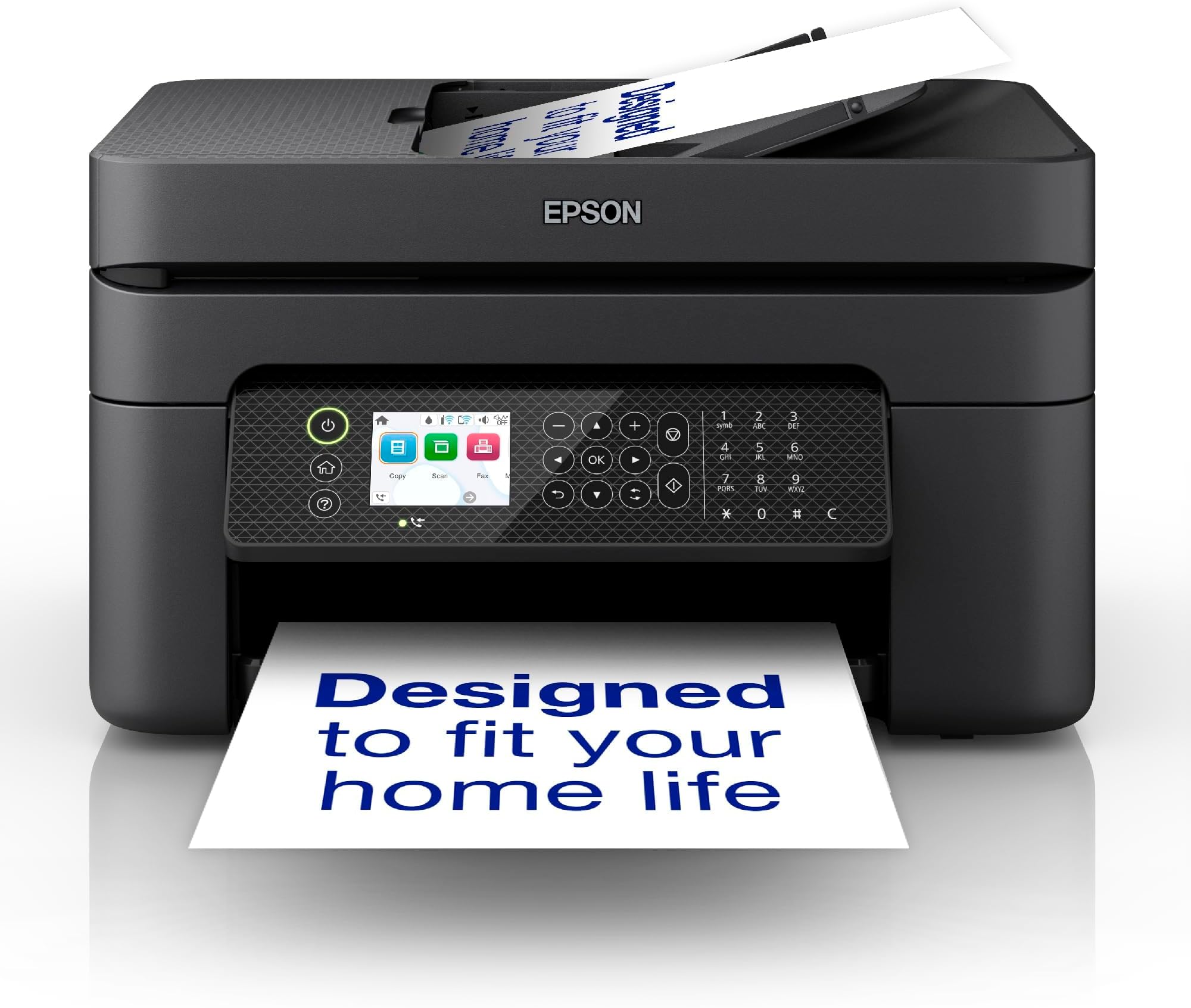
The Epson WorkForce WF-2950DWF is a compact, multifunction wireless inkjet printer designed for home offices and small businesses. Featuring a 30-page automatic document feeder, Wi-Fi and Wi-Fi Direct connectivity, and high-resolution printing up to 5760 x 1440 dpi, it delivers professional-quality prints with cost-effective individual inks. Its intuitive LCD interface and Epson Smart Panel app make managing tasks effortless, while its sleek design saves space without sacrificing performance.


| ASIN | B0BB7B64FC |
| Additional Printer Functions | All In One |
| B&W Pages per Minute | 33 |
| Best Sellers Rank | 1,321 in Computers & Accessories ( See Top 100 in Computers & Accessories ) 1 in Ink Cartridge Printers |
| Box Contents | Printer-Power lead -Inks |
| Brand Name | Epson |
| Color Depth | 24 bpp |
| Color Pages per Minute | 18 ppm |
| Colour | Color |
| Compatible Devices | Smartphones |
| Control Method | App |
| Controller Type | Android |
| Country of Origin | Indonesia |
| Customer Reviews | 4.2 4.2 out of 5 stars (206) |
| Display Type | LCD |
| Dual-sided printing | Yes |
| Duplex | Automatic |
| Hardware Interface | Ethernet |
| Ink Colour | Black |
| Item Dimensions D x W x H | 30D x 37.5W x 21.8H centimetres |
| Item Type Name | Colour Laser Printer |
| Item Weight | 6.52 Kilograms |
| Manufacturer | Epson |
| Maximum Copies Per Run | 100 |
| Maximum Copy Resolution Black and White | 2272 dpi |
| Maximum Copy Resolution Color | 2272 dpi |
| Maximum Copy Speed Black and White | 33 ppm |
| Maximum Print Resolution Black and White | 1200 dpi |
| Maximum Sheet Capacity | 100 |
| Maximum Supported Paper Size | A4 |
| Maximum print Resolution Color | 2272 |
| Model Name | WF-2950DWF |
| Model Number | C11CK62401 |
| Model Series | 2950 |
| Network Connectivity Technology | Wi-Fi |
| Number of Ethernet Ports | 1 |
| Number of Trays | 1 |
| Other Special Features of the Product | ADF & Cloud Scan |
| Output sheet capacity | 100 |
| Paper Size | 297 Millimetres |
| Power Consumption Size | 12 Watts |
| Print media | Paper (plain) |
| Printer Output Type | Colour |
| Printer Resolution Vertical Max in Color | 5760 Centimeters |
| Printer Type | Micro Piezo |
| Product Warranty | 28 Days DOA -12 Months |
| Resolution | 5760 x 1440 |
| Scanner Type | Sheetfed |
| Series Number | 2950 |
| Specific Uses For Product | [INFERRED] home office tasks, small business printing, student projects, remote work requirements |
| Total USB Ports | 1 |
| Unit Count | 1.0 count |
| Warranty Type | limited warranty |
| Wattage | 12 watts |
B**T
WF-2950: Easy setup, no issues, I’m impressed
Arrived yesterday so this is an early review. Will update if I have any issues within the next 6 months. I chose this model printer primarily due to the relative few bad reviews, size, price, Apple AirPrint compatibility and next day delivery as I have urgent docs to sign and post asap. Epsom market this model as a small business printer, not in their home printer range so I expect it to be more durable. So far I’m not disappointed . From unboxing to printing my first document it took just under an hour. The setup was easy, just scan the QR code to download the app then follow instructions on the app. Connecting to Wi-Fi via my BT router was quick and faultless via the app. Most of the time was taken up setting the printing quality but again just follow the instructions and all’s fine. I’m using the demo ink cartridges and laser A4 80gm paper from work, which seems to work well. The screen is too small for me to read the text but not an issue with my reading glasses which I’m always wearing when at my computer. It’s not touch-screen but the buttons either side are large so no issues navigating the screen to get to the functions and settings even with my fat fingers. It’s not silent but not so noisy that it would interrupt an online meeting. B&W printing isn’t fast so not useful for printing large numbers of pages unless you’re in no hurry. No paper tray but it has a paper feeder at the back which is currently holding about 30 sheets and looks like it can take twice that much. Print collector at the front is functional but flimsy; don’t let the cat near it. I have printed docs via Wi-Fi using both my iPhone 12 and HP Elite laptop without installing additional software. I have not tried the copy and scan functions yet so will update if/when I do. I’ve not set up the fax function as I don’t have a landline. First impressions are faultless and exceed my expectations. Finger’s crossed it stays that way. Just one thing I just realised while taking the photos; the Print Counter seems to count sheets, not sides, so if you print double-sided it will count 1.
J**M
Slow but ok
Prints really nicely but it can take ages for the signals to get through to it. Once it's going it's fine. Suitable for the price. I've used the scan and copy functions too which both work well
M**R
So impressed with all round quality...........More so on the price!!
Good quality print and speed.
C**K
Epson printer
Easy to set up, although takes a while going through all the settings at the start. No connection issues. Works super easy. Looks well, with a colour display screen.
E**7
MONEY PIT ~ What a nightmare!
MONEY PIT ~ Worst printer I've ever had, costs an absolute fortune to run, I'm going back to my XP Printer and looking for another type of printer. The other thing is the Ink Fluid reservoir which you have to buy when it gets filled up. How does it get filled up? When the printer cleans itself the used ink, (probably the most expensive liquid on the planet?) fills the container, so what little ink you get is siphoned off into the tank, which of course costs you even more money to replace.....On top of this the constant firmware updates and the £50+ ink replacement? Caveat Emptor!!!!!!! EDIT: I've bought this instead (HP Smart Tank 5105 All in One Printer | Perfect for Home | Colour | Wireless | Print, Scan, Copy | Refillable, Includes up to 3 Years of Ink | Smart Buttons | Easy Setup | Reliable Wi-Fi ) Oh sooooo much better!
W**M
Cost effective - Best for low to medium useage
After long time got a really good and cost effective printer with ADF
N**G
Good printer but appalling software
I'm a retired IT professional. In my working life I bought and installed literally thousands of printers. Epson was always one of my go-to makes. This is my second WF printer for homes use. They're good printers but the ink is quite costly. The one thing that stands out is the appalling state of Epson software. I've installed their software in home and small business situations many, many times and it just never gets any better and much of it has not been updated in years and years. Just as an example, to use the print fully on my own MacBook it's just installed 12 different application, at least 2 of them do not work at all or do not support the printer they're installed for. For completeness I done the same install on my wife's Windows laptop is the same. A decent printer let down by really appalling software.
G**P
Great improvement on my old non-wifi model
Needed a replacement for my ancient Epson which died. The price was good as was delivery speed. Downloaded the app and setup was fairly easy. The little screen was not too easy to see with my bad eyesight but with the app, no problem. Print quality good even for photos and with wifi I can print even if I’m not in the same room.
J**.
Vom optischen her war das Gerät in Ordnung, aber der Scanner hing komplett lose im Gerät
R**G
My HP office pro printer never really worked properly and after 1000 pages in total colour stopped working and no amount of fooling about go it working again .So that was a few expensive cartridges wasted. I looked up on the Australian Choice website for the best printer in Australia and selected the cheapest,the Epson WF 2950. It's a real gem,prints properly and obeys all commands(!)
P**T
Fantastic printer and so simple to set up using the Epson printer app
Trustpilot
4 days ago
1 month ago