

⚡ Elevate your workspace with the ultimate USB-C hub — because multitasking deserves no compromises!
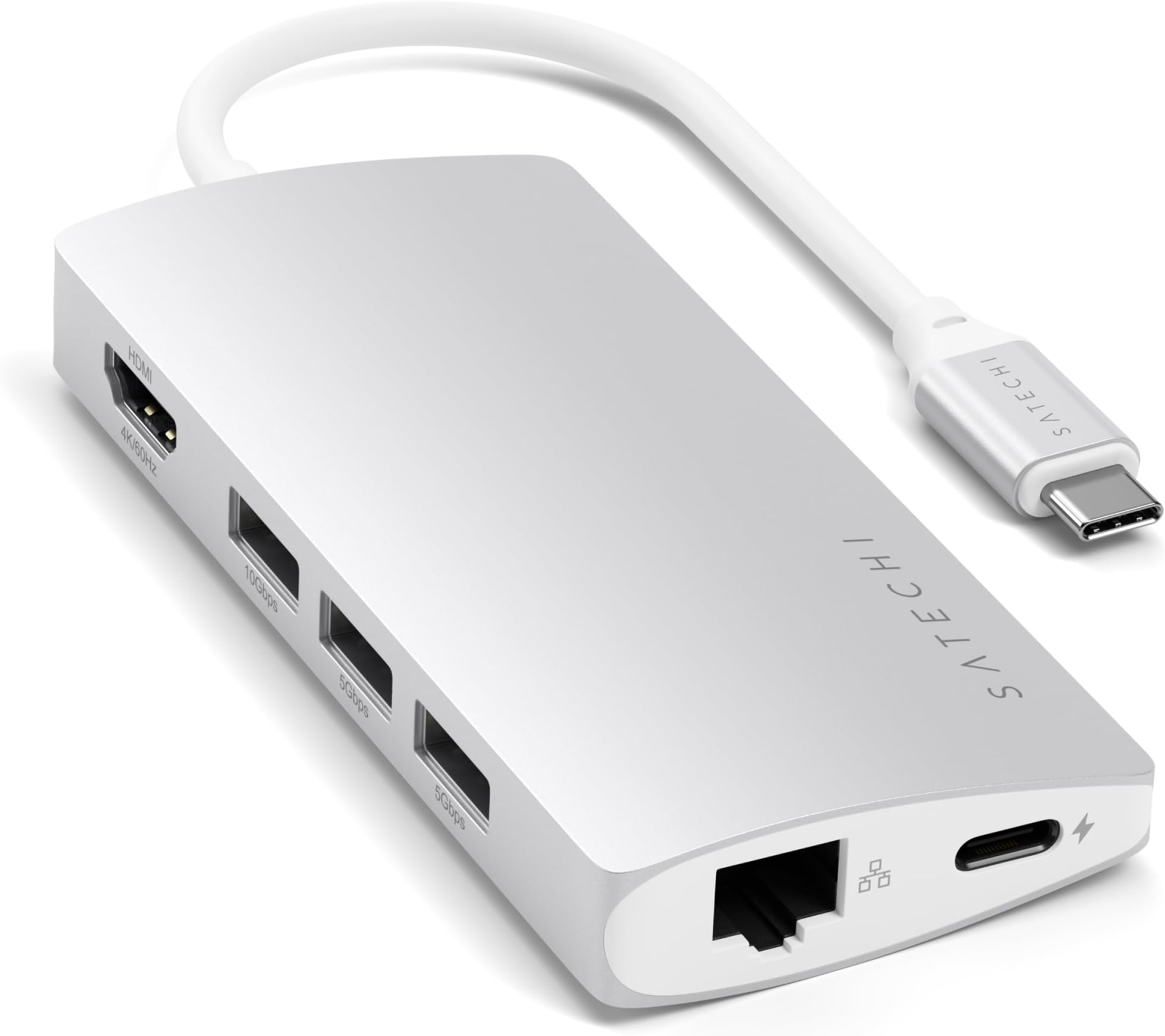
The SATECHI 8-in-1 USB-C Hub V2 is a premium multiport adapter designed for professionals on the go. Featuring 115W USB-C Power Delivery, 4K HDMI output at 60Hz, and ultra-fast data transfer with USB 3.2 ports and UHS-I card readers, it consolidates all essential connections into a sleek, portable aluminum chassis. Compatible with the latest MacBook, iPad, Windows, and USB-C devices, it ensures stable Ethernet networking and versatile connectivity, backed by a 2-year warranty for reliable performance.


| ASIN | B075FZ43MD |
| Best Sellers Rank | 10,509 in Computers & Accessories ( See Top 100 in Computers & Accessories ) 197 in USB Hubs |
| Brand Name | Satechi |
| Colour | Silver |
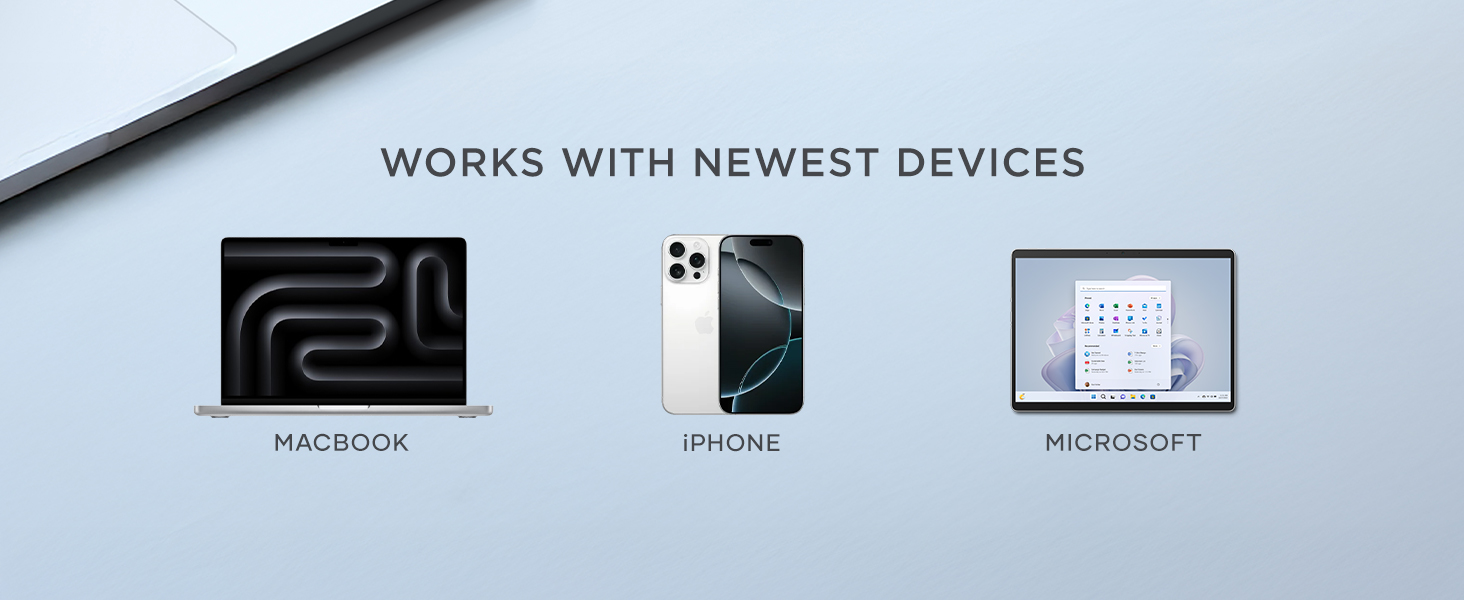
| Compatible Devices | Apple - MacBook Air/Pro M4/M3/M2/M1, iPad Air/Pro M4/M3/M2/M1, iPad Mini, iPad, iMac M4, Mac Mini M4, Mac Studio, iPhone 16 Series or earlier MacOS devices. Windows - Windows laptops including models from Lenovo, Microsoft Surface Laptop, Surface Pro 2025, Dell, HP, Razer, and Huawei, as well as Chrome OS devices. USB4 and USB-C devices |
| Customer Reviews | 4.0 4.0 out of 5 stars (5,103) |
| Data Transfer Rate | 5 Gigabits Per Second |
| EU Spare Part Availability Duration | 1 Years |
| Enclosure Material | Aluminum |
| Global Trade Identification Number | 00879961007133 |
| Hardware Interface | USB Type C |
| Item Dimensions L x W x H | 10.5L x 5W x 1.5H centimetres |
| Item Weight | 78 Grams |
| Manufacturer | Satechi |
| Manufacturer Part Number | Label-Silver |
| Minimum Required Operating System Version | Windows 10 |
| Model Number | ST-TCMA2S |
| Number of Ports | 8 |
| Operating System | macOS, Windows, iPadOS |
| Product Features | Multiport USB-C Hub, HDMI Display Output, USB-C PD Charging, Gigabit Ethernet Port, SD/MicroSD Readers |
| Product Warranty | 2 year manufacturer |
| Total USB Ports | 3 |
| UPC | 879961007133 |
| Unit Count | 1.0 Count |
G**Z
Cannot Fault It (Constant Use since 2021!!)
I've been using this adapter everyday since early 2021 and it has never failed me, not once! Connects without issues, HDMI quality is fantastic, charger pass-through works as expected, ethernet connects at 1GB/ps, top notch build quality. Honestly, I simply cannot fault it.
J**S
Has plenty of ports and works well most of the time.
There are plenty of ports which is useful as I don't have to carry any other dongles. It looks really nice and sleek and is small enough to carry which is very convenient. The only complaint is that the ethernet cable seems to weakly click into the ethernet port because it sometimes falls out. This only happens when it is moved. Otherwise the product works great and when left alone; there are no problems at all. I bought this in a sale and the price was good. Would recommend to others, especially if there is a discount.
D**R
By far the best adaptor I've seen
Pro: -sleek design -has a cord. I don't like the ones that dock directly to a Macbook - it looks like one wrong move would bend or break the connectors and damage the adaptor or laptop -has all the connectors I need. Con: -Expensive -Gets rather hot Overall, it is excellent.
L**S
Shockingly dissapointing
I purchased this adapter for the brand new MacBook Pro (2017 model) I purchased earlier this year. The product arrived in a fairly bog standard cardboard & plastic box (which for the £78.99 price tag) I was honestly expecting something a little more premium. I used the adapter for about a day, working perfectly fine & used it on the go with my backpack in uni. the day after it broke. The cable which is attached to the hub itself was clearly faulty or badly designed because it was like having a dodgy iPhone cable every time you plugged it in. This was exceptionally annoying so I promptly sent it back. I will add that they refunded me the full amount for the product and it was an exceptionally painless process. Just on an extra side-note: The product was well made, the product itself did feel premium & solid, with an almost entirely metal construction. so I don't have any issue with the hub sections build quality what so ever. just the attached connection cable with definitely needs improving. I personally cannot see how I could recommend this product to a friend as of now. If I do ever purchase a satechi product in the future I am prepared to give it another try.
C**E
Works well!
Works with my Mac. Doesn't overheat. Never had any problems with any of the ports in my 2 years of using it.
H**N
Perfect plug and play for a MacBook Pro
It's always difficult with electronic accessories to know which unknown brands will perform well. I bought three of these for my staff over a year ago and they are still going strong. For myself I'd bought a different type, a cheaper one, but unfortunately that's failed already, so I decided to replace it with this type, considering how reliable they have been. The product looks good quality as well as performing well. I'd have no hesitation in buying this product again, in fact it is on my equipment list for any new starters we might have in the future.
I**E
Works Well, Hammers Battery
Works well on my 2018 MBP, it will run a little warm and does hammer the battery life. Solution is to use it while plugged into mains, or just a a short period when on battery. Built well, would be better if it had some 'micro feet' or stand-offs under the case to prevent it's surface getting potential scratched on a work surface.
D**M
Smart looking little adapter
Smart looking little adapter, which feels well made and has all the connections you would need. Transfer speed seems good, and not had any crashes yet. Haven't owned/used it for long, so not sure about quality but does feel well made. Please note you will need a USB type C port, which I have on my laptop and it works perfectly fine on both a PC and Macbook.
H**G
J’ai utilisé des Hub USB-C de différentes marques et c’est le modèle de satechi qui fonctionne le mieux. En HDMI 4K 60Hz l’image est stable durant de longues sessions de travail. Et je peux même utiliser une rallonge usb-c pour un rangement des cables à la péripherie de l’espace de travail.
S**S
The product was shipped quickly and the overall product is Very Good . Works very good wit the Mac. I feel the price is a little bit High.
P**S
It’s a nice product. Works really well. Sometimes gets heated up, but overall good.
M**X
Nachdem ich einige Konkurrenzprodukte gekauft hatte und diese alle qualitativ nicht zufriedenstellend waren (Verarbeitung, Funktionalität des HDMI-Ports), habe ich mir nun dieses vergleichsweise doch etwas teurere Produkt gekauft und bin absolut zufrieden. Die Verarbeitung ist sehr gut, der Farbton passt zum MacBook, die Ports sind gut (nicht zu streng und nicht zu lose), sogar neben dem MacBook macht es einen einigermaßen wertigen Eindruck und zu nicht zuletzt ist es voll funktionsfähig. Ich benutze den Adapter für meinen gesamten Schreibtisch, unter anderem ein externer Monitor (full hd) und eine externe Festplatte (HDD). Selbst bei größeren Kopiervorgängen hat der Adapter kein Problem die Festplatte mit Strom zu versorgen, während auch die anderen Geräte ohne Einschränkungen nutzbar bleiben. Hier noch ein Tipp für alle, die laufend einen externen Monitor über diesen Adapter verwenden: In osX ist der "Clamshell Mode" standardmäßig aktiviert, d.h. dass, wenn ein externer Monitor angeschlossen ist (was bei mir laufend der Fall ist) und man das Macbook zuklappt, der Standby-Modus nicht aktiviert wird, sondern das Gerät eingeschaltet bleibt und über den externen Monitor, sowie evtl. externe Eingabegeräte, weiterhin bedient werden kann. Um dies zu deaktivieren ist folgendes zu tun: - in den Recovery-Modus booten (Neustart und währenddessen command-r) - Terminal öffnen (über den Menüeintrag utilities (Dienstprogramme o.ä.) erreichbar) - folgenden Befehl eintippen: nvram boot-args="iog0x0" (dann Eingabetaste drücken) - Neustart (zurück in normalen Modus) und dann nochmal neustarten Nun sollte der "Clamshell Mode" deaktiviert sein und das Macbook nach dem zuklappen in den Standby-Modus gehen. Diese Einstellung wird aber gelöscht wenn der sog. "PRAM" zurückgesetzt wird, also muss die obige Prozedur falls dies mal nötig sein sollte wiederholt werden.
D**O
Comprei para utilizar com meu iPad Pro 11 polegadas, cumpre o que propõe.
ترست بايلوت
منذ 5 أيام
منذ 4 أيام