

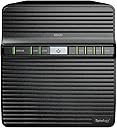
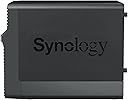


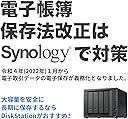


Synology 4-Bay DiskStation DS423 (Diskless)
Product ID: 529513603
Details
- BrandSynology
- ColorBlack
- MaterialMetal
- Product Dimensions9"D x 6.6"W x
- SizeDS423
🌐Dual Gigabit Ethernet ports
💾4-bay scalable storage
🔒Advanced data protection & snapshots
Buy anything from 5,000+ international stores. One checkout price. No surprise fees. Join 2M+ shoppers on Desertcart.
Desertcart purchases this item on your behalf and handles shipping, customs, and support to UAE.
🚀 Elevate your data game with Synology DS423 — where power meets precision.
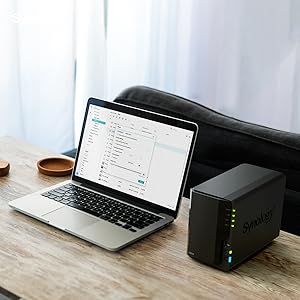
The Synology 4-Bay DiskStation DS423 is a versatile, diskless NAS solution designed for professionals seeking secure, scalable private cloud storage. Featuring four drive bays, dual Gigabit Ethernet ports, and Synology Hybrid RAID, it offers flexible storage management and robust data protection. With built-in video surveillance support and a rich app ecosystem via DiskStation Manager, it transforms data storage into a powerful, multi-functional hub backed by a 2-year warranty.





| ASIN | B0BY7LGMNP |
| Best Sellers Rank | #2 in Network Attached Storage (NAS) Enclosures |
| Brand | Synology |
| Color | Black |
| Compatible Devices | Server, Desktop, Laptop |
| Customer Reviews | 4.6 out of 5 stars 873 Reviews |
| Enclosure Material | Metal |
| Is Assembly Required | Yes |
| Item Dimensions D x W x H | 9"D x 6.6"W x 7.24"H |
| Item Type Name | Synology NAS |
| Item Weight | 2210 Grams |
| Manufacturer | Synology |
| Material | Metal |
| Mfr Part Number | DS423 |
| Model Number | DS423 |
| Mounting Type | Tabletop |
| Product Dimensions | 9"D x 6.6"W x 7.24"H |
| Size | DS423 |
| UPC | 846504004911 |
| Warranty Description | 2 years |
P**A
Was a Drobo fan for years, they are gone and Synology is a great replacement
I have been a fan of Drobos for decades, but recently when one of my Drobos failed I found out that Drobo is no more. The went out of business in 2020. So, the hunt was on for a replacement. The key feature (for me) of the Drobos was that they could hold drives of different sizes and would automatically adjust storage if a drive failed so that you only had to replace that one drive. To my knowledge none of the other DAS or NAS manufacturers supported this functionality. In my hunt, I looked at several NAS and when I got to Synology, I stopped in my tracks. Turns out Synology has an operating system for their NASs called SHR which stands for Synology Hybrid Raid. It doesn’t work like Drobo, but it is similar enough that you can put different drives in your drive station and the OS will handle it. The only down side from what I can determine is that when different size drives are used, then some space will be wasted because essentially the Synology SHR breaks each drive into very large chunks and pairs them up for data protection. If one of the drive chunks can’t be paired with a chunk on another drive then it will not be used. For example if you put a 4TB drive in your NAS paired with a 7TB drive, then SHR will only be able to match chunks for 4TB of total space and 3TB will be wasted. Not great, but usable until you can afford to buy another 7TB drive to match up with the 7TB you already have. Functionality: I wish I had known about the Synology SHR years ago, cause now that I bought their NAS and am learning about it, I am finding that there is an enormous amount of functionality that it brings to the table. I have struggled for years with sharing data between my Windows computer and my Macintosh because of the incompatible by design philosophy or either Microsoft, Apple, or both. The Synology NAS makes sharing data a breeze. Now, I need to mention that I am a software engineer (retired), so I am used to handling a certain level of complexity. So, I need to make it clear that Drobo was much simpler than the Synology NAS to setup. The Drobo was essentially a really big USB hard drive. You just format it and use it like any other drive. No muss no fuss. The Synology on the other hand is essentially a completely separate and very powerful computer that happens to have a whole bunch of storage in it. Synology try’s to make things simpler by allowing you to control everything through your web browser. Once you are connected to the NAS with you browser, you get what is actually a desktop on your NAS. I have included a screen shot of the desktop displayed in a browser window so you can see what I mean. The desktop includes various tools to adjust the configuration of you NAS as well as providing a way to download and install both updates, as well as additional applications (packages) for other things you might like your NAS to do. With Package Center you can install apps to turn your NAS into a download server, a DHCP server, And audio and or video media server, a mail server, you can load an office suite as well as a simple text editor, you can install a VPN server and eve a chat server. There are also Open Source applications that can be installed and also a category called Contributor that has some third party applications like TeamViewer and KodiExplorer. Overview: The DS423 I purchased has two Gig-T Ethernet ports on the back, along with two USB3 ports that can be used to backup the NAS to external USB drives. It has slots for four drives. As a replacement for my failed Drobo, the Synology NAS does a great job, at the expense of having to learn how to set it up. That is the only real down side. If you are a novice computer user, then you will need someone to set it up for you, or you will need to just go with a USB external hard disk and forget about using a NAS. The operating system in the NAS is Linux, but Synology has hidden it very well, so you don’t need to be a Linux expert, or even a Linux user to master the Synology, but you will need to brush up on some of the network terminology that is essential to configuring a NAS. Do I recommend the Synology NAS, definitely. I had mine up and running in a minimal configuration in a few hours, but exploring all the options takes time so expect to spend some additional hours learning some new stuff. By the way, Synology makes a 2 drive bay NAS DS223 that has all the capability of my DS423, but only costs $250. Add a couple of big drives and you have a pretty good backup system for little money.
R**R
Solid, expandable, Reliable, Easy setup.
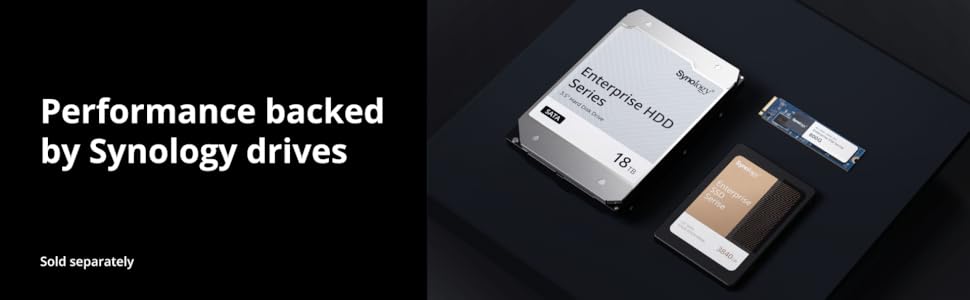
A perfect product. Easy setup, expandable, quiet, efficient. I bought this on the advice of my son-in-law, an IT guy who has pulled all his information and creative programs off the Cloud, after losing information, and in fear that his proprietary programs and information might be pirated or stolen by hackers. He uses one himself, and advised me to use an initial roomy 16Tx2 drive setup, expandable as needed later, using the drives recommended by Synology, and running standalone. I installed the drives and downloaded the Synology software as called out in the quickstart guide, setup an account and passwords, and powered it up. After setting up the drive parameters- (There are some setup guides on youtube as well) it initialized and was recognized on my network. I have loaded about 3T of information so far, (Family photos, movies and documents accumulated over the last 50years (and longer) that were formerly spread over 5 local drives.) I have about another 2T to go, but it is a great convenience and makes it much easier maintain control of the data structure having it one place, and at long last there is hope that I may be able to bring order to my wife's CD filing system- (City Dump, not Compact Disc) - so give it a try- it seems pricey, but the expandability,and the fact that it has good expandability, and was purpose built as storage, (is not a computer that has been converted into the service,) should give the reliability needed. I wish it would have been available years ago-
J**L
Great storage solution & they added object recognition!
I bought this to store memories of my family. Admittedly, I don't know all the features and functions, it was still easy to get it set up and running what I need it for which is to store TBs of photos and videos that I take on my phone. This allows me to offload the content on my phone so I can take more. I feel like it is very capable, and after reading up on this model I was a little disappointed that it can only do face recognition because you have to buy a much more expensive model to get object recognition, however during a software update, they have now enabled object recognition as well! That makes this a great value al even though its not Google Photos level of recognition, it still works. I feel good knowing my family content is safely stored and I don't have recurring costs that a cloud solution would have. Syncing using the phone app works well, and so I don't have to plug in my phone to offload images.
R**Y
Amazing home Network Access Storage!
Let me start off by saying I am a networking expert. I have included an image of my home layout to show what I’m talking about. A little back story. The other day I was messing around with my Western Digital MyCloudEx2Ultra (now know as NAS1), I was trying to change from Raid to JBOD. I did this with breaking the cardinal rule of not having a bakup. All of a sudden it looked like it was going to clear all data from the NAS1, I panicked and immediately pulled the plug! Many of you would know my instant panic! I was hyperventilating, my heart was racing, and all I was thinking was that I lost 4TB of data! So after plugging in the NAS1, I found that all was well. That got me thinking I need to cover my butt. I bought a 4TB 3.5” drive and tried to use it in a USB solution. No joy. Then I went online to Amazon and was shopping for a new NAS for bakup. I settled on the Synology 1 bay diskless version as I had a drive already. The drive arrived in just 2 days. After some consternation, I was able to open the cover of NAS2, and inserting the drive and securing it with the supplied screws. My biggest complaint with this enclosure is that I was unable to secure the cover completely. It just would not fit back together as it uses plastic pins to fit back in the holes and it just would not go back in. So fine. After hooking up the Ethernet cable and power, I turned it on. Compared to the NAS1 web interface, NAS2 interface was amazing. Very fresh look, and after a bit to figure out making a couple of shared folders, was up and running in about 30 minutes. The drive wanted to update firmware which took about 15 minutes. After about 2 days I have a complete backup of my data. I have also disconnected the NAS1, put it away for safe keeping in a fire safe box. I now use the Synology (NAS2) as my primary network disk device. The reason I went with the NAS2, is it has a power button! And also, I can shut it down for the night with the web interface. I could not do that with the WD NAS. I am completely satisfied with my purchase, and highly recommend this device for home storage. Next maybe explore an option for a media device for all the movies and TV shows I have. One thing that is amazing, ALL my Android devices not talk to the NAS2, I could not do that with the NAS1. This makes it possible to access my files and videos wherever I am in the world. Quite cool eh? I give it 4.5 stars because of the cover reinstall problem, Synology, please redesign the cover.
K**6
Excellent product. A bit complex to set up.
If you want something really simple, get an external drive and attach it to your router, if router allows. This is a very capable device with lots of function and a learning curve. Not too hard to set up the basic functions. Still working on it.
J**R
Can use 3rd party drives as of 2026
Outstanding and simple set up! Works great for streaming media!
F**)
Synology NAS devices are well supported and seem to work well but require patience to set up.
I had a bad experience about 7 years ago with another brand of NAS that was very difficult to set up and saved data in a proprietary compressed format. That NAS failed within a couple of years, taking my data with it. I needed a NAS to better manage and access the videos I produce for my YouTube channel. This time around I went with Synology as it appears to be the market leader for home use and does not compress data by default. In addition, the industry has progressed a lot in the last seven years. I chose the Synology DS423 as it has four bays so there is room for expansion but it also is full featured. I have a home network with internet from a cable that connects to the router and modem. I have Cat5e cabling that goes to three different rooms in the house and also goes via underground conduit to the shop building on my property that connects to a wireless access point for my shop. I have several wireless extenders set up as well. The first thing I did was install an ethernet switch to the router to which the incoming cable is connected. All my wired connections including the NAS and my TV are connected to the switch. I knew it would take some time to get the NAS set up and to learn how to use it but after about a week of part time fiddling, it seems to be fully functional. There are tons of Youtube videos on how to set up Synology NAS units. I set mine up as RAID 1 so the two disks I installed are mirrored (both are 4 Tb SATA SSDs that are not on the Synology approved list but they work fine). When larger capacity SATA SSDs become affordable I'll add a second set in the other two bays but for now the 4 Tb of mirrored storage gives me security and plenty of storage for the videos I produce for my YouTube channel. As expected, there is a learning curve, but now the NAS is working perfectly and is extremely fast even though my cabling only supports 1 Gb transfer speeds. I have mapped the NAS to both of my Windows machines using SMB and it works flawlessly. My go-to laptop around the house for watching Youtube, doing email etc is an HP Chromebook plus, and I eventually figured out how to map the NAS to it as a shared drive. There is a lot of conflicting information on the internet about how to do that but once I sat down and worked through the information, it turned out to be easy. Once that was set up it the NAS showed up on my android phone file manager as well. I did not intend to use the Photo feature of the NAS to back up my phone photos but tried it and it worked well. I had already organized my photos into folders on the phone. On the NAS, it kept the folders I had set up on the phone but also arranged the photos within the folders by year and quarter, which was nice. Now I can access them from any of my devices. I'm sure there is a lot more to learn but I've got the essentials up and running and it has been a very positive experience requiring some patience but I am glad I chose this particular NAS and I see why Synology is the leader in this market.
R**Y
A Seamless Synology Experience
Rating: ⭐⭐⭐⭐⭐ (5/5) I recently had the pleasure of diving into the world of network-attached storage (NAS) with the Synology NAS, and I must say, the experience has been nothing short of exceptional. From its effortless setup to its silent operation and smooth DiskStation Manager (DSM) interface, this NAS has exceeded my expectations on multiple fronts. **Ease of Setup: ⭐⭐⭐⭐⭐ (5/5)** Setting up the Synology NAS was refreshingly straightforward. Thanks to its intuitive design and well-documented instructions, I was able to get the NAS up and running within minutes. The included quick-start guide was easy to follow, and the web-based setup wizard made the process hassle-free even for someone with limited technical expertise. The fact that I didn't need to fiddle with complex networking configurations was a huge plus for me. **Silent Operation: ⭐⭐⭐⭐⭐ (5/5)** One of the standout features of this NAS is its almost silent operation. Unlike some other NAS systems I've encountered, the Synology unit emits minimal noise, making it a perfect addition to any home or office environment. Whether placed on a desk or tucked away in a closet, the whisper-quiet operation ensures that it doesn't disrupt the tranquility of the space. This is a huge advantage, especially when considering its potential placement in shared living areas. **Smooth DSM Interface: ⭐⭐⭐⭐⭐ (5/5)** The crown jewel of the Synology NAS experience is undoubtedly its DiskStation Manager (DSM) interface. Navigating through DSM feels like a breeze, thanks to its user-friendly layout and comprehensive features. Whether you're a tech-savvy user or a novice, DSM caters to both ends of the spectrum. I found the management of files, applications, and user accounts to be exceptionally well-organized, making it simple to customize the NAS according to my needs. **Conclusion:** In conclusion, the Synology NAS has proven to be a game-changer in the world of network-attached storage. Its seamless setup process, virtually silent operation, and smooth DSM interface make it a top-tier choice for both individuals and small businesses. Whether you're using it for personal data storage, media streaming, or even as a backup solution, the Synology NAS delivers on its promises. Its blend of user-friendliness and advanced capabilities truly sets it apart, making it a product I wholeheartedly recommend to anyone in need of reliable and efficient storage solutions.
J**O
Reliable NAS
Arrived early. Easy to set up, slotted 2x6TB... Hassle free setup.... Highly recommended for reliable NAS....
S**E
Synology DS223: NAS solido, facile da usare e perfetto per casa o ufficio
Ho acquistato questo Synology NAS DS223 a 2 alloggiamenti (senza disco) e ne sono davvero soddisfatto. È un dispositivo ben costruito, silenzioso e molto intuitivo, ideale per chi vuole centralizzare file, backup e multimedialità senza complicazioni. 🔹 Perché merita 5 stelle: Facilità d’uso: la configurazione iniziale è semplice e guidata, anche per chi non è esperto. Software Synology DSM: l’interfaccia è potente, ben organizzata e offre tantissime funzioni (backup automatici, condivisione file, accesso remoto, app multimediali, ecc.). Flessibilità: i due alloggiamenti permettono di scegliere tra varie configurazioni RAID o uso indipendente dei dischi. Affidabilità: il sistema è stabile, e il NAS gestisce bene carichi di lavoro anche con più utenti collegati. Silenziosità: funziona in modo silenzioso, cosa che si apprezza soprattutto in ambienti domestici. In sintesi: un NAS versatile, potente e facile da gestire, perfetto per backup, storage in rete o streaming multimediale. 5 stelle meritate! 💾📂✨
A**A
Ottimo NAS casalingo
Ottimo prodotto, venivo da un DS418play che si era danneggiato, ho fatto la migrazione degli HDD (Semplicissimo) e tutto è perfettamente funzionante con le mie impostazioni. Ho notato con piacere che Il 423 è molto più silenzioso del 418. Servizio Amazon impeccabile, arrivato prima del previsto e con doppio imballo.
J**C
Parfait pour la maison
Pour la sélection des hdd, voir avant sur le site le tableau de compatibilité des marques
Q**N
v6プラス回線でも外部からもアクセスできて非常に満足
半年ほど利用。監視カメラの録画機&ファイルサーバーとして24h稼働中。v6プラス回線でも外部からもアクセスできて非常に満足。単体としての稼働音も気にならないレベル。仕事部屋においてあるが付属のアダプタのコイルなきが酷いのが気になってリビングに置く気にならない。バックアップなどを考えると2ベイ以上にすればよかったなと思った。
Trustpilot
2 weeks ago
2 weeks ago