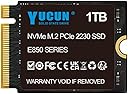
🚀 Elevate your device with speed and storage that keeps you ahead of the pack!
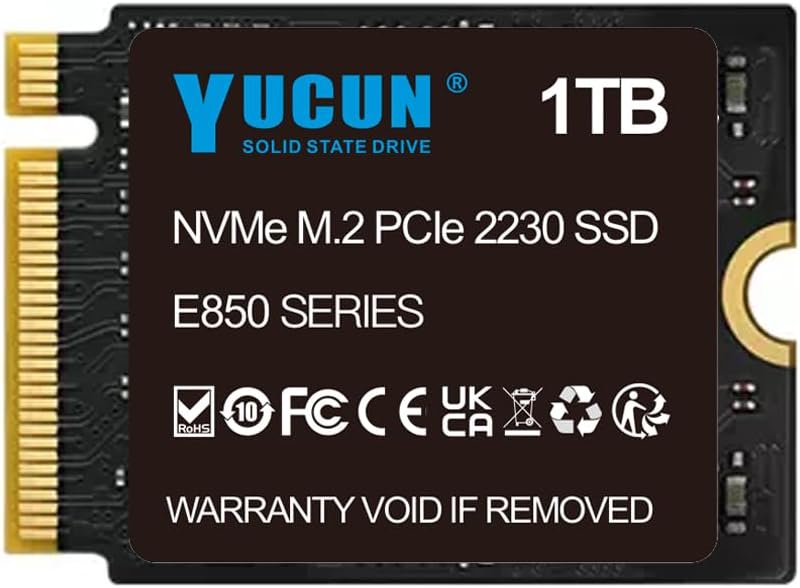
The YUCUN E850 1TB M.2 2230 NVMe SSD delivers ultra-fast PCIe storage in a compact 22x30mm form factor, perfect for Steam Deck, Surface Pro, and other portable devices. With read speeds up to 3500MB/s and write speeds up to 2500MB/s, it ensures rapid data access and lag-free gaming. Its durable, silent design with no moving parts makes it ideal for on-the-go professionals and gamers seeking reliable, high-capacity storage.
| ASIN | B0CFVCJMWV |
| Best Sellers Rank | 92,116 in Computers & Accessories ( See Top 100 in Computers & Accessories ) 475 in Internal Solid State Drives |
| Box Contents | YUCUN 1TB M.2 2230 NVMe SSD PCIe Solid State Drive |
| Brand | YUCUN |
| Brand Name | YUCUN |
| Cache Memory Installed Size | 1 |
| Color | NVME 2230 |
| Compatible Devices | Laptop, Game Console |
| Compatible Video Game Console Models | Valve Steam Deck |
| Connectivity technology | NVMe |
| Customer Package Type | FFP |
| Customer Reviews | 4.4 out of 5 stars 4,562 Reviews |
| Digital Storage Capacity | 1 TB |
| Digital storage capacity | 1 TB |
| Enclosure Material | SSD |
| Form Factor | M 2 |
| Hard Disk Description | Solid State Hard Drive |
| Hard Disk Form Factor | 2230 Millimetres |
| Hard Disk Interface | Solid State |
| Hard disk form factor | 2230 Millimetres |
| Hard disk interface | Solid State |
| Hard-Drive Size | 1000 GB |
| Hardware Connectivity | Solid State Drive |
| Hardware Platform | PC/Mac/Linux/Unix |
| Installation Type | Internal Hard Drive |
| Manufacturer | YUCUN |
| Manufacturer Part Number | E850 1TB |
| Media Speed | 2500 megabytes_per_second |
| Model Name | E850 1TB |
| Model Number | E850 1TB |
| Network Connectivity Technology | NVMe |
| Number of Items | 1 |
| Product Features | Shock Resistant |
| Read Speed | 3500 Megabytes Per Second |
| Special feature | Shock Resistant |
| Specific Uses For Product | Gaming, Multimedia |
| Unit Count | 1.0 count |
A**Y
Excellent value, good but not outstanding performance
I got the 240GB SATA-III version. This is a 7mm 2.5" standard SATA drive which easily replaced a spinning hard disk drive in a laptop I refurbished. It arrived in a small cardbord box with a plastic inner; as expected there was no cable nor 7->9mm spacer. The BIOS recognised it first time, it formatted, took a Windows 10 install and lots of data just fine. Per gigabyte this is amazing value. Its performance is mid-range which is good for the price. Its performance is roughly on par with a Sandisk SSD Plus, but it is not as fast as a Samsung Evo nor Crucial MX which cost twice the price. Unless you are an expert in storage performance, you will probably never notice, and it feels extremely fast - booting Windows 10 from cold to login screen in under 7 seconds for me. Highly recommended for everyday users, office workers and mid-range gamers who want a bit more space than a basic 120GB model for hardly any more money whilst still retaining good speed. The sequential speeds are actually very good for gaming and media work, it's just the random IO that is merely "above average". Highly recommended.
D**N
Decent speed. Time will tell on quality.
I guess time will tell with this, but at the moment it works perfectly fine. Cheapest new 120gb SSD I could find. Wanted it for a dual booted 2nd Windows OS. Due to the cloud storage and my games being on steam and Uplay my OS drives aren’t that critical anymore as I can have a new one installed and set up in less than an hour. So I’m happy to take the “risk” on an unknown brand. Tested in crystal mark and it goes head to head with my Sandisk Plus 240gb which is a mainstream SSD. See the image. The Yucun benchmark is on the left and the Sandisk on the right. For those who haven’t installed an SSD before, the installation is straight forward. For a desktop, just take out the old drive (2 cables - 1 data, 1 power) whether SSD or HDD and just pop the new one in using the same cables. If you are adding this in as an additional drive you may need to buy a new SATA data cable. Which should only cost a couple of pounds. The two cables will only fit one way round. Also check you have a spare power connector (flat black connector). If you only have a spare white/black moles (with 4 circular holes), you can get a small adapter to convert to SATA power. For a laptop, you usually unscrew a small back cover and then lift up a small “caddy” and take the existing drive out of that and replace, and drop back in. It not very usual for a laptop to enable a 2nd drive to be installed. You can migrate your old OS to the new dive with various free software such as Minitool Partition Wizard Free. 120gb is the minimum I would recommend as an only Hard drive. Enough for the OS and basic data. If you are a gamer or have a lot of media content, I’d go higher. With current prices I would start at 500gb as a single dive, but this is still limiting for gaming with many AAA games now exceeding 30-40gb and some over 100gb.
G**H
Excellent quality hard drive. Fast. Reliable. A bargain.
What can I say apart from excellent. My old trusty dell laptop had stopped working and the fault seemed to be the hard drive. Work got a new one so I took it home nd bought this drive to repair it. Wow. What a bargain. Installed the drive easily in minutes - just plug and play. Having installed win10 on it and booted up its great. Boots really quickly (10-15 seconds!!) and is totally silent in use. Old laptop feel like brand new. I've had no problem in the 3 months it has been installed and have no reason to expect any. All I can say is if you are thinking of buying this stop thinkjg and just buy it. You won't regret it.
D**R
Yu don't and I won't
Yucan#: SH00R204GB Controller: SM2259XT Sata 6Gb/s Flash: SpecTek/Micron MLC 3D Nand OS: Win 10 DRAM-less SSD's have a bad rep. They offload functions to the less efficient system RAM which can result in lower speeds and reliability especially with random writes. However if implemented correctly DRAM-less drives definitely have a place in the domestic market where their cost advantage and performance gains over traditional drives are plain to see. On the board there is a single SpecTek/Micron MLC 3D Nand chip. The other chip is a Silicon Motion SM2259XT 'DRAM-less' controller which offers "best in class performance" and lower cost over the 'DRAM-ed' SM2259, without allegedly "compromising performance or reliability due to proprietary NandXtend(tm) data integrity technology." The sequential read and write speeds are quoted as 560MB/s and 520MB/s respectively. This was benched in several different programs hopefully to give an accurate indication of performance, that is not to say that this reflects real world use when OS buffering and sporadic access are prevalent more than transfers performed under ideal test conditions. I settled on Atto(raw) and ASSSD(material) results as a representative assay of raw and real-world performance and include a comparison with a Seagate ST1000LM035 Sata-6 5400rpm, the drive it replaced, I halted the random tests as they were taking too long. The SSD performs very well in real-world compared with the mech and this is evidenced by blazing boot and application speeds in Windows, transforming the overall user experience. However, on inspection of the raw figures there are anomalies at certain block sizes where the write speed drops almost to zero. I can only conclude this is caused by the cost factor of memory used as the part numbers don't match with their listed modules - and throttling back by the controller as error correction kicks in or maybe they didn't to wire it up properly. Either way it doesn't seem to affect material performance and only time will tell how reliable these are.
D**B
How to Review a Hard Disk?
Half a terabyte is about the minimum I find useful for a C Drive. This product matches my size requirement, and was a good price. I cloned my existing boot disk, then swapped this over, upgrading to the latest version of Windows 10 to be on the safe side. The whole process took a couple of hours - all but about five minutes of this spent by me doing something else. Everything works much faster. And that's about all I can say. Then again, that's about all I really wanted. A few weeks ago, the system that I put together in 2009 failed - a burned-out motherboard. So I spent a few pounds on E-Bay for an Intel DQ67OW, plus i3 CPU. This is old stuff, but much newer than the second-hand stuff I put together a decade ago. The new system was faster than the old, and ran Windows 10 without any of the annoying problems I was having with the old system. I then noticed that the boot disk dated from 2007, and decided that an SSD would make all the difference for speed, and might be less inclined to burn out. And it does make all the difference. For Office 2016, lots of web browsing, and a bit of audio and video cooking, I don't need more than I have, and probably wouldn't notice much difference. Of course, if the disk burns out in the near future, I will come back with a whiny revision to this review. Until then, I will say that the product seems to be excellent value for money. I hope it is. I rather believe it is.
A**E
You need this, great drive, great price.
With some trepidation, I ordered this 480GB drive, not really expecting it to give the performance advertised, but hoping for something close to that. I fitted it into my HP G6 laptop replacing a 500GB conventional drive. The difference is amazing! With the old drive it took around 45 seconds to fully boot into Windows 10, but with this SSD it takes a mere 7 seconds. Everything loads and saves much faster than previously, and of course no hard drive noise to interrupt the peace and quiet (the cpu cooling fan is temperature controlled so I rarely hear that). I used a free copying program to transfer my old drive contents to the SSD, selecting the optimise for SSD option, and the new drive in an external 2.5 inch case. Fitting the new drive is simply one out - one in once you know how to open the laptop case. I'm so impressed I've just ordered another one (now at a reduced price - £8 cheaper!) and that will live in my desktop computer :-)
W**M
Failed within 2 months!
I have never written a review before but I felt this purchase needed me to say STAY CLEAR OF THIS SSD! It installed perfectly and ran normally fine for 2 months after which it failed. Not enough to instantly stop working. Just enough to corrupt all my files and not allow my pc to boot. As I had been using it for two months and it had been used to access bank accounts, and as a small part of the drive was still accessible when externally plugged into a different pc, I was not happy sending it away. The Seller 'Yucun European Official Store' instantly directed my complaint straight back to Amazon saying that 'they would refund me and it was nothing to do with them'. Amazon would of course refund but only if I returned the item, which I didn't want to do for fear of what might be on the drive. Actually felt that Amazon were very helpful. I then attempted to contact the seller again and have been ignored ever since. Not sure what the supposed 3 year warranty is worth when the item is quite obviously not fit for purpose! Anyone who has had a pc drive fail on them knows how disruptive it can be not to mention the possibility of losing family photos etc. If you are trying to choose between this drive and the slightly more expensive Samsung drive, like I was, trust me and go for the Samsung. It may be £30 more but believe me it this one is not worth the hassle and I hate to think of other people losing their whole computer. I wouldn't have another of these drives if they paid me!
S**D
Very impressed - good value device
This is well packaged and does what it should. It performs slightly better (for me) than its stock performance times. Early days so I am unsure of durability but for the money it is excellent and I would be quite happy to try one of their larger versions in the future. It comes with screws! Not many do. It looks premium but at a budget price. It is unformatted (normal) so for those who are not technical, it would need formatting before you can use it. As a replacement drive, it is just the ticket. There is no cloning software, however there are many free tools around, such as G4L - which is a self booting Linux disk which will clone just about anything. I will probably buy another before the year is out. UPDATE: Now a whole year later and it's still fine. I've bought about 5 of them sinceI did the original review. Very happy with it.
B**T
Works as expected
Used this brand of SSD to upgrade old Dell laptop with sata drive No issues.
P**.
SSD 2.5 interne pour PC portable
Très bon rapport qualité-prix
M**N
Perfect for Steam Deck
Replaced the original Steam Deck 64GB with this one right away. Works flawless, use it as multiboot between Steam OS and Win11. Fast and reliable so far.
S**.
Funciona en la Steam Deck
He utilizado la unidad en la Steam Deck, fácil instalación y correcto funcionamiento, nada que objetar.
M**C
Flotter Ersatz für lahme Ente (64GB MMC Steamdeck)
Benchmark habe ich beigelegt, diese NVME ist wahnsinnig schnell in den ersten beiden Kategorien, bei Random Read/Write ist sie etwas langsamer als manche andere NVME aber noch immer wesentlich schneller als die 64GB MMC Speicher mit dem das Steamdeck ausgeliefert wird. -Für jeden den es interessiert, gibt es im Netz auch einen Kdiskmark zum Steamdeck mit der NVME(glaube 256GB) zu finden, dieser testet ähnlich und die Ergebnisse sind wie folgt: SEQM1 Q8T1 Read: 2.353 vs 3.624 | Write: 1.135 vs 1.994| SEQ1M Q1T1 Read: 1.404 vs 1.994 | Write: 1.140 vs 1365| RND4K Q32T1 Read: 694 vs 381 | Write: 442 vs 258 RND4K Q1T1 Read: 51 vs 58 | Write: 237 vs 160 Also: Selbst für Steamdecks mit 256GB oder vielleicht auch 512GB NvMe Speicher eignet sich dieses 1TB Upgrade durchaus. Bei größeren Datenmengen ist der Speicher deutlich schneller als der im Steam Deck, bei kleineren und zufälligen Zugriffen tut er sich etwas schwer allerdings fällt er hier nur beim ersten Test stark zurück beim zweiten RND4K ist der Speicher sogar etwas schneller beim Lesen und ein wenig langsamer beim Schreiben. Allgemein muss ich sagen, dass alles schneller geworden ist, das Deck startet schneller, Updates funktionieren schneller und allgemein fühlt sich alles reaktionsfreudiger an. Ich habe mein Steam Deck mit Windows 11 Pro (Tiny11) ausgestattet und kann sagen, dass es ein ausgezeichneter HTPC ist, mit dieser Drive erst Recht, das beigelegte Bild ist aus einem Foto der beiden Speicher vor dem Einbau entstanden und mit Photoshop direkt am Steamdeck ausgeschnitten und mit den Benchmark Ergebnissen kombiniert worden.
Trustpilot
2 weeks ago
5 days ago