Desertcart purchases this item on your behalf and handles shipping, customs, and support to UAE.
🖨️ Print smarter, faster, and greener—because your productivity deserves the best!
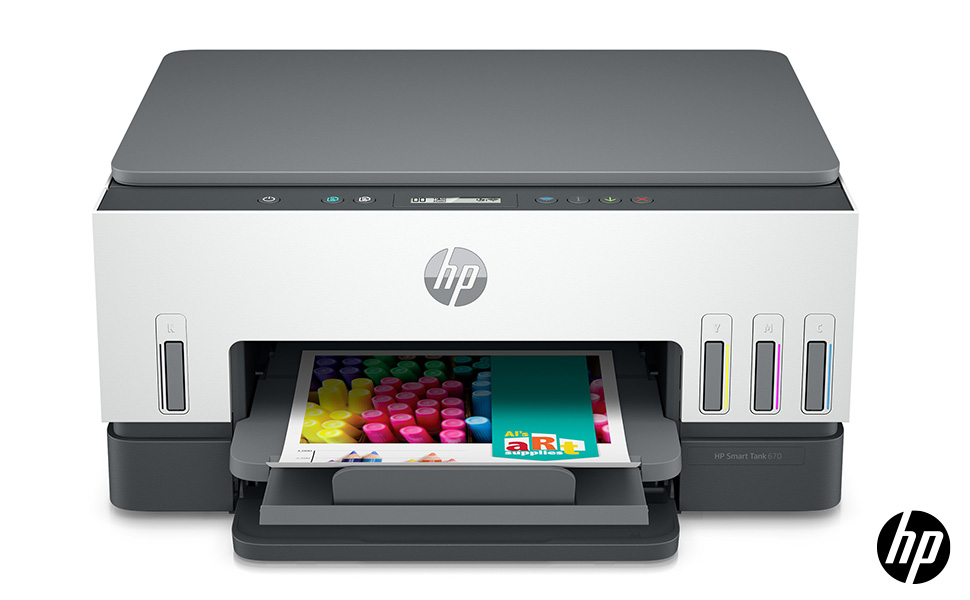
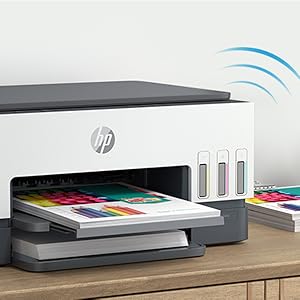
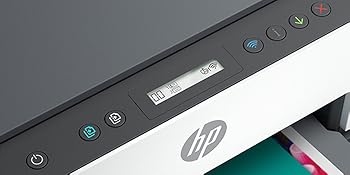
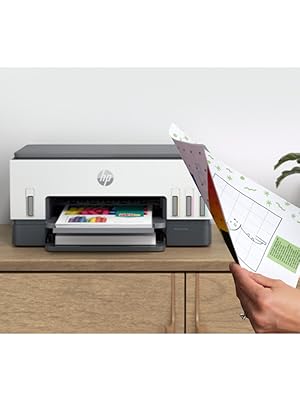
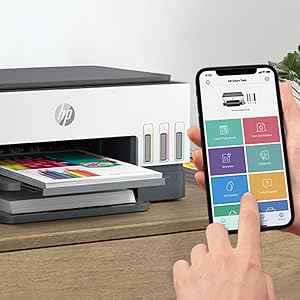
The HP Smart Tank 670 is a versatile all-in-one inkjet printer designed for high-volume home or office use. It offers wireless printing, copying, and scanning with automatic duplex functionality, delivering crisp black-and-white prints at 12 ppm and vibrant color prints at 7 ppm. Included are up to 18,000 black and 8,000 color pages of Original HP Ink, supported by a cartridge-free refill system and smart-guided controls for easy operation. Its dual-band Wi-Fi with self-healing ensures reliable connectivity, while the HP Smart app enables mobile printing and scanning from anywhere.


| ASIN | B0CQ7TF4H1 |
| Additional Printer Functions | All In One |
| B&W Pages per Minute | 12 ppm |
| Best Sellers Rank | #880 in Computers ( See Top 100 in Computers ) #6 in Ink Tank Printers |
| Brand | HP |
| Built-In Media | Ink Bottles |
| Color | Black |
| Color Depth | 24 bits_per_pixel |
| Color Pages per Minute | 7 ppm |
| Colour | Black |
| Compatible Devices | Smartphones |
| Connectivity technology | Wireless |
| Control Method | App |
| Controller Type | iOS |
| Country of Origin | China |
| Customer Reviews | 3.8 out of 5 stars 140 Reviews |
| Dual-sided printing | Yes |
| Duplex | Automatic |
| Hardware Interface | Ethernet |
| Ink Color | Grey |
| Item Dimensions D x W x H | 36.4D x 42.7W x 19.9H centimeters |
| Item Type Name | Inkjet Printer |
| Item Weight | 8.6 Kilograms |
| Manufacturer | HP |
| Maximum Copy Speed Black and White | 12 ppm |
| Maximum Media Size | 8.5 x 11 inch |
| Maximum Sheet Capacity | 100 |
| Maximum print Resolution Color | 4800 x 1200 dpi |
| Model Name | HP Smart Tank 670 All-in-One |
| Model Number | 6UU48A |
| Model Series | HP Smart Tank |
| Model name | HP Smart Tank 670 All-in-One |
| Number of Trays | 1 |
| Other Special Features of the Product | Network-Ready |
| Paper Size | 215.9 x 355.6 |
| Print media | Paper (plain) |
| Printer Connectivity Type | Wireless |
| Printer Output Type | Color |
| Printer Type | Inkjet |
| Printing technology | Inkjet |
| Scanner Type | Flatbed |
| Special features | Network-Ready |
| Specific Uses For Product | Office |
| UPC | 195908303312 |
| Warranty Description | This item is eligible for 1 year of warranty provided by the Manufacturer /Brand from the date of purchase. You can contact Manufacturer/Brand or Seller for more details |
A**D
I made the right decision
I previously owned the HP Smart Tank 515, which served me well for over four years without the need to buy any ink cartridges — in fact, the color ink levels were still nearly half full despite regular use. Overall, I was genuinely impressed by HP printers for their durability, reliability, and print quality. Upgrading to the HP Smart Tank 670 turned out to be a great decision. I chose not to replace the printhead on the 515, as the cost would have been nearly half the price of a new printer. The 670 is an excellent option for those who don’t want to switch to a laser printer. The color printing exceeded my expectations — the colors are rich and vibrant, producing images that can easily rival laser prints. The 670 is also noticeably faster, capable of printing full-page color images in just seconds. One of the features I appreciate most compared to the 515 is the front-loading paper tray, which is far more convenient than rear-loading. Plus, the automatic double-sided printing is a major bonus. I’m very happy with my decision. Even though the HP Smart Tank 585 (the successor to the 515) comes at a slightly lower price, I believe spending a bit more on the 670 was absolutely worth it.
E**A
Worst printer ever
I have bought this printer , but the connectivity issues is insane. Printer often printed pages half of less than half, printing and stop suddenly, don’t remember what printed and what left , also paper jam issues and now when printer goes to stand by as asleep , nothing is working !
A**R
Reliable, fuss free wifi printing
I've been using this Smart Tank for a few months before posting a review, as I think that most people want to know how the product performs in real life, as opposed to an unboxing: because 'and then what ...' Setting up the unit was simple. Even the jeopardy moments of filling the ink tanks from the bottles that came in the box went well. HP have designed a system that works efficiently and sensibly. Or as they would put it 'smart'. Connectivity is a challenge for most wifi printers. I am pleased to be able to say that connecting to the network and starting to use the printer was smoother than I have experienced before. The HP interface is well organized (as it should be after all this time as a category leader) and the printer delivers what I want printed almost always flawlessly. It's not been without its moments - we had a few days when the documents did not spool properly into the printer memory and it churned out page after page of almost empty paper. But, overall, I am happy with this unit - moreso, because I had not read the description well enough and understood that it is a duplex printer. For a small unit, that's really quite impressive.
M**U
Good quality
I**M
ممتاز جدا
من اجود انواع الطابعات التي اشتريتها إلى الان يبقى الحبر الذي يعبا من عبوات مرفقه مع الجهاز مده طويله ويطبع من الاوراق حوالي فوق ال8000 ورقه على استعمال واحد من الأحبار
M**A
Excellent printer, value for money, and high quality print
If you are frequently printing papers, this is an excellent choice, and it will save you a lot of money. Filling the ink is quite cheap relative to the number of pages that it can print. I highly recommending it.
R**M
Good printer scanner, Connectivity is a NIGHTMARE
I simply don't understand why anyone would make, market, and sell a network printer, (and a wireless one at that), if it's always in sleep mode and there is absolutely nothing you can do to wake it up in order to print or scan anything, besides go to the printer, turn it off and back on for it to be able to take any commands over wifi. I have tried everything, including a fresh re-install (and it is a nightmare to FULLY uninstall and reinstall), speaking with HP support on whatsapp for 2 straight days only to reach the conclusion that it is a power saving feature! Which by the way you cannot disable from the settings. The best you can do is prolong it from 5 minutes by default to 15 minutes and that's it. It is ridiculous. Everything works fine for the first 5 minutes but after that the printer goes to sleep and in spite of the blue wifi light being on, meaning the printer is still connected to the network, and in spite of it showing that green cloud on the app and saying "ready", nothing really works. If I try to scan from phone it says "feature not available". If i try to print it says "looking for scanner". It is so frustrating I have come close to smashing it to pieces many times over. Connectivity through the both the desktop and mobile app is really poor and slow and every time you try to access a feature you have to pray for it to work. And most of the time it doesn't. It's a really big disappointment to have all this technology and pay this price to obtain a product you feel hasn't gone through any serious testing. I mean yea the features are great and work fine, but you have to keep the printer on its toes and not allow it to sleep?? Unbelievable. I will try to set it up again on ethernet connection and hope it works better. I wish I had tested this before...
ا**ل
Uae
ممتاز
T**M
مشكلة في الطباعة، وأمازون لم يوفروا اي معلومات عن وكيل الصيانة لها في مصر
لا أنصح بها، بعد شهر حصل مشكلة في الطباعة، وأمازون لم يوفروا اي معلومات عن وكيل الصيانة لها في مصر
A**R
HP 750 Smart Tank
The printer was super easy to set up. It prints decent quality and at good speed. Every now and then only half a page prints and it jams up, when loading a print batch of 20 pages or so. It's done that perhaps one out of ten print runs. Its irritating and disappointing but once the jam is cleared its easy to get going again. I'm hoping it's the paper causing the glitch. Time will tell.
A**T
Huge ink repositories!
Very good!
A**R
Wifi Connectivity Issues
It took a while to get it working right. Setup on wifi just didn't work. The new HP Smart app is not great. Once on ethernet it was OK. Wireless printing also works.
D**T
Great Printer
It does everything it says it will do. It is quiet and fast. And great savings on ink prices. However I think I should have gone one model up. It’s a great printer
Trustpilot
1 month ago
5 days ago