Desertcart purchases this item on your behalf and handles shipping, customs, and support to UAE.
📚 Elevate your reading game—see every word, not the glare!
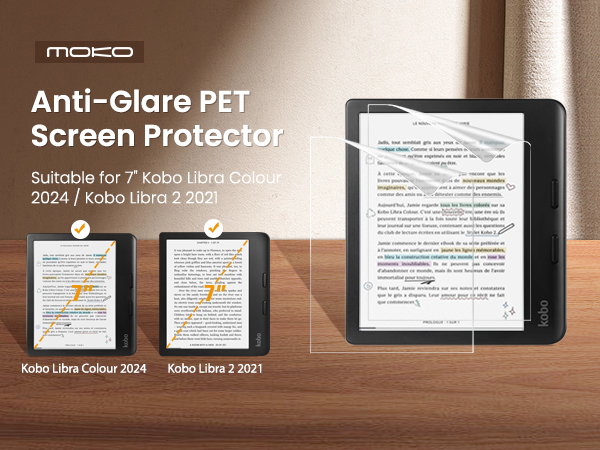
The MoKo 2 Pack Anti-Glare Screen Protector is engineered specifically for the 7-inch Kobo Libra Colour 2024 and Kobo Libra 2 2021 e-readers. Crafted from premium PET material with a 4H hardness rating, it offers durable, scratch-resistant protection while maintaining crystal-clear touch sensitivity. Its matte, anti-glare surface minimizes reflections for comfortable reading in any light, and the precise edge-to-edge cut ensures full screen coverage. Compatible with all Kobo Libra 2 cases, this protector delivers a sleek, bubble-free installation experience and comes with two protectors per pack for long-term use.


| ASIN | B0BGP3NGYR |
| Best Sellers Rank | #8 in eBook Reader Screen Protectors |
| Brand | MoKo |
| Brand Name | MoKo |
| Clarity | 100 |
| Color | Matte |
| Compatible Devices | Kobo Libra Colour 7 Inches 2024/Kobo Libra 2 E-Reader 7" 2021 |
| Compatible Phone Models | Kobo Libra Colour 7 Inches 2024/Kobo Libra 2 E-Reader 7" 2021 |
| Customer Reviews | 4.1 out of 5 stars 1,215 Reviews |
| Finish Type | Matte |
| Included Components | 2*PET Scrren Protector |
| Item Dimensions L x W | 5.55"L x 3.98"W |
| Item Hardness | 4H |
| Item Weight | 11.34 g |
| Manufacturer | MoKo |
| Material | Polyethylene Terephthalate |
| Model Number | P723314093307 |
| Number of Items | 2 |
| Part Number | P723314093307 |
| Product Dimensions | 5.55"L x 3.98"W |
| Screen Size | 7 inches |
| Screen Surface Description | Matte |
| Special Features | Anti Glare |
| UPC | 840401413340 723314093307 |
| Unit Count | 2 Count |
| Warranty Description | 3 months |
C**R
Works well for my needs!
Really wanted a screen protector to protect my kobo libra color and this works just fine! As you can see there is a little air bubble here and there but it honestly doesn't bother me. Screen protector was easy to install and fits flush against the screen. For the price, I recommend!
H**N
Use guide stickers and leave factory plastic on as long as you can
Ok so yes. These can be tricky to install. SOMEHOW I managed to get my first one nearly perfect so here are my tips: Use the video demonstration for the MoKo Kindle 7” Paperwhite protectors. I reached out and the seller sent me the link to that listing. It gives a much better visual of what you’re supposed to be doing with the guide stickers and backing and all that. 2nd, and maybe most importantly, leave the manufacturer’s plastic on till the last second. That way you won’t have to deal with much grime and dust to begin with. My mistake was skipping the cleaning sticker altogether. If I had used it briefly on the edges of my screen I woulda been golden. But keeping the plastic on till I was ready to wipe and peel helped me get things *almost* bubble free. I also had a dust collector running in the room (one of those nail ones). Dunno if that helped or not but I was anxious. 😆 I dusted my work surface and put my hair up for good measure 😅 In the end I wound up with one speck of dust and a tiny hair entrapped under the protector 😭 They are on the edges where the factory film had started peeling up. I didn’t install the film perfectly straight but it still looks good. Overall I’m pleased and I have extra sheets for the future if needed. I like the matte feeling when I use my pen too, btw. It adds some resistance. I’m not bothered by text clarity or whatever. Hardly noticeable to me (but I’m new to ereaders).
T**R
Can't even tell it's there
There's a tiny gap at the top of mine that I was initially worried about but I don't even notice it. I can't even tell I have a screen protector on my Kobo and it doesn't seem to affect my stylus sensitivity at all. There were some minor bubbles I was worried about when I installed it too but they all went away. Great screen protector!
T**.
Easier to install with updated directions ( old review title: Difficult to install)
Original review follows this updated one, below the asterisks. This rating has been increased from 3 to 4 stars. I would give 5 stars if the updated instructions were included in the packaging in the future After writing my original review, customer service reached out to me and offered me a full refund, or a replacement. They also included a set of instructions that make use of the included guide stickers (which would've been good if I hadn't already ruined both protectors 😅). However, after reading the new instructions, I decided I'd give it a try because it seemed possible to get a better installation, and so I opted for a replacement. I received my replacement very quickly and installation was a success! Customer service was very communicative through the whole process, and they really seemed to care that I had a good experience. This screen protector is beautifully matte, feels great when writing with the stylus, and doesn't add any glare in sun or indirect lighting situations. I feel confident that my screen will be protected from accidental scratches from my stylus, or careless cat claws, or an accident in my bag if something gets inside the sleep cover against the screen. I do use the screen protector in conjunction with a sleep cover, because with e readers, it is very important that you prevent impact to the screen, or force applied, especially to a small area, to keep the glass substrate from cracking. The screen protector is wonderful, but it really hinges on proper installation. I offered feedback that they should include the other directions in the package and on the box in future production runs, and everyone who buys one of these in the meantime should get a copy of the other instructions emailed to them. This won't solve everything, unfortunately, because some people just aren't going to see new and improved instructions unless, and until they are included in the packaging, but hopefully it could reduce some frustration. Do not use the instructions printed on the box, and do not use the instructions on the paper inside if they do not include the use of guide stickers. The guide stickers are essential to getting the protector to line up properly, and their use also prevents little bits of dust from getting staticked onto the screen, which is what happens if you use the installation method of gradually pulling the backing off from underneath the protector. ********************* I've purchased 2 packs of these so far, and I've only managed to install 1 out of 4 screen protectors successfully (well, only one dust speck under the screen and one lifting corner). I consider myself to be pretty good at installing screen protectors! I do them for myself, my husband, my friends, but I could not get these. The screen protector itself is lovely, it feels satin smooth, is low glare, and feels pleasant to use my stylus on. I successfully installed one on my Kobo Libra 2 which I lent to my sister, but I cannot get a satisfactory install on my Kobo Libra Colour. It's infuriating. Every single time, I get little dust or dirt particles stuck to the protector, and am not able to remove them from the adhesive once they're there. I've tried this in 3 different locations between my home and work hoping that one of them would have less dust! It's also difficult to line the protector up to install. I have tried peeling part of the short edge film, then pressing it down while gradually peeling the rest, I've also tried the long edge. I find it's hard to get it to line up on the screen. I think I'm doing well, but I get to the other side and the protector is crunching against the frame and not staying stuck down, just off by a fraction of a milimeter. I tried to use the puzzling 'guide stickers' (which were included but not explained anywhere) as sort of handles to maneuver the screen protector into the proper position, but they got stuck on the frame. And then when I get a screen protector stuck on in a straight manner, but see all the dust underneath, I want to cry. Then it's almost impossible to get under the edge of the protector to pry it off, which would be a great feature, if I could get it on there right in the first place! I really want to try again, but I can't afford to keep throwing away $5 on each protector when I fail! $20 already feels like a lot for one successful install, should I risk another $10 on 2 more tries?
A**H
literal garbage
Low quality, impossible to install without dust or bubbles. I'm super frustrated because I just wasted $10 on literal garbage there was already dust on the sticky side of the screen protector on both of the ones I received before I even installed it. I'm actually pretty good at installing screen protectors and do it regularly because I get a screen protector for literally every device I own and these are the worst ones I have ever received... the included accessories for applying are also unbelievably awful and actively flake off dust onto the product as you're trying to apply it. I made the mistake of my first attempt using the included material and after that was a bust I use my own stuff and it didn't matter cause there was still dust already on it before I pulled off the protective film. Don't waste your money.
A**R
Excellent quality and easy to put on
I followed the instructions in the listing video, and it was easy to follow and repeat. It was also very forgiving as I messed up the alignment a bit initially, but I was able to peel it off and get it right without ruining the screen protector, so happily enough, I have an extra now just in case I need it. The bubbles were easy to get out with the tool provided and without damaging the screen. You can just barely see there is a screen protector in the bottom corners, but it doesn't impact the screen otherwise, and the touch screen is just as sensitive with it on. Overall, super worth it for 10 bucks and would recommend.
P**C
Difficult to Get a Clean Bubble Free Install
I've installed a lot of screen protectors over my life. I've learned some tricks that help. 1. Run the shower. The water vapor helps take dust out of the air. This is the best thing you can do to help you get a clean install. 2. Use a hinge. Moko did provide some materials for this, but I prefer some duct tape. Duct tape also works to help remove any stray dust, kind of like the dust removers that are supplied. 3. Leave the factory protective coating on until you can apply the screen protector. You can still clean the screen with the alcohol wipe. If you have a blower for photography lenses and sensors it can be helpful. 4. Work from your hinge either down or across using the supplied card or a credit card to get out bubbles. Don't take the the entire backing off at the start. Peel it as you go working the bubbles out. If you get bubbles or dust, peel back up to the problem and deal with it. For dust use the adhesive from duct tape or the dust buster to remove. I did all of the above when trying to install on a brand new Kobo Libra Colour. It was really tough to get a bubble free install. I ended up ditching the screen saver because I wasn't happy. I managed to do better on the second one but still ended up with a couple of tiny bubbles near the edges. The bubbles aren't noticeable except to me and are invisible when the reader is turned on. I will say that I do really like the antiglare finish. It's also very nice to write on. Also, I don't generally take the top protective layer off until I have the screen saver installed. For this install I found it difficult to see bubbles with the top layer on. I took it off initially for my second attempt.
D**N
Apply by peeling under
I wasted my first screen protector by peeling off the underside film entirely. I ended up with microscopic specks causing about 10 permanent air bubbles. Peel back the top edge of the underside film. Align along the top of the screen and press gently along the middle of the screen protector as you peel back the film. This will leave you with zero bubbles and no specks. I have noticed that screen sensitivity, clarity, and low-glare are similar to the naked screen. I saw this fit the new Kobo Libra Colour and it does. It’s a bit snug for removal, but I like that the screen is very protected. Though I was careful, I got scratches on my first device (no screen protector) as the screen seems extra fragile. I definitely recommend getting this screen protector. I’m happy with this product and would recommend.
A**R
Low quality film
Application process still leaves bubbles and dust specs underneath
A**X
Bra produkt
Lätt att applicera, matt på riktigt, trevlig känsla med att använda stylus på den filmen. Det är bara viktig att placera den rätt från början vid översta kanten av skärmen, annars det ska sitta lite snett så jag behövde klippa ca 1 mm från vänster nedersta sida.
B**N
Damaged Product
The product arrived folded and damaged in the middle. The outer box was fine, but the product itself was defective. That’s why both of them have air bubbles. I used it temporarily, but I will replace it soon. It was a bad experience.
P**K
Doet wat het moet doen
Doet wat het moet doen! Geen enkel minpunt te vinden
C**O
Una delle due pellicole arrivata con un alone (RISOLTO)
Non ho molto da dire, essenzialmente la prima pellicola è stata scomoda da applicare poiché lascia delle porzioni del mio Kobo Libra 2 scoperte, ho provato ad applicare la seconda centrandola di più per compensare questo difetto dopo aver rimosso la prima e ho notato come avesse un alone in partenza guardando in controluce (ho usato i guanti monouso e seguito tutti i crismi), pessimo oggetto, ho deciso di usare il Kobo senza pellicola solo con custodia e case protettivo, potessi darei 0 stelle. EDIT: Il venditore è stato estremamente gentile, mi ha rimborsato completamente e mi ha mandato nuovamente l'articolo con delle istruzioni che mi hanno permesso di installarlo correttamente, la pellicola sembra resistente e di buona qualità, unico neo è che mi sembra che renda un pochino meno definito lo schermo.
Trustpilot
3 weeks ago
1 week ago