Buy anything from 5,000+ international stores. One checkout price. No surprise fees. Join 2M+ shoppers on Desertcart.
Desertcart purchases this item on your behalf and handles shipping, customs, and support to UAE.
🚀 Upgrade your WiFi game with Panda Wireless — speed, security, and compatibility in one sleek USB!
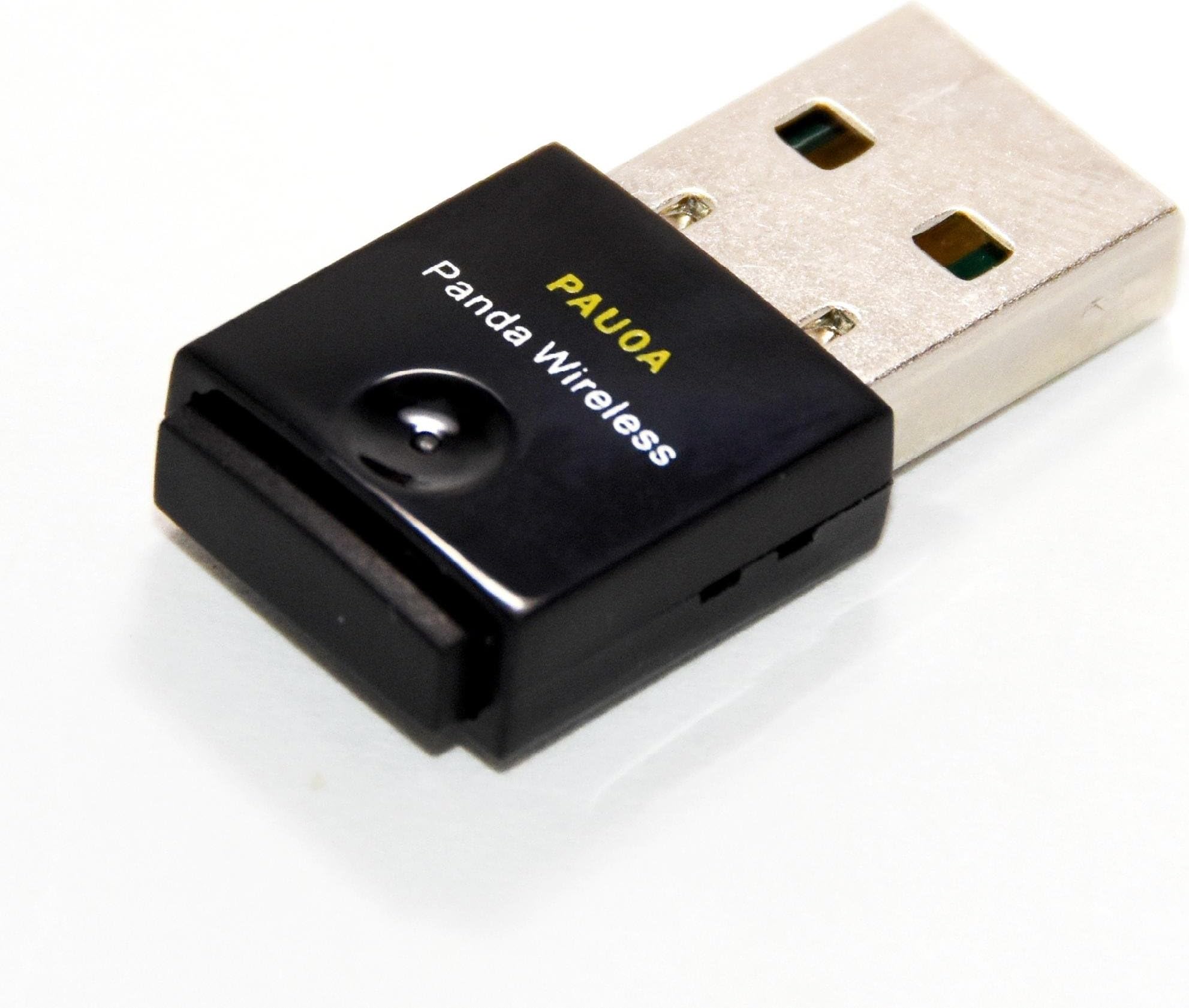
The Panda Wireless PAU0A AC600 is a compact dual-band USB WiFi adapter delivering up to 433Mbps on 2.4GHz and 5GHz networks. It supports a broad range of Windows and Linux operating systems, making it ideal for professionals who demand reliable, high-speed wireless connectivity across diverse environments. With advanced security protocols and a discreet design, it’s perfect for upgrading legacy PCs or Raspberry Pi devices without hassle.


| ASIN | B07C9TYDR4 |
| Best Sellers Rank | #135 in USB Computer Network Adapters |
| Brand | Panda Wireless |
| Color | Black |
| Compatible Devices | Desktop, Laptop |
| Compatible Operating System Family | ChromeOS, Linux, MacOS, Windows |
| Customer Reviews | 4.4 out of 5 stars 190 Reviews |
| Data Link Protocol | IEEE 802.11ac |
| Data Transfer Rate | 433 Megabytes Per Second |
| Hardware Interface | USB |
| Item Dimensions L x W x H | 5.6"L x 4"W x 0.75"H |
| Item Weight | 0.05 Kilograms |
| Manufacturer | Panda Wireless |
| Minimum Required Operating System Version | Windows 7 |
| Model Number | PAU0A |
| Product Dimensions | 5.6"L x 4"W x 0.75"H |
| UPC | 851860007018 |
| Warranty Description | 1 Year Manufacturer |
J**E
Good Linux Modem
Two of my older USB modems stopped working and were no longer supported by my Linux systems. I picked the PAU0A because I read that the driver was built into the latest kernal and it has a particularly small footprint. It worked with both my Ubuntu 22.04 and Qubes 4.3 systems, so I bought a second one with equal success.
S**R
Works with RPI openwrt
use the two mediatek drivers with the RpI image builder (openwrt), and you're off and running!
D**S
Panda does not disconnect WIFI like the Lenovo does every few minutes.
Best news is, the Panda Wireless® PAU0A AC600 arrived the next day. Bad news is, no instructions on installing on a Linux system. Guess they just assume we all know what we are doing. Tried the plug and play. Maybe it worked. Let me explain. Looks like there is a light on the Panda Wireless. Don’t know. No light came on. So I searched the Internet for Instructions. Nothing much on the Panda website. Does have a download for the driver. A set of instructions but the terminal comes back with files and directories do not exist lines. Tried the CD that was no help. It refused to open. Then onto the Internet again. Found some instructions along the lines of plug and play. Instructions said lower right, choose network. Mine is on the top right. Pull down for the battery, sound, power, restart, and power down. Which also has a WIFI option that now shows (2). Clicked on that and my WIFI network is now listed twice. Went over to settings where is now shows my laptop adapter and the MediaTek WIFI which is the Panda. Now I can switch between the 2. I opened a WIFI speed test. On both it hit a 1 time high of 90Mbps and usually between 10-20Mbps. Really poor. Tried 4 different browsers. All the same results. Upload is 10-20Mbps. I also tried my phone which hit a consistent 90Mbps. So what’s the problem with the speed? Not sure. The problem I was facing is with a Lenovo IdeaPad with the AMD Ryzen™ 7 3700U with Radeon™ Vega Mobile Gfx. It kept on disconnecting and I had to open WIFI and reconnect. You can find info on WIFI driver updates for other processors, but AMD does not offer a driver for Linux. Keep that in mind when ordering a new laptop. The good news is the Panda does work. The speed on the laptop is something internal. Good enough for what I do with a few hang ups. WIFI lingers between starting fast and at times hangs up. I am sure it is the laptop. The Panda appears fine. I would buy it again. The PAU0A AC600 is compact and does not stick out of the side much more than the mouse USB. Which is nice. After a few hours the Panda is not disconnecting every few minutes like the Lenovo did. I call that a success.
I**E
Percect
Perfect product perfect execution
K**S
Works on Ubuntu 24.04 - Instant Plug and Play
Ubuntu 24.04 LTS works out of the box, plug and play, no driver build needed. Immediately recognized within seconds could connect. Highly recommend...will take some time on quality and stability and repost but using on second floor of house, RAX29 Nighthawk is on first floor. 80 Mb/sec download could be better but this is likely ranging and power issue. Homelab PC without wifi built in so I just wanted to add wifi usb without hassle. The Panda has Mediatek chipset...important! Most of the other USB Wifi that work / don't work on Linux need driver building which is ok but not for novice to try and also chipset implementation and driver release which is so hit and miss because Realtek chipset is terrible. No development on this. Commits on Github and although fine driver...meh...I just want the thing to work and not go down the rabbit hole to config. I sent back two TP-Link to get here.
T**3
Installing in Linux OS
I have an HP laptop ( T500 ). I bought this USB Wi_Fi adapter in the hope of getting better wi-fi instead of using OEM wi-fi card in laptop. I am running MX-Linux OS 23.2 on the laptop. I followed the instructions and it took awhile to get through it. Somethings you need to do aren't explained clearly in the instruction manual on the CD for Linux. Once I got the steps done correctly, the driver installed. Rebooted the laptop and then inserted the USB Wi-Fi adapter and then connected to my Wi-Fi network. Did a speed test through Ookla Speed Test website. I got 160 Mbps download speed from X-Finity server, whereas the OEM Wi-Fi card in laptop I got 16 Mbps at best. My modem speed is 500 Mbps. Much better speed. So, in essence, it worked out really good. This Wi-Fi USB adapter is not plug and play for Linux. You have to install the driver.
F**.
Very weak signal reception
This wifi dongle is on a Jetson device with a Linux 4.9 kernel. Got the latest tarball from the Panda website and successfully built the drivers for it. Spent more time than I should have troubleshooting why it was not connecting the 5G radio and sometimes after connecting it would not stay long and would disconnect. The top advice on the web is weak signal if a wifi device behaves in this manner. I could not believe this to be case because the wireless router was in the next room separated by two back to back closets. Other devices in this same room have no problem and in fact some are much further away. Finally I moved the Jetson to the router's room and put it 2 feet away from the router. Now it works fine. Running: nmcli -f SSID,BSSID,CHAN,FREQ,RATE,ACTIVE,SIGNAL,BARS,SECURITY,DEVICE dev wifi list produced: SSID BSSID CHAN FREQ RATE ACTIVE SIGNAL BARS SECURITY DEVICE AtHome_5G D4:6E:0E:8C:E8:E6 36 5180 MHz 270 Mbit/s yes 75 ▂▄▆_ WPA2 ra0 The signal strength should be around 100, not 75. I recommend to NOT buy this device. Ridiculously weak signal reception.
K**L
Works out of the box with linux mint. Fast. But...
Works great with Linux Mint. Good throughput but I ended up purchasing PAU0B to get the range I needed because I use the laptop in a large building. PAU0A is probably adequate for maybe a 1500sq ft house. I'm guessing, maybe.
C**N
Panda wifi wireless adapter
Works great with Kali Linux. Had install the driver though.
Q**C
Good buy
Small form factor. Compatible with linux machines for monitor and injection mode.
M**Z
Funcionamiento regular en lInux
Lo quería para redes 5G con 50 MBs y solo toma como 28 MBs, un día antes me llegó un tplink que si toma los 50MBs. Lo bueno del Panda es que es plug and play. Lo malo del tplink es que hay que instalar el driver, lo cual es algo complicado.
C**N
Tel que décrit
Excellent. Fonctionne parfaitement avec min 22.1
T**Y
Working as described
Excellent
Trustpilot
3 weeks ago
2 months ago