Desertcart purchases this item on your behalf and handles shipping, customs, and support to UAE.
desertcart.in: Buy Makeblock DIY mBot 1.1 Bluetooth Version - STEM Education - Arduino - Scratch 2.0 - Programmable Robot Kit for Kids to Learn Coding & Robotics (Pink) online at low price in India on desertcart.in. Check out Makeblock DIY mBot 1.1 Bluetooth Version - STEM Education - Arduino - Scratch 2.0 - Programmable Robot Kit for Kids to Learn Coding & Robotics (Pink) reviews, ratings, specifications and more at desertcart.in. Free Shipping, Cash on Delivery Available. Review: Cool beans - It's awesome! Don't forget to install the updated firmware after you assemble it. If you're using a computer with windows OS, use one with version 7 upwards because you'll have to install a software called mblock 5 to install the firmware...the older version of mblock is obsolete. Make sure that your bot makes 3 loud beeps when you turn it on and turns of white LEDs the first time...if it's one soft, short beep then something isn't correct so install firmware. Have fun. Review: Melhor do que esperado. - Boa qualidade construtiva e de fácil montagem. A aplicação para android, sendo como um jogo interativo é mais desafiante para a criança e mais cativante.

| ASIN | B01N75EVF1 |
| Age Range (Description) | Kid |
| Age Range Description | Kid |
| Assembly Required | Yes |
| Brand | Makeblock |
| Country of Origin | USA |
| Customer Reviews | 4.5 out of 5 stars 558 Reviews |
| Educational Objective | Coding Skills |
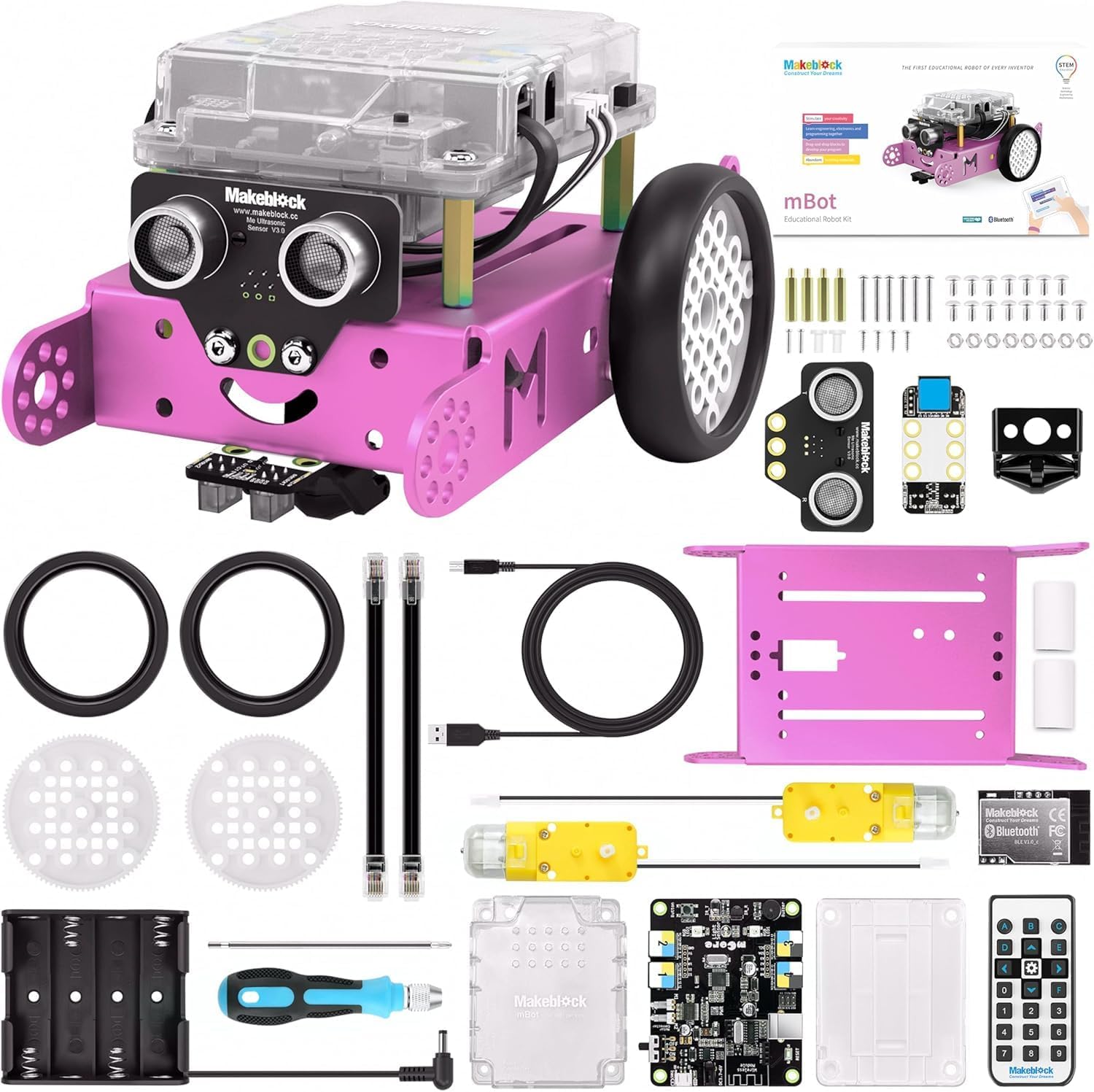
| Included Components | Chassis, Bluetooth Module, Me Line-follower Sensor, AA Battery Holder, mCore Case, Lithium Battery Shell, Line-follower Map, 2 Wheels, Mini Wheel, 2 RJ25 Cables, 2 Velcro Sticker Pads, Screwdriver, 4 M4x25mm Brass Studs, USB Cable, 15 M4x8mm Screws, 4 M2.2x9mm Self-drilling Screws, 8 M3 Nuts, 6 M3x25mm Screws, 2 Motors, 1 mCore, Me Ultrasonic Sensor and IR Controller (gift). |
| Is Assembly Required | Yes |
| Item Dimensions | 17 x 9 x 20 Centimeters |
| Item Weight | 1034 Grams |
| Item dimensions L x W x H | 17 x 9 x 20 Centimeters |
| Manufacturer | Makeblock |
| Manufacturer Part Number | 90107 |
| Model Number | 90107 |
| UPC | 761560172544 |
Y**E
Cool beans
It's awesome! Don't forget to install the updated firmware after you assemble it. If you're using a computer with windows OS, use one with version 7 upwards because you'll have to install a software called mblock 5 to install the firmware...the older version of mblock is obsolete. Make sure that your bot makes 3 loud beeps when you turn it on and turns of white LEDs the first time...if it's one soft, short beep then something isn't correct so install firmware. Have fun.
D**O
Melhor do que esperado.
Boa qualidade construtiva e de fácil montagem. A aplicação para android, sendo como um jogo interativo é mais desafiante para a criança e mais cativante.
R**A
Great!
My kiddo loves it. She is 8 and likes to build and sort of coding. Great way to keep her busy!
F**F
Klasse Geschenk
Den Mbot gab es zu Weihnachten. Unsere 9 Jährige Tochter war begeistert. Das zusammenbauen ging sehr gut und unsere Tochter hatte Spaß dabei. Die Steuerung mit der Fernbedienung geht richtig Klasse. Zum Programmieren gibt es Apps die sogar auf Deutsch sind. Ich als Vater bin begeistert und zum Glück auch unsere Tochter. Wenn man schon weiß daß sich das Kind darüber freut, vielleicht lieber den Aufpreis für den Mbot 2 bezahlen und von größeren Produkt Umfang profitieren.
R**Y
Really good build quality and daughter loves it
Feels will built out of the box, and very robust when children are not necessarily gently with it. My 6 year old daughter has really enjoyed progressing through the levels in the learning app. Would be nice if there were a few more levels in the app or some “challenges”. But now we’ve finished the levels we can just “free play” in the scratch environment and think of our own project. You have various sensors plus LEDs / sounds / motor movements and to base a project on . For example you can get the robot to avoid obstacles, flash its LEDs as indicators and so on. I noticed there is a newer model of mbot which is even more features. May well but that when daughter is a bit older.
J**Y
Fun little project but the value is in the coding app.
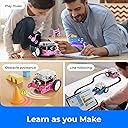
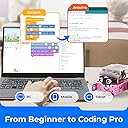
Really fun and simple "build" - probably takes about an hour if you let the kid do everything and figure out the instructions. The remote control is OK, you can do a few things and its cute. Comes with all the tools you need and its a nice little project. But the mBot app is amazing! Included for no extra charge, and it has a free-coding mode and a game/learning mode that progressively teaches about how to build code structures. Coding project cards included. If she keeps at it, I'll be getting some add-on parts to expand the robot. Great value for the money. I put the app on an old phone and gave the kiddo free reign to learn on her own.
Trustpilot
2 months ago
1 week ago