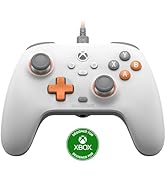
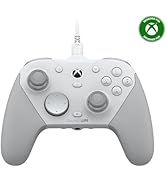
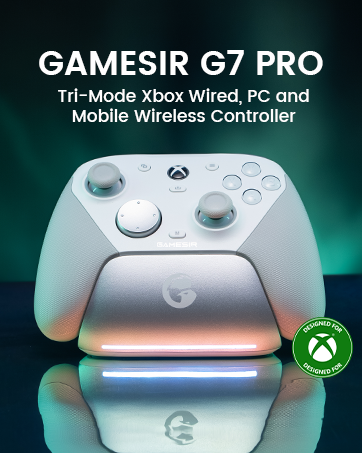
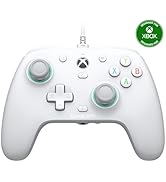
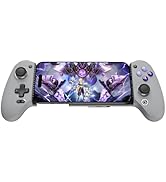
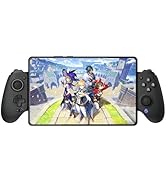
🎯 Elevate your game with precision, power, and pro-level customization!
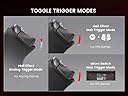
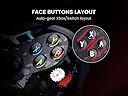
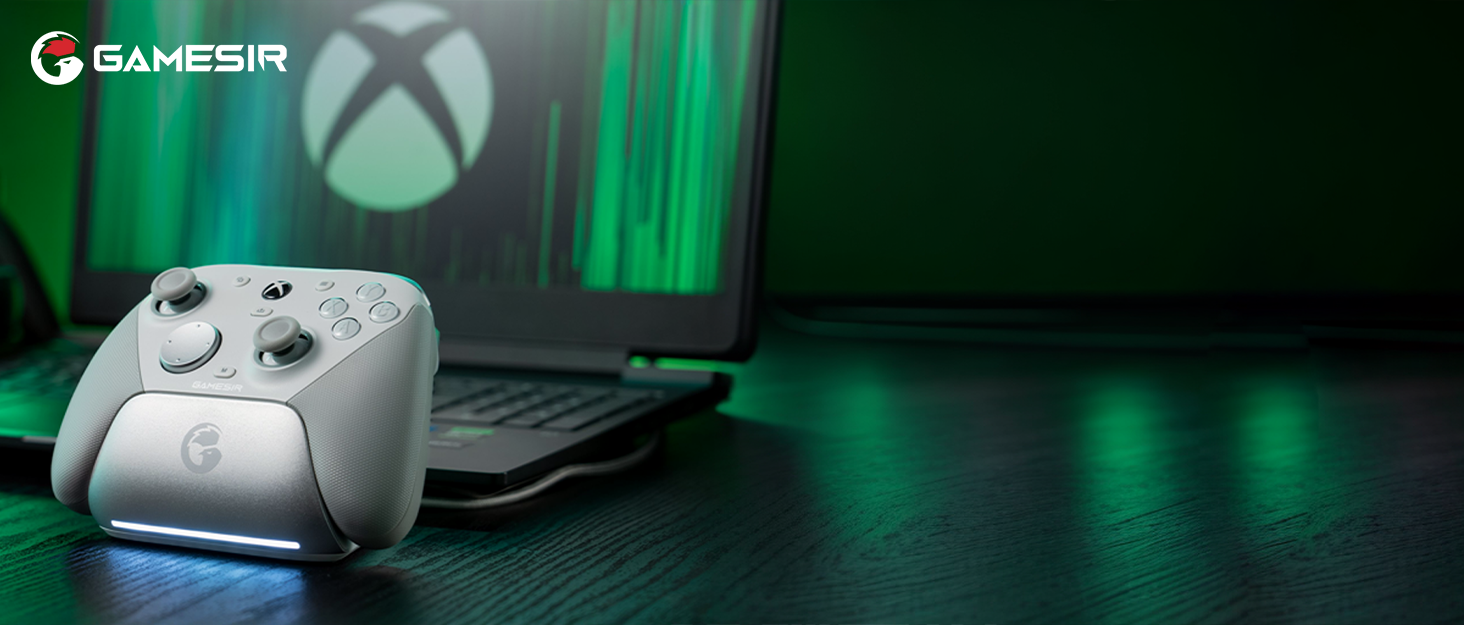
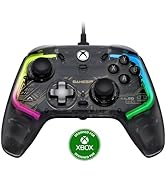
The GameSir Tarantula Pro is a cutting-edge wireless controller compatible with Switch, PC, iOS, and Android. Featuring adaptive ABXY layout switching, ultra-precise Mag-Res TMR sticks, Hall Effect triggers with hair trigger mode, and immersive HD rumble feedback, it delivers a premium gaming experience. Its 6-axis gyroscope and NFC support enhance motion controls on Switch, while extensive button remapping and RGB customization empower pro gamers. The included charging dock ensures your controller is always ready to dominate.


| ASIN | B0DFM8L3YH |
| Batteries | 1 Lithium Ion batteries required. (included) |
| Customer Reviews | 4.1 4.1 out of 5 stars (671) |
| Date First Available | October 8, 2024 |
| Item Weight | 11.5 ounces |
| Item model number | GameSir Tarantula Pro |
| Language | English, English, English, English, English |
| Manufacturer | GameSir |
| Product Dimensions | 3.94 x 2.4 x 6.22 inches; 11.46 ounces |
| Release date | October 1, 2024 |
| Type of item | CD-ROM |
J**R
The search is finally over. The perfect PC controller!
I've been looking for an ergonomically comfortable PC controller for years. Only the Sony DualShock 4 was comfortable enough to be my daily driver, but wasn't good for most PC games without DS4Windows. This controller supports Xinput (Xbox controller) natively right out of the box, so everything else just works! The grip is perfect, feels just like the DS4, the controller is hefty without freaking too heavy or low quality, the dpad is mechanical and feels AMAZING, as do the R/L buttons and programmable face buttons. Latency feels great when connected via the USB Dongle, she even better with a direct wired connection. The only caveat is that you MUST update the firmware on BOTH the controller (via a wired USB cable) AND the dongle using their software. And on top of that, you'll likely have to recalibrate the controller as well, which you can do without the software. Do a Google Search for "GameSir Connect" software, and choose to download it manually from their site. Do NOT use the Microsoft Store version; it will not work. The version you download should be (at the time of writing 1.4.1). Once you have the software, install it and connect your controller via USB. You should be able to go into the software and choose firmware update to get it to the most recent version. BUT YOU'RE NOT DONE YET! You need to update the dongle as well, or some of your buttons or analog sticks don't work when you try wirelessly. With the GameSir Connect app still open, plug in the USB dongle, then HOLD the button on the dongle itself; you should see messages appear about updating its firmware as well. For the most part, you should now be good to go. In some instances, you'll need to recalibrate the sticks too, if they're too sensitive or otherwise wacky. All you have to do is hold the Select/Windows button (middle left), the Start/Menu button (middle right), and Xbox/GameSir button (logo button between the sticks) to enter calibration mode. From there, once it starts blinking, hit RT fully 3 times, LT fully 3 times, then rotate each analog stick fully clockwise 3 times and counter-clockwise 3x, then press the A button (bottom face bottom) to complete the recalibration.
B**M
Worth the money
This is an excellent controller. I never use PlayStation style controllers but this one feels great in the hands and is more slim than a dual sense controller. Has a ton of features and remappable buttons. I only use maybe half of the remappable buttons because of how they are placed. The TMR sticks fill great. Similar to the feel of my game sir controllers. I use this on Xbox with a adapter and it works perfectly fine. You get so much controller for this price it's kind of crazy. The only thing I don't like which is my preference but the d-pad being to the left of the left thumb stick. But that's normal for this style controller. But makes it hard for me to access it while trying to still move with the left thumb stick in a game I have to reach over either with my right hand or let go of the left thumbstick and use the d-pad with my left thumb causing me not to move my character and I get shot like that lol but that's a personal thing. Great controller, definitely recommend it for a PlayStation substitute. The pictures are of the hyperkin competitor PlayStation style Xbox controller versus this one. The competitor is complete trash, don't get it lol.
J**S
Best controller since the DS3!!!
Once updated, this controller is fantastic. It's a little big, but its not hollow and clunky and cheap feeling like xbox controllers, it feels much closer to a traditional Dualshock. It's heavy, solid, and well balanced. Updating the controller AND dongle for the first time is frustrating and difficult, but if you can figure it out it's well worth it. It has the best feeling sticks of any controller I've ever tried, and the buttons are also incredible. Triggers are perfect and rgb is programmable from the app. It's the best aftermarket Playstation style controller out there, honestly better than a DS4 or a DS5, only the PS3 controller is better in my eyes, and only in size and shape, not quality.
A**R
Extremely unreliable wireless connectivity with long reconnect delays.
The Really Bad That Can't Be Ignored: Random disconnects using the wireless dongle. When the controller disconnects, the computer continues receiving the last responses it was given, to the imaginable horrible in-game consequences. It might go two days between a disconnect, or it might go five minutes. In my setup, the dongle is only about 2 ft. away from the controller, so this isn't a range issue. When the controller disconnects, it usually takes about 5 seconds to reconnect, although I've had to completely shut it off and pull the dongle from the computer to get it to reconnect. I haven't tested the controller using the wired mode as the entire point of purchasing it was to remove the wires. It might work better, but to reiterate, it is pointless to me. I want less wires being dragged around my desk, not more. I've been using the controller on a daily basis, and while the disconnections don't seem to occur any more frequently, they do still happen usually at least once per day. The Bad: Horrible software support with no true button remapping. I haven't used the rear "paddle" buttons at all because they can't be usefully mapped for my uses. The Good: Feels good in the hands, nice weight distribution, good battery life (for my uses). The sticks are nice, and move well. The triggers are excellent in linear mode or switch mode. The rear paddle switches recess into the body very nicely when disabled, and I don't even notice they're there. If you want to actually use the wireless functionality from the dongle, absolutely do not purchase this controller. It does not perform the function it is designed for and will have you replacing your drywall in short order.
J**Y
Solid symmetric PC controller.
First I'd like to say that the controller itself feels great in hand. Having a symmetric layout controller on PC is rare, and this is likely my first recommendation for anybody looking to get one. TMR sticks feel pretty good (not sure if they are as good as the ones in the Cyclone 2) The D-pad for being mechanical performs very well in fighters, and platformers alike. Like that it has digital trigger stops that have a satisfying click and feel. Triggers have a very smooth pull. The only con, and I suppose it could be a big one depending on how you want to use it is the extra button layout. It's really nice having so many extra buttons to assign to anything. Keyboard & mouse mapping included. The kicker is that half of the buttons aren't exactly easy to reach. Plus the Start & back buttons are mapped onto 2 very small buttons on the middles of the controller. They are significantly smaller than any other button on the controller, and it can be hard to find, and lead to accidental presses. It's fairly easy to get used to, and you could map the start & back buttons to the extra buttons you have, but then you're out 2 of your extra's. If you're a competitive player than I'd pass on this controller. Yet if you're a casual gamer who likes unique controllers or are looking for a symmetric pc controller this is the one.
O**Z
Great product—the service is even better.
A great, very comprehensive PC controller—whether you play on PC, Switch, or Android. I’ve had it for 11 months now, and it’s still in perfect condition. The dongle stopped working, but the warranty support team responded almost immediately. Without a doubt, I give it a 100% recommendation, as they offer both an excellent product and outstanding customer service.
C**.
The best d-pad period, the gimmick is just a fun feature on an INSANELY superb controller.
This mops the floor with every first party controller ever made. Don't even think about the xbox elite or nintendo pro controllers. This is in a whole other league. Yes, the ABXY swap is a gimmick. This is worth the price even if you will never use said gimmick beyond setting it initially as your dedicated switch or PC/android/etc controller. I actually do appreciate the ability to swap ABXY for emulation purposes and when I'm between switch and PC. Switching between these devices is super intuitive and fast, as most controllers should be these days. It will wake up your switch when you pull it off the charging dock! The haptic motors are SUPERB, really, really premium feeling and adjustable. You can macro controller inputs on the controller itself, and it has a plethora of very easy to access but won't hit accidentally buttons around the top and the grip buttons are my favorite semi-flush design. setting up the back buttons as L3/R3 took literally two seconds. I even also set up a macro that selected and placed into holding 5 of an item in the menu for tears of the kingdom, also took 2 seconds. The button and stick feel are just phenomenal. The trigger locks are superb, making them go from buttery smooth analog to perfect tactile microswitch. The gulikit king kong pro 3 had the same feature, but both settings felt awful. It also has a hair trigger software mode if you want analog feel but super sensitive response. The gyro is very accurate. I don't like gyro aiming in general, but it worked right away on switch and PC and felt as good as it could. The ABXY buttons are nice rubber membrane with a good balance of travel and responsiveness. And I honestly love the illuminated at the bottom buttons. The D-pad is an absolute standout here. better than anything any other company makes, first party or otherwise. There are nice rubber membrane D pads on some 8bitdo controllers, but none of their dedicated "modern" controllers are good. This is where the playstation style double stick on the bottom design shines - versatility. I personally prefer both sticks down low, they're easy to reach and comfortable, but D-pads down low are a nightmare for retro gaming. This D pad is not only placed better, but the microswitch feel is PHENOMENAL. like seriously, amazing. It's precise as heck, perfect feedback, no accidental diagonals, you can easily hit diagonals when you want, and it's snappy and ultra satisfying. If you are used to rubber membrane D pads it might feel a bit weird at first, but this is really up there with the all time best. The rest of the front buttons are also lovely feeling tactile microswitches. All the microswitches on the controller are perfectly dampened and not loud at all. It has the full range of normal start/select/home, but it also has four more accessory buttons along the lip tied natively to start/select, but you can freely macro them however you want, which I encourage you to try out for repetitive menu tasks or the like. The top piece is also a microswitch hub with I think 3 (L, R, center) switches, center is bound to screenshot by default. Turbo mode is easy and fast to enable. And onto the sticks. This and the pricier PBtails metal crush controller both use TMR sticks - these are similar to hall effect sticks, no moving parts so theoretically no drift ever, but TMR sticks poll at about ten times the rate of regular hall effect sticks, with lower power draw too. Honestly? I can't REALLY feel that much difference over good hall effect sticks on my other controllers. But the sticks themselves are perfect. The PBtails controller's sticks are metal, and when you release them they snap back past center and if you don't increase the deadzone, they will straight up move the cursor in menus, which is really annoying. The tension on the tarantula is perfect, not too firm or too light so they aren't fatiguing to push, snap back to center fast, and don't ever oversnap, with a glassy smooth feel, especially around the edges. The stick caps are good for my hands (a lot of these things are very personal choice, by the way) and don't irritate my thumbs with a lot of game time like the steam deck's thumbsticks or the 8bitdo ultimate sticks do. And the stand is lovely. Nice little acrylic stand that shows it off, charges with simple pogo pins, doesn't make a tiny spark like the 8bitdo and isn't slightly difficult to peel out of the dock like the 8bitdo. I really appreciate controllers that have a stand, it just makes them look much more presentable when sitting on my center entertainment stand. Only the 8bitdo ultimate has had that until now. Overall, I've been hunting for that "perfect" controller. I have the gulikit king kong pro 2,KK pro 3, 8bitdo sn30 pro, pro plus, ultimate, the pbtails metal crush, and the steam controller. For PC games I do generally still prefer the precision of the steam controller's touchpad, but for everything else, especially retro game emulation and switch, this is now the absolute daddy, no contest.
N**S
Just what grandson wanted!
Very sturdy and heavily used by grandson! Heavy duty!
C**N
GameSir Tarantula Pro
Mando clase premium, probado en pc win.11 ,el dock de carga conectado a un puerto del pc y el usb Bluetooth conectado al dock, me ha reconocido a la primera el dock de carga y consiguiente también el mando, procedo a descargar el software de GameSir ,se actualiza el firmware del mando, todo sin problemas, eso sí, cuando el mando está reposando en el dock se desconecta, únicamente el software reconocerá el mando solamente cuando es activado, y luego se puede navegar en el software con el mismo mando, elegir intensidad del color, parámetros, configurar botones según el teclado, etc, muy contento, botones manejo, todo de 10, lo voy a usar solamente para pc , no tengo switch, etc, 100% RECOMENDADO para pc, no es compatible con xbox, ps,DE NINGÚN MODO NO DEBE SER RECONOCIDO EN WINDOWS COMO CONTROLLER XBOX! DEBE APARECER COMO GAMESIR CONTROLLER,perfecto para juegos de teclado y ratón, y para steam imput. Ejemplo dark messiah, sin configuración
V**R
meu primeiro controle p/ PC, e não me arrependo
Shape de Playstatios é o suprassumo do video game, aproveitei para pedir o meu no "Prime Day" e saiu super em conta, vale cada centavo. Algumas funcionalidade não são 100% intuitivas mas com uma rápida pesquisa você aprende a mexer em todas as funcionalidades, 10/10
O**D
اليد
كبيره شوي لاكن جوده وممتعه بلعب
K**Y
It's a YES
Saw RetroGameCorps using this controller, and it has the rarer style of PlayStation controllers, so I decided to pick it up, due to my DS5 controller not quite working for Infinity Nikki at the time Blown away by this controller, no complaints thus far... except that it does not show the Playstation button symbols when in DS4 mode.
く**ろ
唯一無二!※アプデだけ気を付けて。
〇イイところ ・ABXYの入れ替えが物理的にできる←唯一無二! ・トリガーストップ、カチカチとマウスクリック感があって最高! ・ホールエフェクトセンサー ・カスタムできるボタンがたくさんある、9個! ・背面スイッチ(L4R4)が邪魔なときはフラットにできる。 ・絶妙な価格!充電スタンドが置きやすい。 ・SteamとSwitchで使い分けれるのも個人的にはGoodポイントでした。 ×改善して欲しいところ ・ソフトウェアが不安定←一番のデメリット ・前面にある4つ+真ん中のマッピングボタン(C1~C4)が押しにくい。 ・Type-Cコネクタ差込口周辺がせまくってほぼ他のケーブルが使えない。 ◎まとめ 新しい試みがたくさん詰め込まれていてギミックてんこ盛り それでいてこの価格は素晴らしいとおもう。 でも改善点もあると思います。 個人的にはABXYボタンもマウスクリックにして欲しかったし GAMESIRロゴ入ってるボタン(左・右・真ん中)1つで3つの試みは面白いけど 出来れば左右の上部に凸をつけて人差し指で押しやすくしてほしい等など。 でも一番のデメリットは、間違いなくソフトウェアだと思う。※個人的対処法は下記 なんだかんだ言ったけど まぁ…ギミック好きには刺さると思います^^ ぜひこのシリーズの進化を応援したいと思いました! ※マイナス★1はソフトウェア。 ※ファームウェアアップデート 自分の場合はアプリからファームウェアのアップデートをしたらLRスティックが 反応しなくなりました。 そこでPC版ソフトウェアのGamesir Connectを導入しアプデをしてみましたが すでにアプリ版でアプデされており本体はアプデ済みでした。 ぐぐるとUSBドングルの方もアプデしなければならないようなので gamesir connectでぐぐると出てくる公式ページより※英語のページ ドングルのアップデートと書かれてるリンクへ (↑Microsoft Storeへのリンクの下あたりにある赤文字のHire) そのページにリンクされている動画の通りにアップデートしていき 最後にGamesir connectに接続したら自動的にアプデが入って使えるようになりました。 ※以上、個人的にやったことなので責任はもてません。
Trustpilot
5 days ago
2 months ago