Desertcart purchases this item on your behalf and handles shipping, customs, and support to UAE.
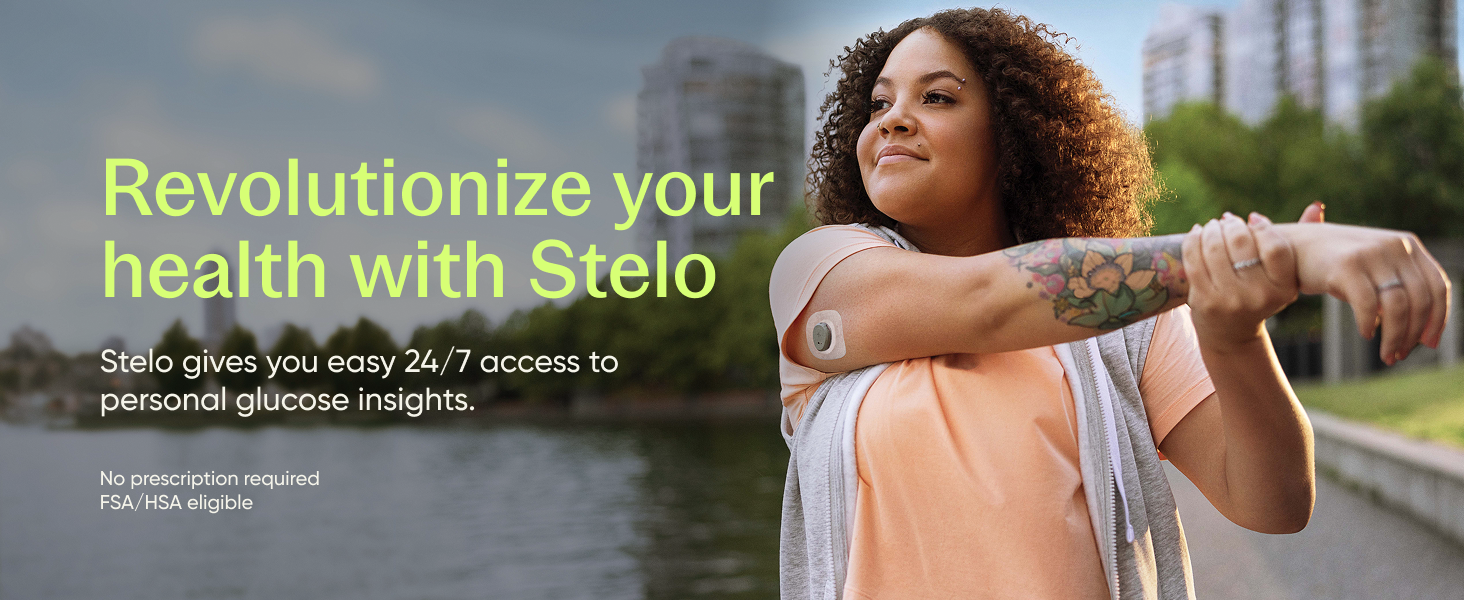
🚀 Unlock your glucose potential with Stelo — precision, freedom, and insight in one sleek sensor.
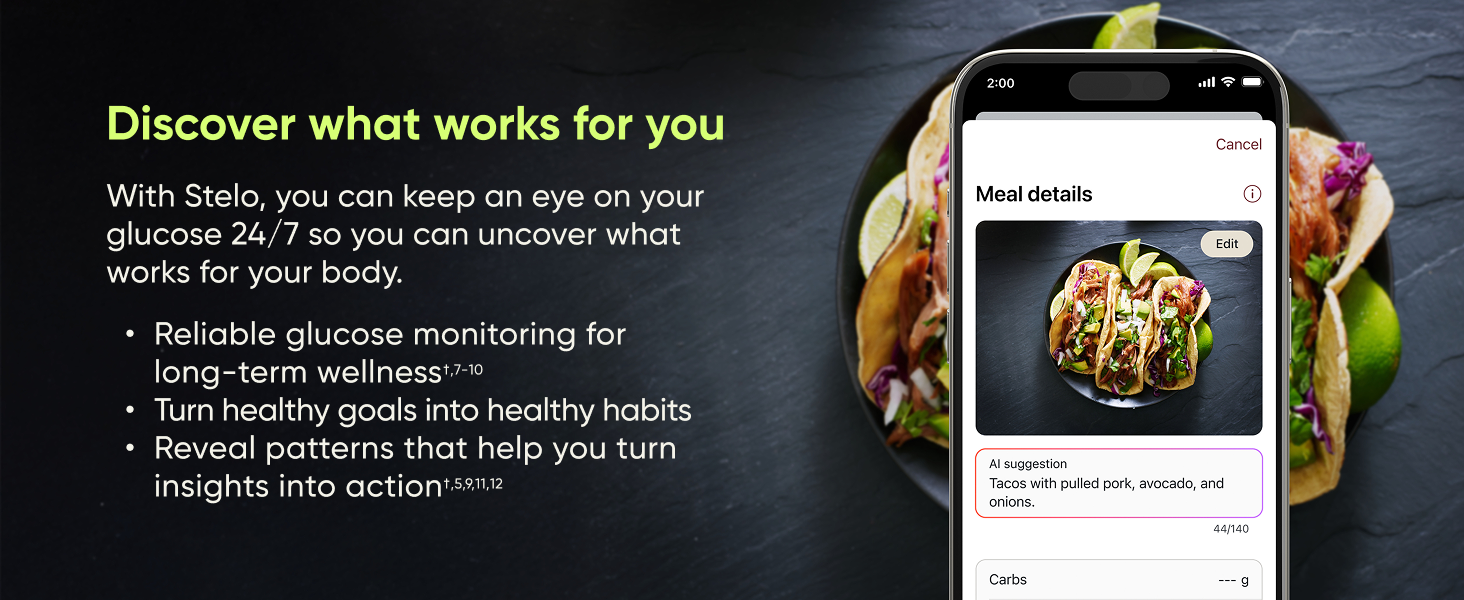
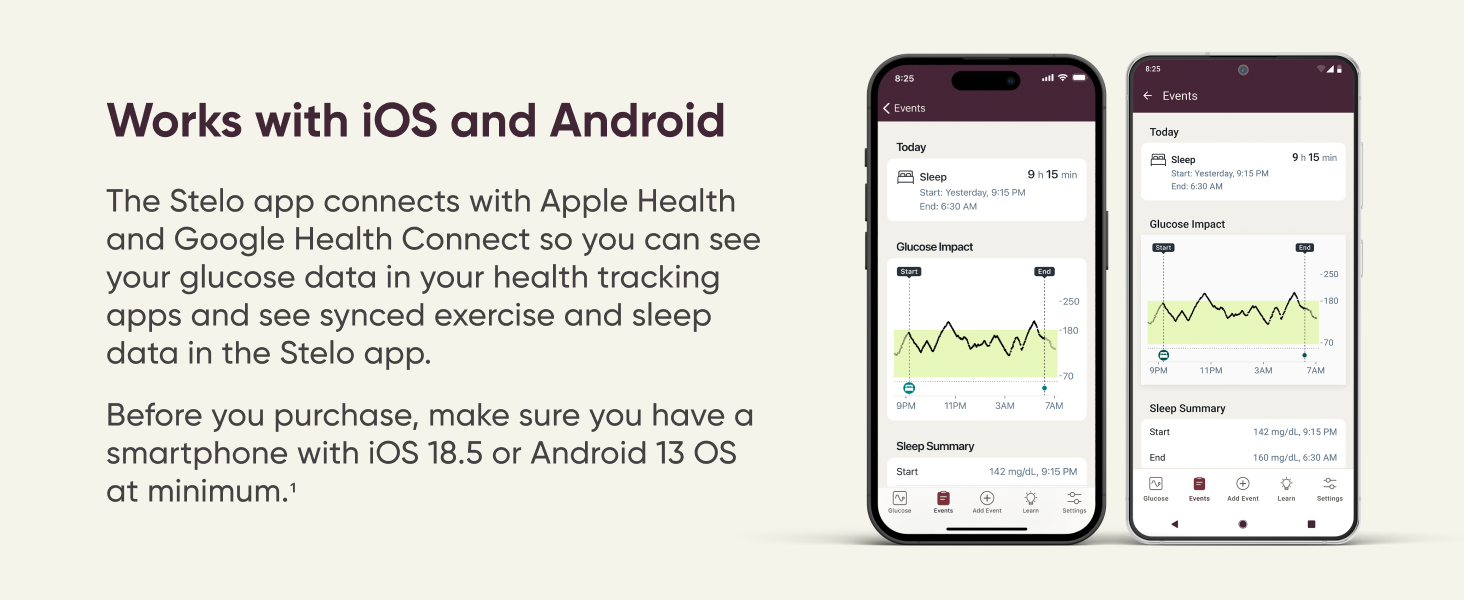
The Stelo Glucose Biosensor & App 2-Pack offers a cutting-edge, over-the-counter continuous glucose monitoring solution designed for adults not using insulin. Each flexible sensor delivers up to 15 days of accurate, real-time glucose tracking, supported by AI-driven coaching and advanced meal/activity logging. Waterproof and compatible with both iOS and Android, Stelo empowers users to make informed lifestyle choices with seamless integration into popular health platforms and reliable 24/7 support.


| ASIN | B0DTZ616WZ |
| Battery Cell Composition | Lithium Manganese Dioxide |
| Battery Life | 30 days |
| Best Sellers Rank | #961 in Health & Household ( See Top 100 in Health & Household ) #2 in Blood Glucose Monitors |
| Brand | Stelo |
| Brand Name | Stelo |
| Customer Reviews | 3.0 out of 5 stars 4,618 Reviews |
| Included Components | 2 applicators, 2 biosensors, 2 overpatches |
| Item Dimensions L x W x H | 1.1"L x 0.9"W x 0.2"H |
| Manufacturer | Dexcom, Inc. |
| Manufacturer Contact Information | Dexcom, Inc. 6340 Sequence Dr., San Diego, CA 92121 |
| Model Name | Stelo |
| Model Number | STP-XN-003 |
| Number of Items | 1 |
| Number of Packs | 2 |
| Operating Time | 30 days |
| Part Number | STP-XN-003 |
| Product Dimensions | 1.1"L x 0.9"W x 0.2"H |
| Special Features | App available on iOS and Android |
| UPC | 386270004857 |
| Unit Count | 2 Count |
T**F
CUSTOMER SERVICE ? HORRENDOUS !
If I could give it less than 1 star I would. Sensor worked for only 8 days, and then gave me a “Signal Loss” message. I went through all the trouble shooting steps in the app, and checked all my phone settings. Signal NEVER came back. App says if signal loss lasts longer than 3 hours, contact customer service. I went through the app to manufacturer’s website. Customer service is an automated chatbot called SteloBot. Eventually, I was able to request chat with a live agent in the Philippines, which is also where their technical “support” is. The agent said they would request a Case ID be assigned and open an investigation, and that I would hear back in 1-2 business days. The next day, which was Saturday, I received an e-mail with a case ID number, and a link to fill out the customer service form. There was space to provide details of what the issue was as well as the sensor serial #. Before I could submit the form on Sunday, I received another e-mail saying that if I didn’t respond within 24 hours, they would consider the case closed. I submitted the form. The Stelo/DEXCOM system, acknowledged receipt of the form, and again said I would hear back in 1-2 business days. 8 days later I still had not heard back, so I again went through the Customer Service rig-a-marole, to finally contact a live agent. They were polite and apologetic,and they requested a “reinvestigation” . I received an e-mail later that day saying, my “customer service issue could not be validated” (whatever the hell that means), and that they would not replace the faulty sensor. I contacted customer service AGAIN, and asked what “could not be validated” meant. I was told the “computer investigation” said the signal came back after 10 mins. I told the agent that was not correct. The app said “Signal Loss” and the signal NEVER came back. I checked multiple times a day for the remaining time the sensor was supposed to be working. Never came back. I asked if there was anyway they could just replace the sensor anyway, and was told that it was not possible for her to override the computer’s decision. I told her once again that the “computer investigation” was incorrect, and that there was no communication between the sensor and the app on my phone, after the initial signal loss and that the signal never came back. I was told that they could not manually issue a request to replace the sensor. For what it’s worth, there also seemed to be no mechanism to attempt to re-pair the sensor with my phone, or the app installed on my phone. While it was working, the app/sensor worked okay. Be aware, the sensor DOES NOT measure actual blood glucose. It measures the amount of glucose in your interstitial fluid in your tissues, just beneath your skin. If you’re diabetic and/or need your exact blood glucose, this is NOT the device for you. I’m almost 70. Blood glucose was not diabetic level, but was higher than my doc would have liked on my last 2 physicals. My wife is an RN, and thought these might be a good indicator of what affected my blood glucose and by how much. The accuracy is roughly + or - 10%. Just be aware of that. It’s more for blood glucose trends than actual, accurate blood glucose, so if you’re diabetic and need exact blood glucose, you probably don’t want to rely on this product. The customer service for this product is EXTREMELY WEAK in my opinion. Let’s face it, we paid Amazon roughly about $110 for a two pack of these sensors. The manufacturer probably pays around $10-15 per sensor. The fact that they refused to acknowledge a faulty sensor and wouldn’t replace it tells me all I need to know. Yup, you guys got me for $110, and saved $10-15 on replacing a sensor, so in theory, you got me, ONE TIME, for $125, but I will never again by ANY product associated with Stelo/DEXCOM, and I will discourage family and anyone else who is considering it, from purchasing one of their products. For what it’s worth ; out of curiosity, just checked other reviews of this blood glucose monitor. They actually have a higher percentage of 1 star reviews than 5 star reviews. What does THAT tell you. AVOID THIS PRODUCT !!!! WOULD NOT RECOMMEND/WOULD NOT BUY AGAIN/ABSOLUTE CRAP !
I**Y
Informative & Underrated.
I bought this to monitor myself for diabetes, as I am at risk. The monitor is as comfortable as it can be. I believe it has improved my overall health and improved my nutrition. It’s not a live glucose monitor INSERTION is relatively painless, especially compared to finger pricking! You feel the spring action of the device quickly putting the monitor on your arm. The 10-second manual pressure after insertion, as instructed by the manual, is more uncomfortable than the insertion itself. If you’re clumsy and bump it due to bad placement or absent mindedness — it will be painful but not terribly, less than stubbing your toe. If you put lots of pressure on it while sleeping (which is mentioned in the manual) it will be similarly uncomfortable, as mentioned in the manual pressure step. ADHESIVE patch that comes with each device is sticky and leaves residue (easily removable). I find that the adhesion of the device’s surrounding tape is enough. You must place properly, thoroughly clean the site beforehand with alcohol, and leave dry for at least 24hrs for adhesive to really really work. Device typically looks ready to be removed by days 12-14. You will see it is a thin wire that is inserted under the skin — not a needle as someone previously stated. REMOVAL of device is easy; like taking off a bandaid. LIFESPAN is typically 12-14 days. I usually remove by day 12 or 13 if I’ve been in the pool or had a particularly sweaty week. The APP is intuitive, especially if linking with Oura ring/app. The device updates to the app every 15 mins, with 5 min increments being monitored but only reported when synced during the update. Again, it is not a live glucose monitor. The AI used to help report nutritional information when logging a meal, can be unreliable and needs your review. Should be approached more thematically, I think. By using this device I have learned what types of foods/meals lead to spikes in my blood sugar and am able to plan accordingly. I will be buying more and more.
K**K
UPDATE! Buyer Beware- support is awful!!
UPDATED 9/16 Okay- it pains me to do this but I’m revising my rating. The first sensor worked great, game changer. But when I changed sensors after the first one was done I’ve had nothing but issues with the 2nd one. And it’s IMPOSSIBLE to get help!! Your forced to deal with a bot and if you can get to the point where you can actually open a case, good luck because you cannot even correspond to the email you send to further explain or provide info on th issue because it’s a no reply email?! Huh?! What kind of service is this? Zero service. I reached out to Stelo via a bot (your only option unless you can manage to get to the chat during certain biz hrs), finally got to the point where I could open a case only to be told in an email response to my case that I need to fill out some form which they never sent and then they proceeded to close my case the next day! I could not even respond to let them no that no form was ever rcvd (and yes, I check my spam/junk) …And yet I’m still stuck with a faulty sensor. I cannot even respond to the case email! It gets kicked back - so while I think the CGM as a device is amazing for understanding where your blood glucose is without pricking your finger all day (and seems more accurate too!) I cannot support a business who makes it so difficult to get help when it’s needed. I’m switching to a different company for my CGMs going forward. Sigh. I really liked the convenience of getting this CGM via Amz but it’s not worth this hassle when something goes wrong. Original! I’m working on a healthier lifestyle to better manage my blood sugar and was getting frustrated with the glucose meters being questionable when I did finger pricks. Between three different ones my b2b readings using the same finger prick would have variants of 10mg or more making it nearly impossible to determine which one was the most accurate. Decided to try this CGM and wow! Not only has it enabled me to find the blood glucose meter that is the most accurate it also helped me better understand my glucose levels after meals, exercise, during sleep patterns and has helped me stick to a lower carb lifestyle! I love seeing that I’m finally within a normal range day over day after making significant lifestyle changes!! I’m finally able to get into ketosis each day since it’s become such a great motivator to stick with that way of eating. I’m about half way through using my first of the two sensors. It paired with the app on the first try and through workouts, showers, and sleeping on my side, it’s still well intact. I purchased an additional pack of waterproof over patches that are a bit larger than the ones that come with it and I believe they have made a huge difference in protecting the sensor and keeping it in place. I’m definitely going to keep using these for the foreseeable future, at least until my next round of bloodwork in the next few months!! Im grateful to find and use this CGM w/out the added expense of a prescription. Making these more accessible is a game changer!
A**S
A Game-Changer for Metabolic Health, Learning Curve is Essential, review after 3 sensors.
I’m in the 50+ range and my lab tests were generally normal, as of lately with slightly elevated fasting glucose. Until I developed an early cataract and my eye doctor asked me if I was diabetic. What!? I decided to get the Dexcom Stelo because the reports are more aligned with what a doctor would want to see. I put the 1st sensor where it is recommended, the back of my arm. Then I went on to have breakfast. ham and cheese omelet, ½ a bagel with cream cheese and a glass of orange juice. And then my world came crumbling down. My glucose was already high, 120 and after 40 minutes it shot up to 240!!!! I was lucky I had the chance to hop on a treadmill and I walked that off until I saw 80. About 40 minutes. From that point my world had completely changed. My insulin is not performing as it should, hence the cataract and other health issues. I then began a quest to keep that glucose stable and I have to say, now 45 days into this project I lost 10lbs (from 180 to 170) just by monitoring what I eat and walking more. I still eat pizza and chocolates, but not to the rate I used to and thanks to the CGM I now know when to stop or mitigate a spike. Is it perfect? Absolutely not. Is it accurate? Not really. But it gives you an important view of what is happening in your body, glucose related. Does it hurt? No, but sometimes it is uncomfortable. Well there is a needle in your skin and as you can see from the images a fairly big one. yeah, yeah, it is made of soft whatever, but it is a needle. So if you bump on the sensor, put pressure on it or anything that may move that needle inside you skin you will feel something. It is not pain, oh my god let me rip this out of my body, but you do feel something. PLACEMENT - VERY IMPORTANT The first one as I mentioned was on the back of my left arm. This location gave me steady almost uninterrupted readings. But I’m a side sleeper and I worried (for 14 nights) that I could be sleeping on top of the sensor. So the 2nd sensor I decided to move a bit inwards my arm. I carefully selected a region between my biceps and triceps muscles. From reading other reviews, sticking it on a muscle is a big no no, so I did not want to try that. That place I would not sleep on top of it, but I did not account for walking. And as my arm moved back and forward the sensor was being hit. And of course I went to a Disney park and walked 20,000 steps (no exaggeration here) daily. So the second sensor did bother me a bit. I felt some pain at times and it began "timing out” a lot. Still negligible for what I need but there were many, many times the sensor did not record a reading. You see gaps in the dots. The third sensor I decided to, as instructed by internet knowledge, put it on a fatty place so I chose the lower center of my belly fat, right below my belly button. And I learned two very important things. One - the first 6 hrs your readings will be high, much higher than normal. I noticed that with my 2nd sensor and confirmed it with my 3rd. The reason being is that your body is reacting to a foreign object so it is sending “healing” power to the region. Apparently glucose is part of the healing process. I don’t know the biology behind it but a quick research online and with AI, yeah it does happen. Some people even put a new sensor 12 hrs before activating it to get consistent readings. Two - reading from my belly fat is incredibly inconsistent. First I thought there is a sensor issue because after a meal it shoots up to 170 in 20 minutes, then comes crashing down, then up, then down. Like a roller coaster. Readings from the back of my arm were much more consistent. Going up to 140 at most, and slowly coming down. So again, I’m not a doctor or a bio whatever expert, but a quick research shows that this does happen. And it sort of makes sense. I have 0 fat on the back of my arm but some noticeable fat on my belly. Now I have the proof of why. For whatever reason the human body circulates more glucose on fatty areas than on lean ones. Hence why you have stored fat!!! Makes sense, no? At any rate I’m still trying to understand the whole placement and readings, but my next sensor will go back to the back of my arm for sure. The Pros Incredible Metabolic Insight: This device completely takes the guesswork out of nutrition. I learned very quickly that my body reacts to "healthy" foods (like fruit) with significant glucose spikes. It taught me that I don't necessarily have to cut foods out entirely, but rather manage my portions to keep my levels stable. The App Experience: The software is intuitive and makes the data easy to digest. Watching the real-time difference between a high-carb meal and a keto-friendly meal is a masterclass in how your specific metabolism works. The last update now uses AI to look at a picture of your food and then give you an estimated breakdown of Carbs, Fiber, Protein and fat as well as calories. You can also scan a barcode and it will tell you exactly what the food you are consuming is (if it was made in America - no international barcode yet). So for a diet perspective it is an invaluable tool to correlate a particular food combination with your glucose. Clever Application: The applicator is well-designed for those of us who are squeamish. It’s a "push-button" system that applies the sensor instantly. You don't even see the needle/filament until you take the device off days later, which is a huge plus if you have a phobia of needles. Reports: The reports are invaluable. Very detailed and almost medical grade data. They are also interactive when viewing with your browser. You can mouse over a specific reading and it shows what the reading number is. Very insightful especially for night readings. I used to have the Somogyi effect (glucose crashes at 2am then rises high to compensate and you wake up at 120), and now it's almost under control. No more night sweats, waking up thirst, yada, yada, yada. The Cons Physical Discomfort: While the application is "painless" in the moment, the wearability can be hit-or-miss. I experienced some itchiness and sensitivity in my arm throughout the week. Placement is Critical: If you don't get it in the "sweet spot," it can be uncomfortable. I felt some random pains and had trouble sleeping on that side. I even had to cut a tricep workout short because it felt like the filament was agitating the muscle or a nerve. DIY Medical Hurdles: Since this is a one-size-fits-all applicator for a medical-grade device, there is a small margin for error. If it doesn't sit perfectly under the skin, you’re going to feel it for the duration of the wear. Accuracy "Mood Swings": This is the biggest sticking point. While some sensors are spot-on, others can be 30–60 points off compared to a finger-prick test. It’s better for seeing trends (spikes and dips) than for trusting the exact number to the digit. But this also may be a placement issue. Hard to say. Support: This is a DIY thing. Do not expect anyone to help you on the phone even if you have a defective sensor. Overall Summary This biosensor is a 5-star tool for data, but a 4-star experience for comfort. If you are following a specific health protocol (like the Frank Suárez "Metabolism" principles) or trying to optimize your weight lifting and diet, the information you gain is invaluable. It transforms your body from a "black box" into a readable map, showing you exactly how much glucose your body tolerates at any given time. And by understanding your specific metabolism you can control your diet and exercise to dial your glucose to a healthy pattern hence increasing your health and lifespan. Recommendation: BUY, especially if you are serious about fitness or metabolic health. Just be very mindful of your placement during application to ensure it doesn't interfere with your sleep or workouts!
A**S
Review after 3 ,10, and 13 days of Using the Stelo CGM (compare with fingerstick readings)
Stelo CGM Review: My 13-Day Experience as a Prediabetic Background: As someone with HbA1c of 6.0 (prediabetic), I started using the Stelo Continuous Glucose Monitor (CGM) to get ahead of my condition. I also used a manual fingerstick glucometer to cross-check accuracy throughout. 1. 3-Day Update (Early Impressions) Over the past 3 days, I carefully compared readings — taking at least 30 fingerstick samples and comparing each with corresponding data from Stelo. Consistently, the Stelo CGM showed readings 8 to 15 mg/dL higher than the fingerstick measurements. I understand that CGMs measure glucose in interstitial fluid, which can lag behind fingerstick readings from capillary blood by about 15 minutes. That said, the difference I observed was very consistent — Stelo was always higher. . My Verdict: 1. Stelo is a useful tool for identifying trends and patterns over time. 2. It is not as precise for exact moment-to-moment readings. 3. For accurate blood glucose levels, fingerstick testing should stay the standard. . Notes: However, CGMs like Stelo can be very helpful for daily decision-making, meal timing, and understanding how lifestyle impacts glucose. . If you're looking to spot trends and improve metabolic health, Stelo is an option - just remember to double-check with a manual test when precision matters. 2. 10-Day Update (Mid-Way Review) By Day 5, accuracy dropped sharply: Stelo showed 25–30 mg/dL higher than fingersticks, even at rest. I fully admit I’ve pushed the sensor hard: -Daily gym workouts, heavy lifting, running. - Swimming 4+ times/week. Applied a Skin Grip patch, which impressively kept the sensor secure through sweat and water. Despite surviving physically, data quality of CGM declined: -Only helpful for general directional changes - rising, falling, or steady. -Not trustworthy for absolute numbers. Decision: I would keep it on for trend watching, but no longer trusted the data for actionable decisions. 3. 13-Day Final Update (Sensor Fail) By Day 10: Readings became wildly erratic, jumping from e.g. 120 → 170 → 110 within minutes. No longer reflected any real trend or state. 4. By Day 13: Battery died and I removed the CGM. Remarkably, Skin Grip still held tight. Final Verdict on Stelo CGM (Sensor #1) -Days 1–5: Solid performance, good directional data, valuable tool. -Days 6–10: Usable only for trend direction (rising/falling). -Days 11–13: Garbage — data was erratic, unreliable, and eventually the device died. Conclusion: If you're prediabetic and want to learn how your lifestyle affects your glucose, Stelo may provide short-term. But: -Don’t trust the exact numbers. -Be wary if you're physically active — sweat, motion, and water appear to impact accuracy over time. I’ll test the second sensor, but my expectations are modest.
T**W
Make sure you know
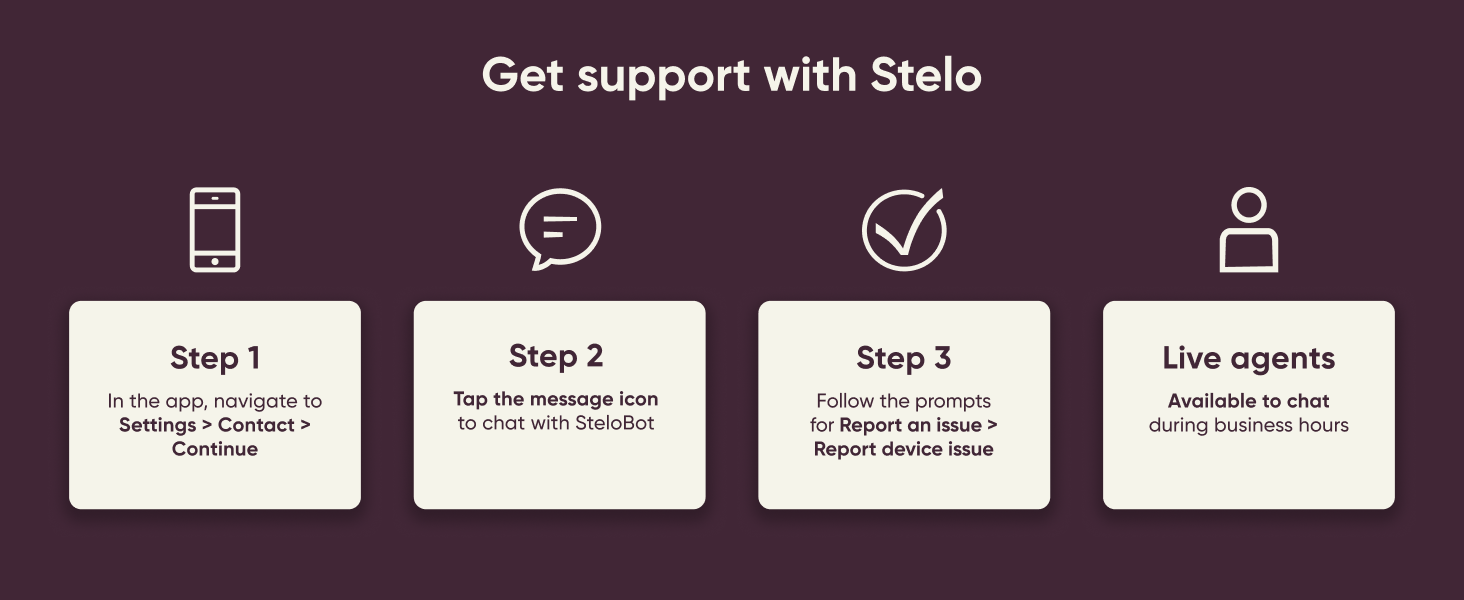
This is not something I would normally order. I don't like the idea of wearing something that screams I have diabetes. It is the vanity in me. However, my numbers were very off on my last doctor visit. So, I wanted to try something different. I was looking for something that did not require a prescription. There are not very many devices on the market. Of the two that Amazon offers, one (Lingo at a cheaper price point) can only be used with an iPhone. I have an Android. The delivery time takes a little longer than I wanted (5 days), but I purchased it anyway. It came with two 15 day sensors. The first sensor was very easy to put on and sync to my phone. The second sensor, however, experienced a problem 30 minutes after I put it on and eventually expired. So for the price point of $99, I am not very satisfied since this was supposed to be a 30 day supply. Some people have commented on the difference between CGM and BGM. I took the time to read up on this, and it is normal. One of the main reasons the two may differ is BGM measures glucose in blood, while CGM glucose in interstitial fluid (a fluid just below the surface of the skin). I also found out that this device is part of the Dexcom family, which is the maker of Dexcom G7 which requires a prescription. It can be paired with the Dexcom Clarity App for a little more detailed reports. There is a 20% chance that the device might not last the full 15 day time period, which again is disappointing for the price point. Customer service was quick to reply to my request for support, and they are sending a replacement. The ability to see how food have affected my sugar levels, to see where my numbers might be when I feel a certain way, without pricking my finger is great. Even though the detection range is 70 - 250, it gives a general idea that I use to determine if I need to prick my finger for a more accurate number. With this monitor you will need to use both, but not the BGM as much. I would still purchase again, because you can you FSA or HSA. I would prefer for the 20% fail rate not to be a thing, and if it weren't for that and the price I would give it a higher rating. I would recommend if you understand what you are getting.
P**S
So far it is working great!
**Update: 8/13-Sensor worked for 15 days, no issues other than me walking away from phone and disconnecting Bluetooth a few times, easy fix, connected again after turning Bluetooth off and back on, about a minute to continue tracking. Second sensor just applied, paired perfectly, no issues. With the "Skin Grip" cover patch applied, kept my sensor working 15 days without patch coming off even with sweating from exercise and in 100 degree Texas heat. Numbers can be high but I find it close and good for watching numbers over night, morning. History: I'm going on 50, not diabetic--could be Pre-diabetic (isn't everyone Pre-diabetic?), I have PCOS (mild) so I know I have insulin resistance and it still exists and that is why I'm tracking my numbers. Started Keto 4 years ago, dropped 60 lbs. I'm Perimenopausal and on HRT for those issues, so I have gained 10-15 lbs back last year due to this. We started exercising everyday--walking 3 miles, rowing machine so far. I started my sensor on 7/29 midday/evening. As of 8/1 my Stelo has been working like it should. I did some research about Stelo, proper placement, best patches/covers for it, what to download, how it works etc. My husband is type 2 on insulin and uses G7 CGM. So, I'm familiar with it and I can compare Stelo with G7 version. My equipment and Apps: I use an Android Samsung S24 smartphone, Samsung Galaxy Watch 7 and Samsung Health app with Google Health Connect app to get information from various apps for tracking. So, download the Stelo app, download the Dexcom Clarity app and use the same log-on information as Stelo. Clarity will save your tracking information and you will be able to manage Data sharing with your doctor/clinic. If you are a Samsung/Android user the Stelo app will show when you exercise and sleep under your glucose tracking. Comes in handy for knowing what you were doing during a spike or dip. You can also track what you ate at a moment when you have a spike also. Far as recommendations---- Skin Grip covers (for Dexcom G7 & Stelo) and I got the one that totally covers the sensor. DONOT use the cover that comes with your sensor kit. You can also buy the Skin Grip tacky wipes if you have had problems with the covers coming off early. Clean with an alcohol wipe well before applying these. Apply the sensor to the fat on the back of your arm closer to your armpit but not where the end of the cover will be in your folds of the arm, if you apply too far on side of arm in the muscle area you can bleed and bend the probe in the sensor. The reviews I've seen on here state that the sensor is either too high or too low on numbers. Well, the sensor probe is inserted in your Interstitial fluid below your skin, not in your blood. The readings will be slow to respond versus your actual blood glucose level. It updates every 15 minutes versus G7 updates every 5 minutes. I have tested with a finger prick test and the readings are behind but really close to accurate for me at times. I will update this review if I see any changes or if the sensor ends early. The fine print on the website states "up to 15 days" so it could fail early. The key is to apply the Skin Grip which keeps the sensor from popping in and out while you're moving around, showering and sleeping or if you're clumsy like me and sometimes bump into door frames and such---it won't pop off! I only gave 4 stars for now because I have found issues within the app that could be better experience for the user. Another thing I noticed in reviews is the errors with the sensor from lost of connection. You HAVE to keep your phone within 20 ft at all times. Sometimes I forgot my phone, walked off and got this error. A easy fix is turning Bluetooth on/off and it connected again (30 seconds?). It is easy to use and apply (my husband did the honors of putting the sensor on for me to get the best placement). The size is small and looks just like the G7. In comparison to the G7, Stelo updates slower but it works pretty much close to the G7. Buy the Skin Grip covers and I think this will allow the sensor to work as described because I think the sensor probe works it's way out with movement IF you use just the surrounding covers it comes with. I would suggest G7 users also buy these patches. You cannot use the Dexcom Follow app to track someone else's sensor like I can track my husband's G7. You cannot get glucose readings on your watch (Apple watches you can) but there are 3rd party apps that you can use to do this but you can't use Stelo App & Clarity with the 3rd party apps. The quality is the same as Dexcom G7, just works a little d slower but you don't need a doctor's RX and insurance for purchasing the Stelo! It's great for overall patterns in glucose but if you're diabetic or on insulin--talk to your doctor about getting the G7 to track.
D**.
Malfunctioning Sensor….You will need to check for Accuracy..
I was so happy to get this to manage my husband’s type 2 diabetes. This kit includes the sensors along with the online app to track your glucose and so much more. The first two sensors seemed great at first. They were easy to apply, very little pain if any (according to him) and they stayed put, lasting the entire 15 days. Although, he does says they are a bit painful when removing the adhesive surrounding the sensor, when it needs to be replaced. The app even tells you how many days you have left with each sensor. Additionally, the sensors were pretty accurate when testing against the finger stick glucose meter. However, this third one is showing numbers that don’t correspond with the finger stick meter. The Stelo Sensor is showing a glucose reading of around 224 which is consistently almost 100 points off the finger stick meter and there are still 9 more days to go. At one point, it showed a reading that was above 250. Although, it doesn’t show what the exact number is above 250. It just shows a broken dotted line. If this continues with the other sensor that was sent (got a pack of two) I am going with a different brand. I can see being off a little, but this is ridiculous! It’s been consistently like this now for the past day and a half. These sensors are too expensive to be malfunctioning. So, if you get a high or low reading make certain to check it first against the finger stick meter to verify if it is, in fact, correct. I am disappointed with this. But, will give an update on the next sensor. UPDATE: I contacted the company, via their chat box. You can then choose the option to connect with an actual person (live agent) via text, during normal business hours. Once I explained what was wrong, they gave me a link to open a case and fill out a form. I then received an email stating that they will send me a new sensor. Seemed easy enough! UPDATE: So, after experiencing issues with the 3rd sensor and waiting on the replacement, we decided remove the defective one and put on the other sensor we had. Well, we couldn’t get it to pair with the app we tried everything that was recommended with the troubleshooting advice and to no avail. Therefore, we had to open yet another case via chatbot (after business hours). They said it could take up to 1-2 business days, before they can reach out. At this point, I feel that although the company seems to try and help with these issues, there are a lot of glitches with this these otc continuous glucose monitors. I have even looked up the Lingo Continuous Glucose Monitor and it doesn’t look much better and It has about the same ratings. I have read that there are many things that can impact the monitor’s functionality. Pressure from laying on the sensor at night and even certain otc med such as acetaminophen can cause false highs and lows in glucose readings. However, when you have issues pairing the device with the app, that is a whole other matter. Especially, when you go through all the troubleshooting and still can’t find the issue (closing all apps, then restarting the Stelo app. unpairing any previous sensors with Bluetooth, turning Bluetooth off and then back on, making certain the sensor code is correct…and on and on! It seems to me that if the same company can make a prescription monitor that is more accurate, why can’t they make the OTC monitors more reliable? My husband isn’t on insulin, and according to the doctor, he isn’t eligible for a prescription monitor that is covered by his insurance unless he uses insulin. Needless to say, this is a very frustrating issue and it almost seems like it would be better to switch back to the finger sticks at this point, with the expense and issues which this monitor, it doesn’t seem like it is worth the hassle. I will continue to update on this issue.
R**R
Check if compatible with your phone
Check if compatible. I have a fairly modern One Plus phone so thought it would work but even with buying a VPN so could access as if USA not UK it did not work.
Trustpilot
1 month ago
2 months ago