
Buy anything from 5,000+ international stores. One checkout price. No surprise fees. Join 2M+ shoppers on Desertcart.
Desertcart purchases this item on your behalf and handles shipping, customs, and support to UAE.
🖱️ Elevate your workflow with precision and freedom—because every click counts.
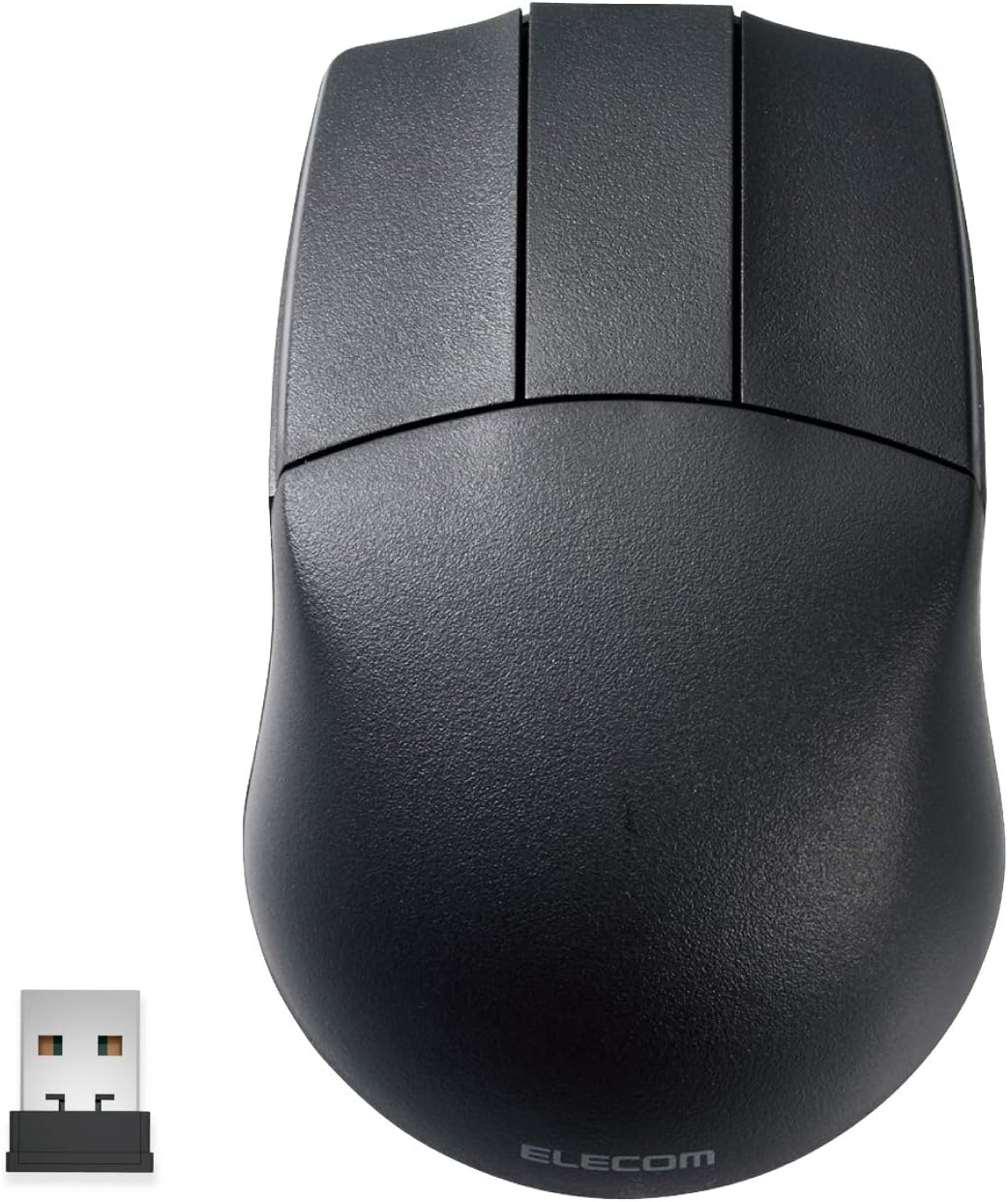
The ELECOM Wireless Mouse M-CAD01DBBK is a wheelless, ambidextrous 3-button mouse optimized for 3D CAD professionals. Featuring a Blue LED optical sensor with adjustable 600/1200 dpi sensitivity, it offers precise tracking on various surfaces. Its durable OMRON switches ensure a premium click feel, while the compact 2.4 GHz wireless receiver stores inside the mouse for easy portability. Compatible with Windows and macOS, it supports up to 10 meters of wireless range and boasts an impressive battery life of over 20 months, making it a reliable tool for demanding professional environments.


| ASIN | B07W3STDLR |
| Additional Features | Small Receiver |
| Amazon Bestseller | #6,336 in Computers ( See Top 100 in Computers ) #183 in Computer Mice |
| Antenna Location | Office, Home, Telework |
| Are Batteries Included | No |
| Are Batteries Required | No |
| Battery Average Life | 20 months |
| Brand | ELECOM |
| Button Quantity | 3 |
| Color | Black |
| Compatible Devices | Compatible models: Windows OS, macOS equipped with USB port |
| Connectivity Technology | USB |
| Country of Origin | China |
| Customer Reviews | 3.9 3.9 out of 5 stars (423) |
| Embellishment Feature | Logo |
| Hand Orientation | Right Hand |
| Hardware Platform | Mac, PC |
| Item Weight | 63 Grams |
| Manufacturer | エレコム(ELECOM) |
| Model Name | M-CAD01 Series |
| Model Number | M-CAD01DBBK |
| Mouse Maximum Sensitivity | 1200 Dots per Centimetre |
| Movement Detection | Optical |
| Number of Batteries | 1 AA batteries required. |
| Operating System | Compatible OS: Windows 11, Windows 10, Windows RT8.1, Windows 8.1, Windows 7 Windows XP *You may need to update the latest version of each OS or install a service pack |
| Pattern | Plain |
| Power Source | Battery Powered |
| Range | 10 meters |
| Style Name | Wireless |
| Theme | Office, Home, Telework, Cafe |
| Unit Count | 1 Count |
| Warranty Description | 6 Months Warranty |
Y**I
特に問題なく使用できてます。 現在は、autocad、solidworksで使用てますが安いので助かります。
R**5
Mサイズっていうのがよく分からず買いましたが一般的なマウスより厚みがあって一回り大きいように思いました。
A**ー
space mouseと一緒にcad専用で使用。他の作業はトラックボールを使用。 壊れたのでもう一つ購入した後、ダメモトで分解清掃したら復活しました。3d connexionのマウスも気になるが、なんせ¥2,000そこそこだよ。 自分的には、3d mouseとの併用が必須でこれだけでは何も出来ません。普通のマウスでcadるとホイールが2,3ヶ月程度で壊れるのと、右手だけでグリグリやってると腱鞘炎になってしまう。 おすすめします。
ず**だ
仕事で使うCADマウスとして購入。 機能としては必要十分。問題なく使用できます。 質感や重さはオモチャの様な感じでした。 私はもう少し重い方が好みでしたが、軽めの物が好みの方には良いと思います。 難点としてはクリック音がうるさいです。 カッチ、カッチと安っぽい音が響きます。 見た目、音共に安っぽいとは言いましたが、この値段で無線CADマウスと考えれば妥当です。
A**ー
2年に満たないですが故障しました。1年程前から電源が落ちて最初はスイッチの入れ直しや電池交換で使えていましたが全くポインタが動かなくなりました。
S**O
職場の共用CAD PC用に購入しました。 CADで図面を描く際に、今までは共用PCに用意されている有線のCADマウスを使用していましたが、性格上潔癖症な為、今までは嫌々使用していましたがこの機に個人のCADマウスを購入しました。 結果、無線であり自分専用のマウスなので気持ちよく使用できています。 また、クリック感やマウス感度も良く使用した感じについても、満足できています。 使用していての耐久性については、オムロン製のボタンのためそこまで心配はしていませんが、もしダメになっても¥そこまで高いものではないので、買い替えになるかなと思います。 他のレビューされている方でマウスホイールがないので評価を下げている方もいらっしゃるようですが、個人的にはCADマウスはそういうものだと割り切っているので、私は不便には感じていません。 質感としては申し分ないので、おすすめです。
エ**ン
cad用の無線マウスとしては非常に使いやすいが、pc作業と併用で使うにはスクロールホイールが欲しくなる。 ホイール付きであれば満点なのだが。
S**V
great product.. I lovE it
B**8
What it is NOT: - high quality feeling materials - highest dpi and refresh - modern gaming mouse - a super precise tracker. It not a fast feeling mouse if you’ve used a decent mouse before. What it IS: - surprisingly ergonomic - super simple to use - decent switches - exactly what you want in a CAD mouse BIG NOTES: 1. It isn’t ergo in the modern sense, but it is rotund and fills the palm. 2. Without the wheel your hand is free to hold it more freely. Again, shocked it’s this comfortable. 3. I actually like the use of batteries for a niche item like this. I can rest assured I will always be able to use it even when they stop making it. 4. It would be even better if I could still get the wired one….. 5. The dpi switch actually is weirdly handy. 6. The LED is indeed blue.
P**D
Good product. using since 15 days, working fine, Good quality. Best for cad designers, cad mouse. Size is perfect, feels ergonomically perfect to hands, no stress on hands. Bit costly.
T**G
its a bit wider than i like... but overall pretty good
S**N
I picked up the ELECOM 3D-CAD Wireless Mouse for animation work, and it’s surprisingly effective. It doesn’t have a scroll wheel, which took a bit to get used to, but it actually helps avoid accidental zooming or panning something that can be really annoying in animation software. The tracking is smooth and precise, with adjustable DPI (600/1200), which makes frame-by-framework easier. It's also ambidextrous and lightweight, so it's super comfortable during long sessions even for left-handed users like me. If you want a no-frills, comfortable mouse that’s great for precision tasks like animation or rigging, this is a solid pick. Just don’t expect it to handle scrolling-heavy tasks.
M**N
After using my regular mouse in blender, I noticed my fingers were getting sore constantly "clicking" in the scroll wheel so I purchased this mouse with a dedicated middle mouse click. It has been a complete game changer - I no longer have finger fatigue from working in blender! The wireless is snappy with no lag as long as the mouse has a relatively close connection, I did notice MINOR wireless connection issues when I plugged it in behind my computer but when in the front ports it works great. Highly recommend 5/5
Trustpilot
1 week ago
3 weeks ago